11. Reporting
xNarrative context
The journey is performing. But performance drifts. A subject line that won the experiment last month may underperform a new one next month; a regulatory shift may slow conversion; a competing offer may steal attention. Operational alerting tells you when the platform is unhealthy. Analytical alerting tells you when the campaign is unhealthy. Both matter, but they live in different tools and ring in different rooms. This exercise builds the analytical side, in CJA.
Open the CJA workspace
- Switch to Customer Journey Analytics via the top-right product switcher.
- Find the workspace LF Mortgage — Journey Performance in the workspace list.
- Open it.
The workspace contains pre-built panels:
- Journey Overview
- Content Experiment
- Action Performance
- Event Performance
- Path Experiment
- Email Details
- Push Details
- Content Decision Performance
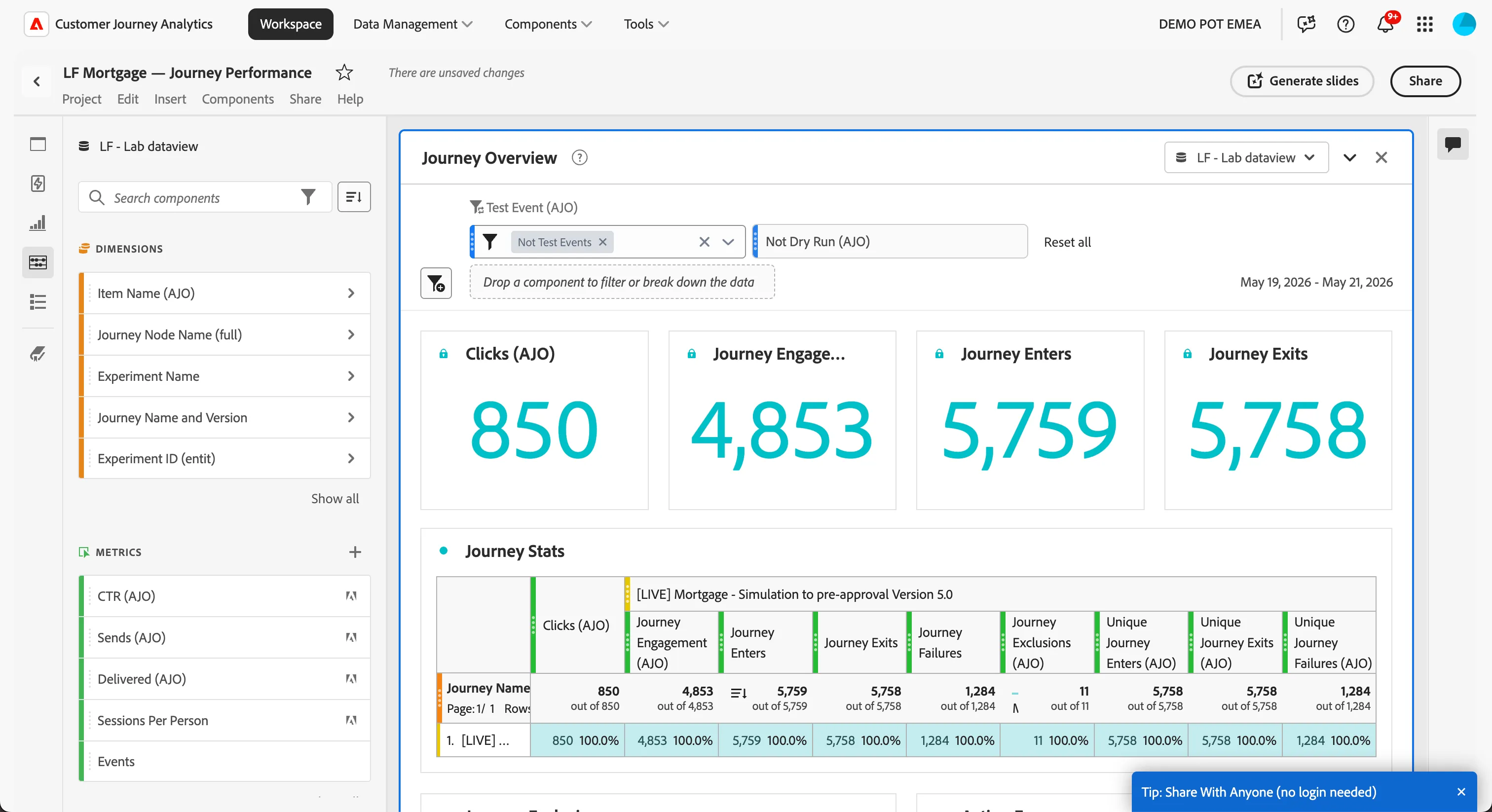
The workspace is connected to the AJO dataset through a CJA data view that maps AJO events (sends, opens, clicks, conversions) to CJA dimensions and metrics. The connection was set up pre-lab — in production this is a one-time configuration owned by the analytics team.
Create the scheduled alert
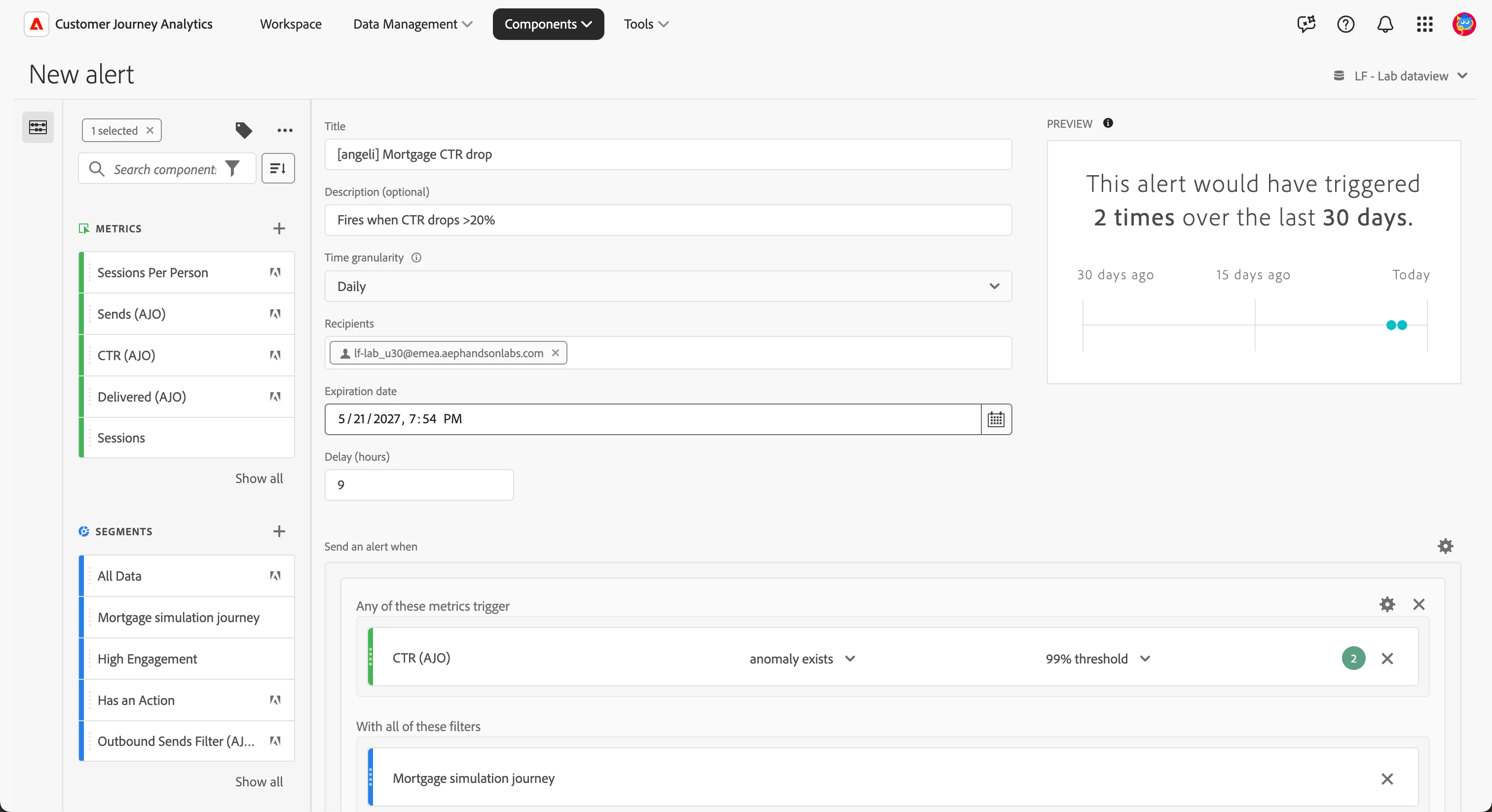
- In the top menu, click Components → Alerts.
- Click Add.
Configure the alert:
- Name: [{{LASTNAME}}] Mortgage CTR drop.
- Description: Fires when CTR drops >20%.
- Granularity: Daily
- Recipients: Enter the email addresses of those who should receive the notification. (TIP: can be a user with access to Adobe or an external email address).
- Expiration date: set the date and time when you want the alert to expire.
For the metric:
- Metric: select the calculated metric CTR.
- Threshold type: change from anomaly exists to changes by %.
- Magnitude: 20.
To restrict the alert only to the Mortgage journey you can apply the segment Mortgage simulation journey.
- Click Save.
How AJO alerting and CJA alerting differ
You have now configured both surfaces. The contrast is the lesson:
| AJO operational alert | CJA scheduled alert |
|---|---|---|
Watches | Platform health | Marketing performance |
Cadence | Real-time (15-min eval) | Scheduled (daily/weekly) |
Audience | Engineering / operations | Marketing / campaign owner |
Typical signal | Action error rate spike | Conversion-rate decay |
Neither replaces the other. A journey running with both has visibility into both kinds of failure mode and an honest division of labour.
Business punchline
You have given the marketing team an inbox-level early warning system. If the recap email starts converting worse than it should, somebody finds out on Monday morning — not three months later in a quarterly review. The team can investigate while the trail is fresh: a recent rate change, a competing campaign, a seasonal shift. The journey learns; the team learns alongside it.