Environment & Access
5 min
User accounts have been created to access Adobe Experience Platform and all of the tools you'll need in today's workshop.
Login credentials
Username | lf-lab_u{{USER_NUMBER}}@emea.aephandsonlabs.com |
|---|---|
Password | (check the slide) |
Login steps
- Navigate to Adobe Experience Platform: https://experience.adobe.com/#/@demopotemea/home
- If you are already logged in on your own or corporate account, log out first.
- Enter the credentials above.
- If prompted for a phone number, click Not now.
- You will arrive at the Adobe Experience Cloud home dashboard.
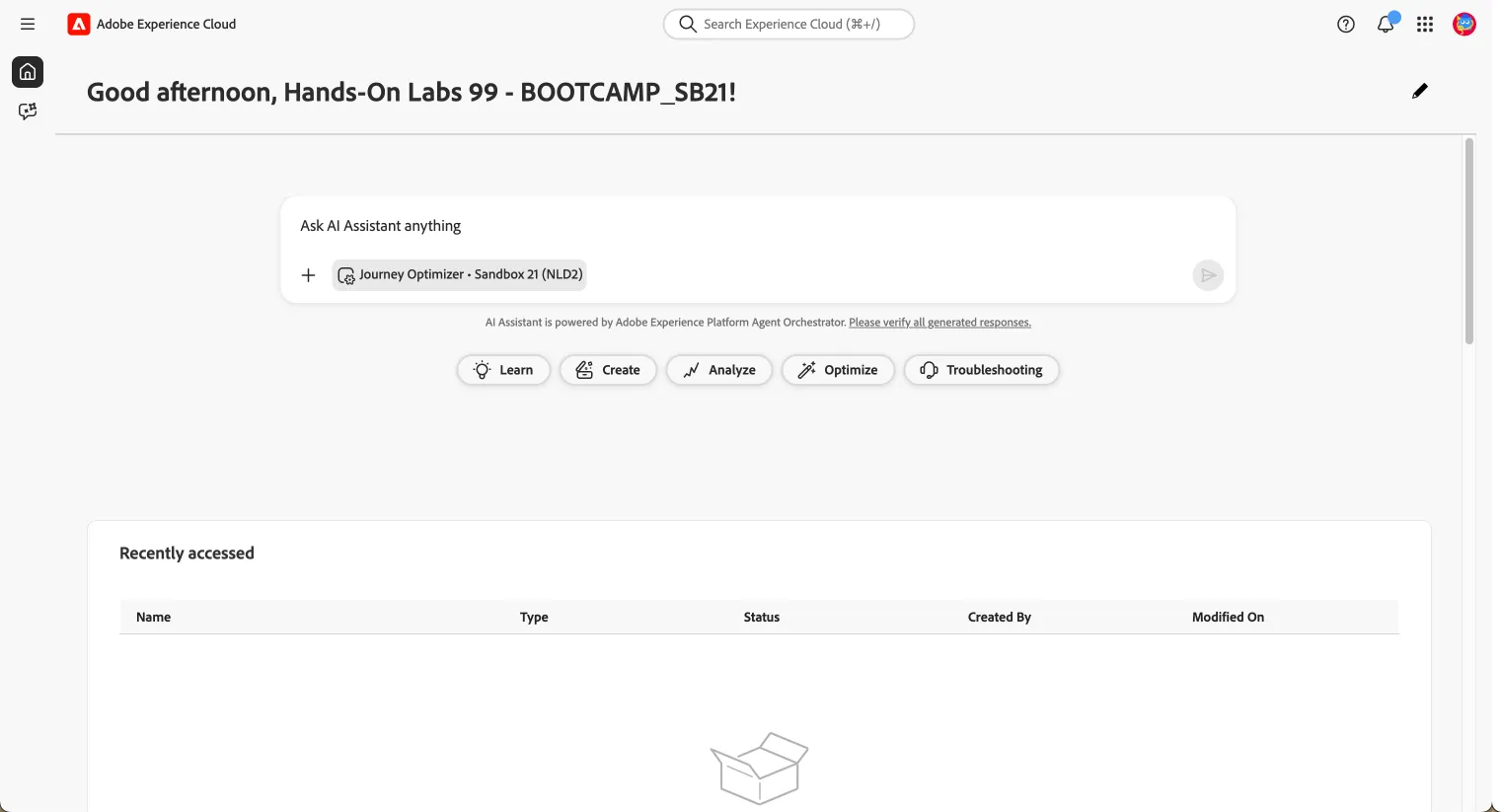
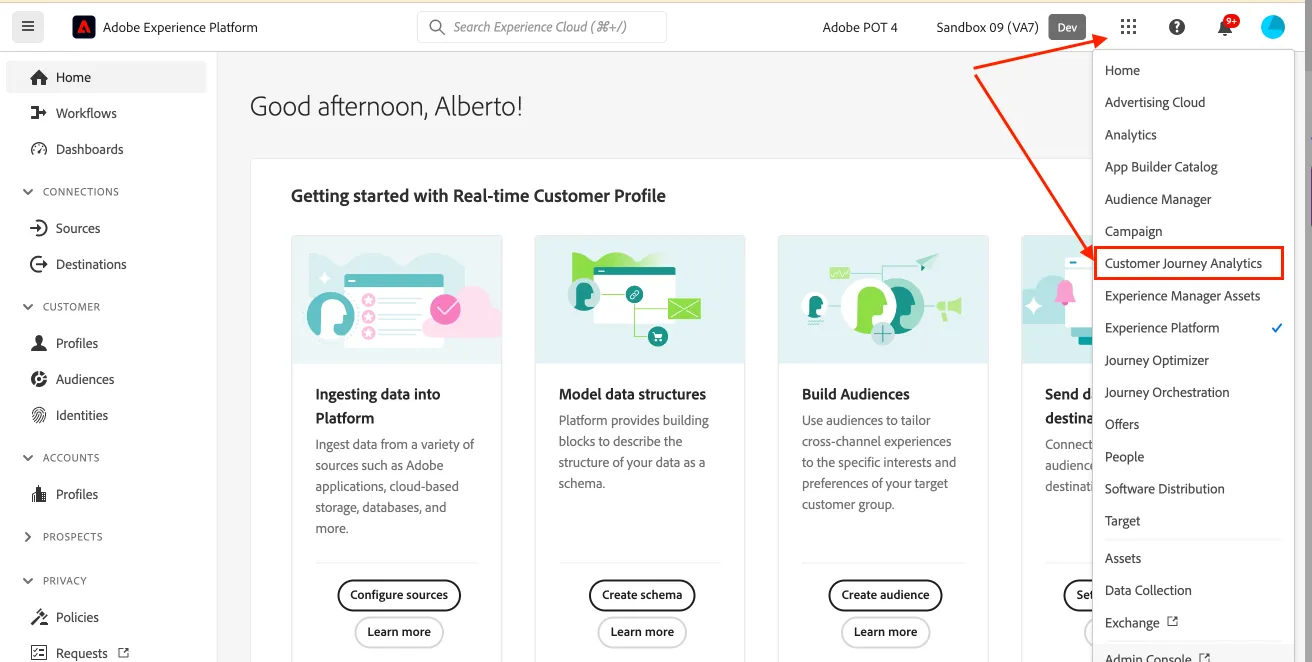
- Click the 9-dots icon
 (top right) → Experience Platform.
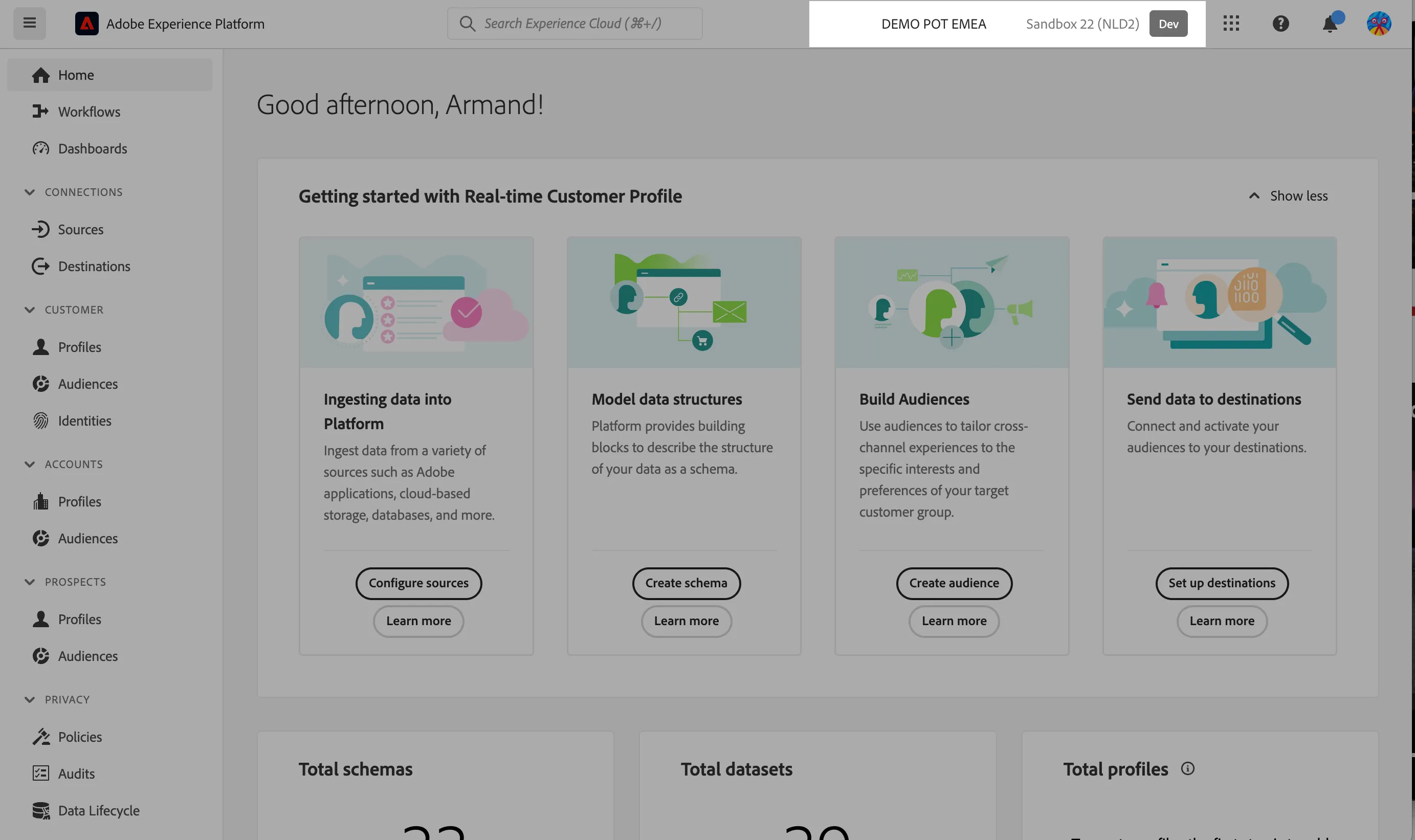
- Verify the sandbox:
- DEMO POT EMEA org
- the Sandbox 03 sandbox.
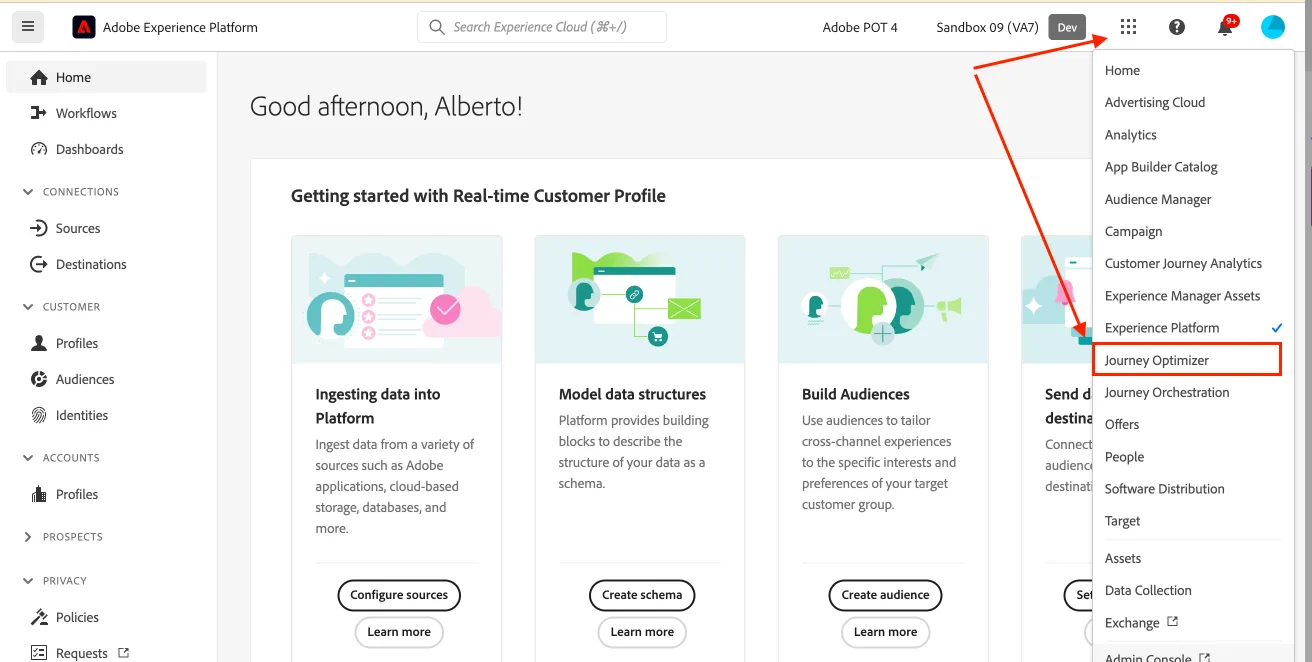
Adobe Journey Optimizer
From any screen: click the 9-dots icon (top right) → Journey Optimizer.
Customer Journey Analytics
From any screen: click the 9-dots icon (top right) → Customer Journey Analytics.
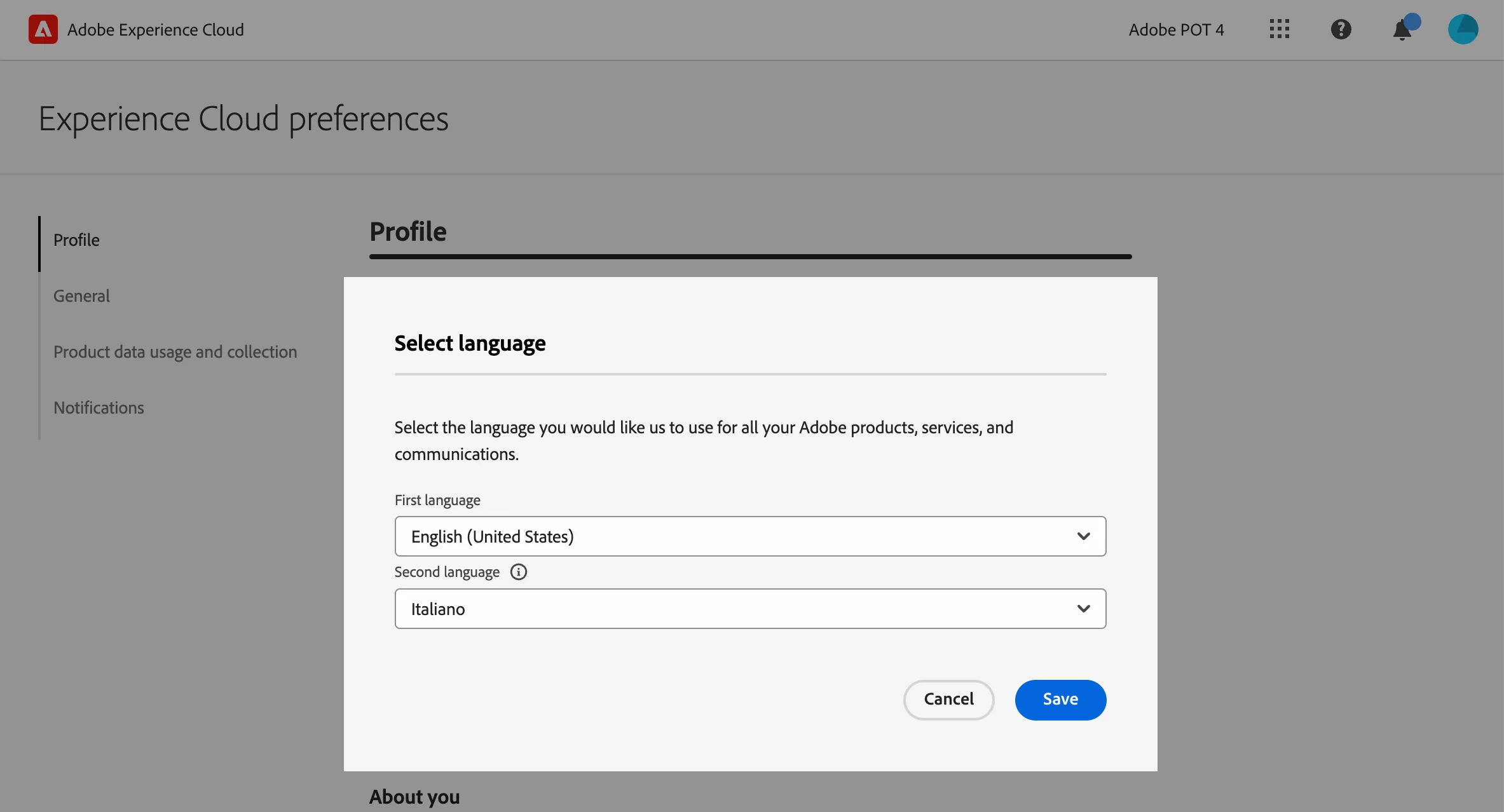
(Optional) Set language preferences
If you prefer the interface in English, set English (United Kingdom) as your first language.
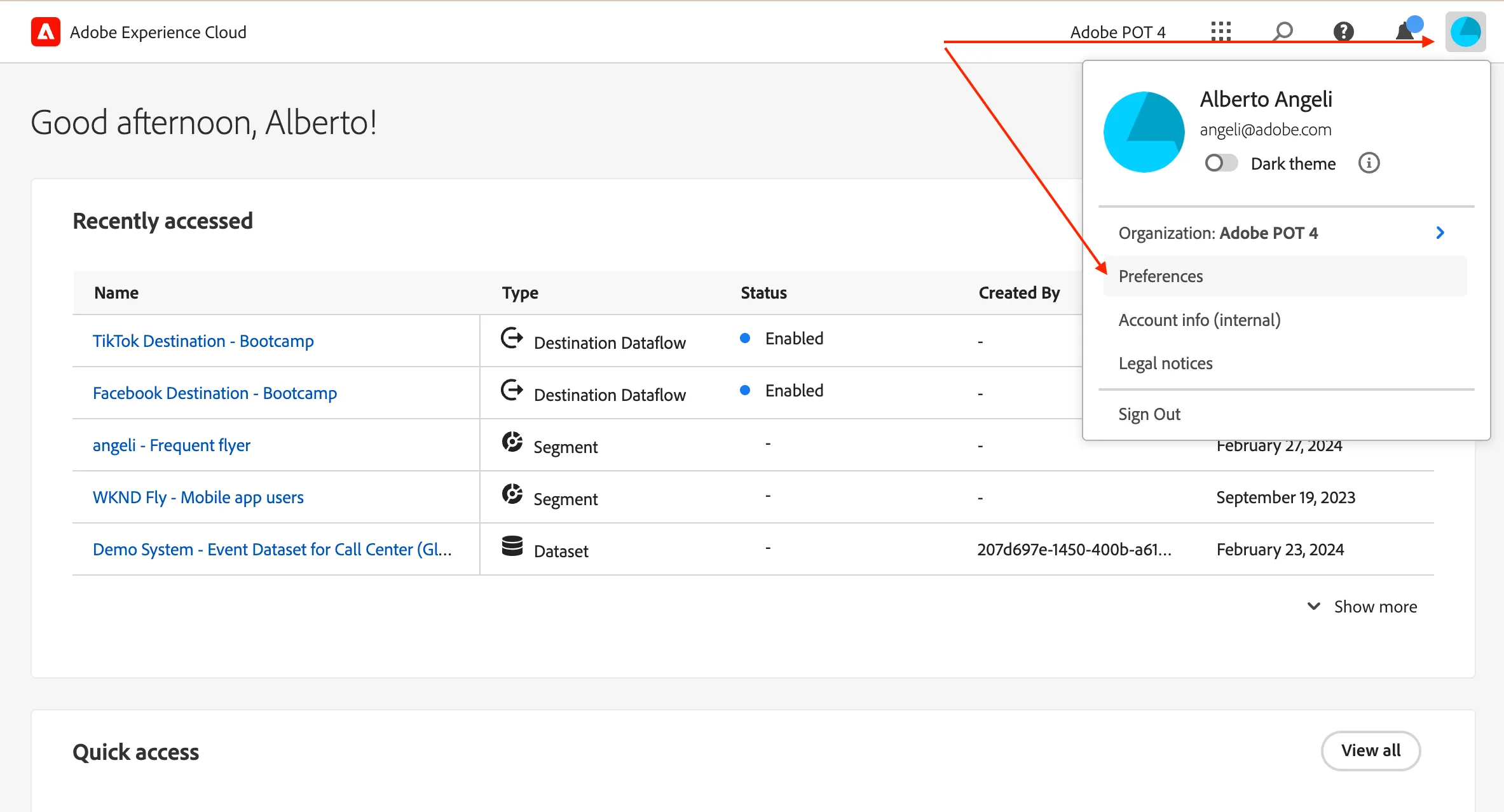
click on the profile icon on the top right corner;
- click on Preferences.
- Click on the language label just below your name.
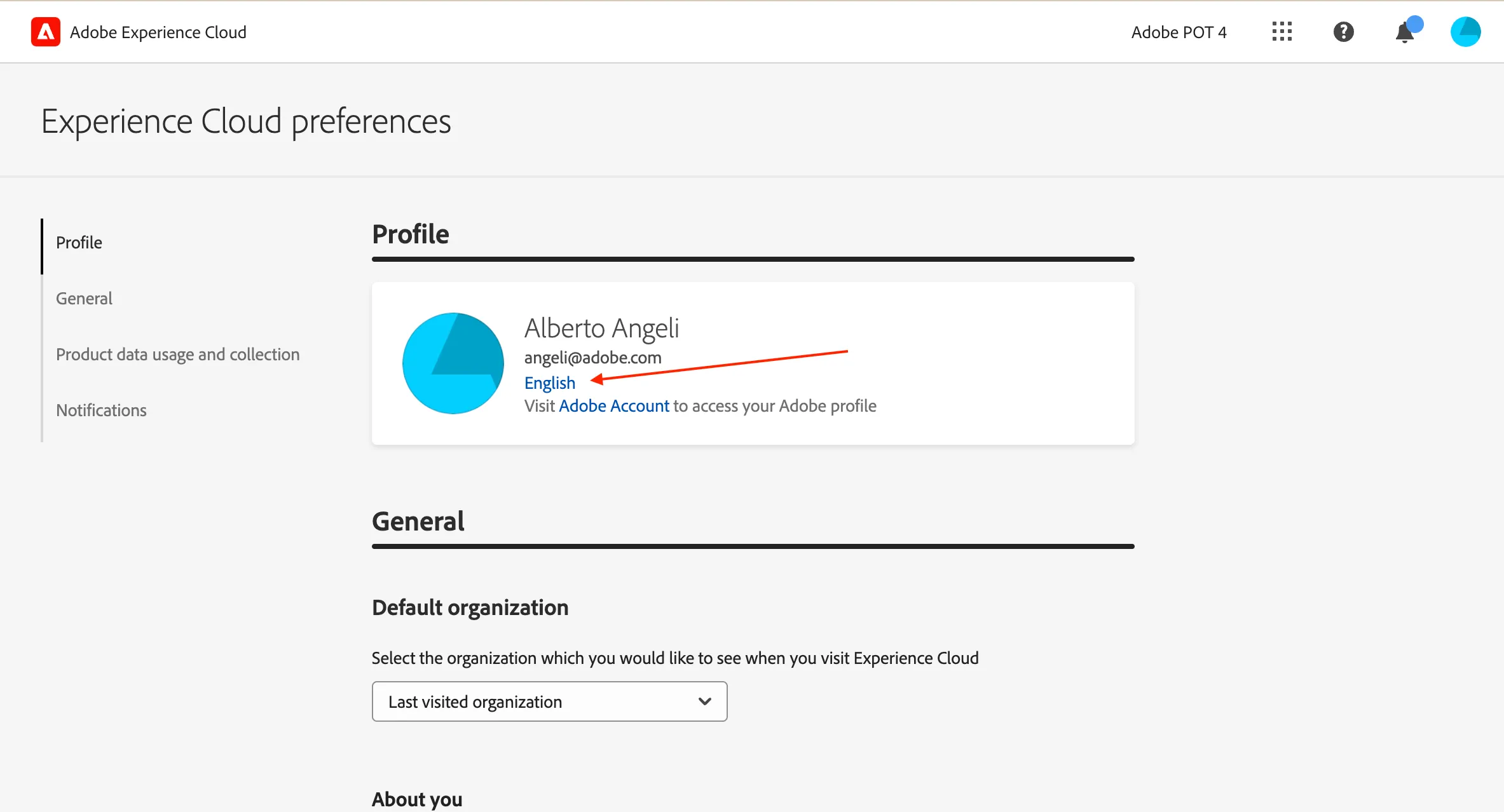
- Select English (United Kingdom) as First language;
- select your preferred language as Second language;
- click Save.