Audience Creation
Create a real-time audience
We want to create a real-time audience for the retention campaign - we will leverage the rule based audience builder to do this. Our audience will have two rules:
- Predictive Churn Score - calculated externally or by Adobe is greater than 70
- Customer has visited the support or contact page today
Click on Customer -> Audiences, then click Browse to open the Audience Portal.
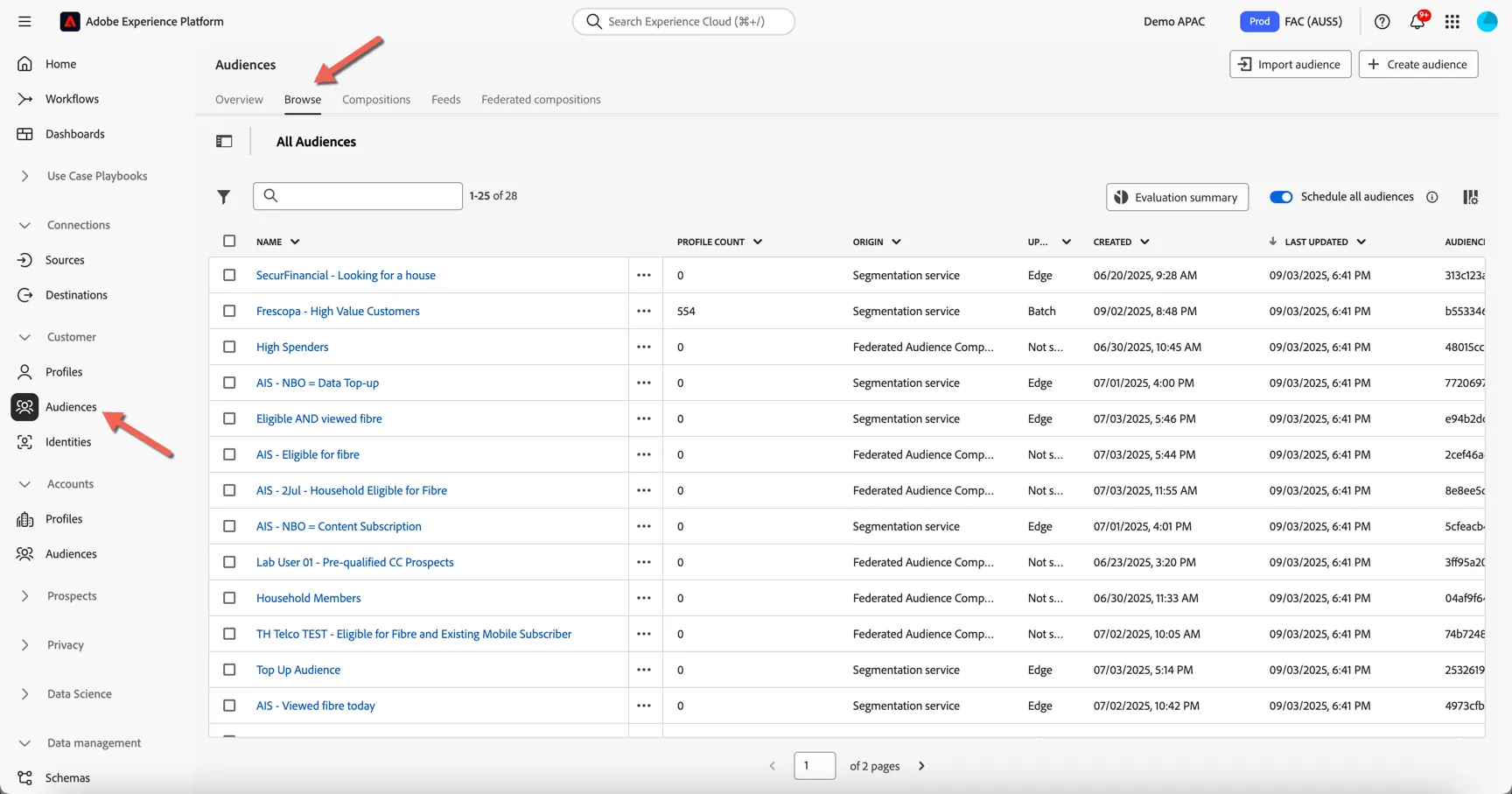
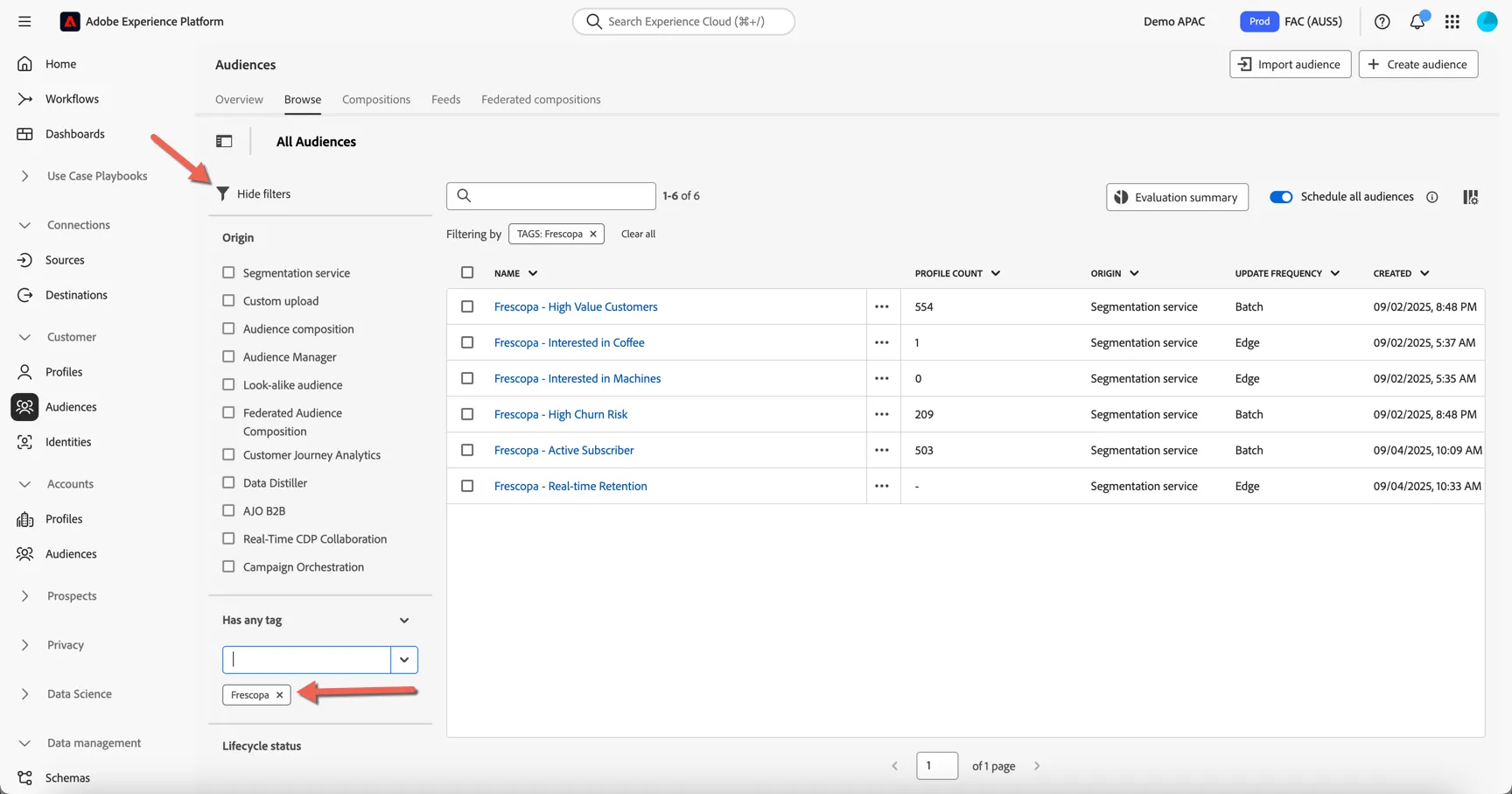
Click on the filter icon. The origin shows the many types of audiences that can be found in the portal. Each audience can be tagged for easy filtering, apply a filter for Frescopa tag, to show the audiences already available.
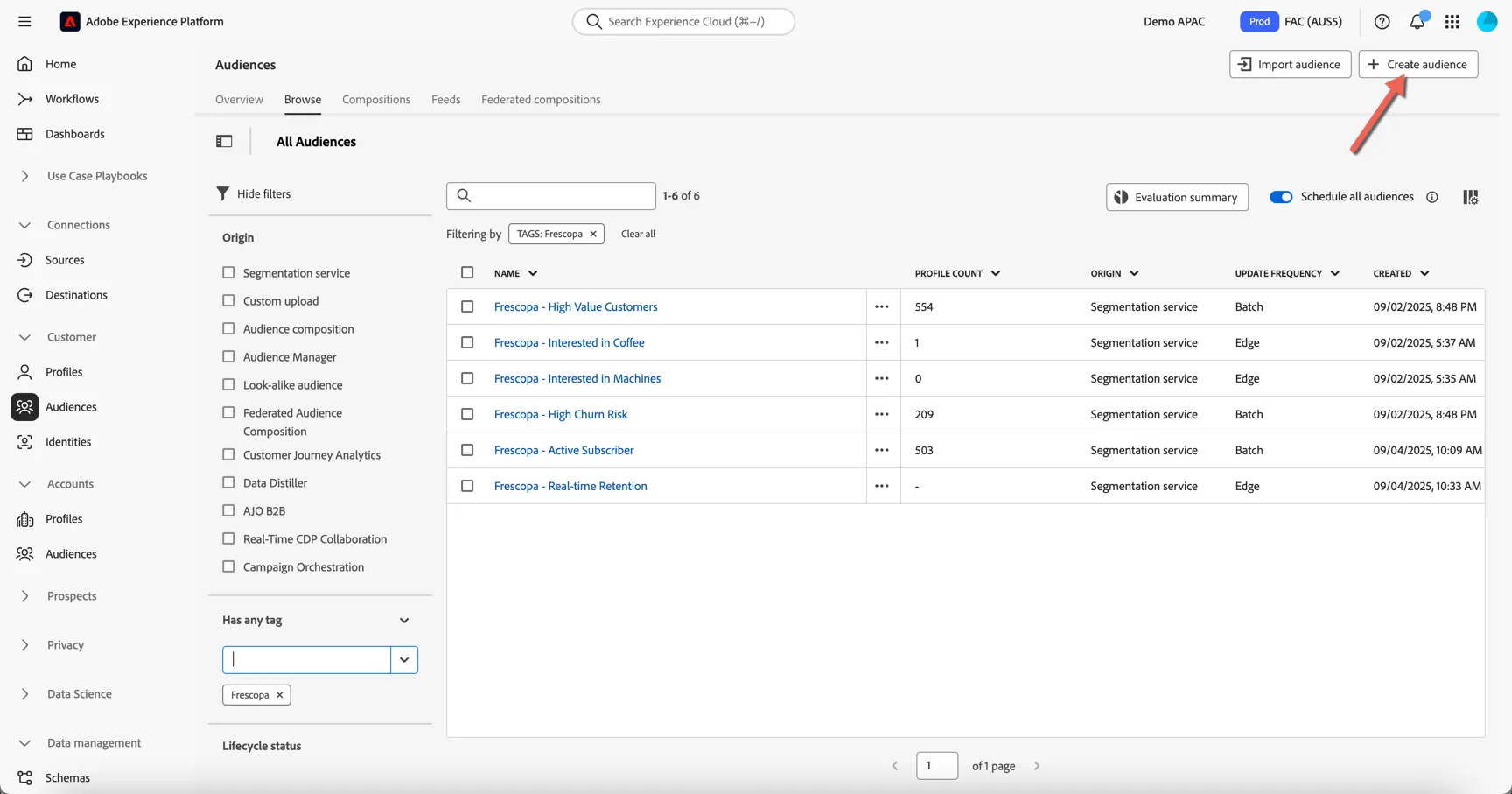
Let's create our new audience. Click to Create Audience in top right corner.
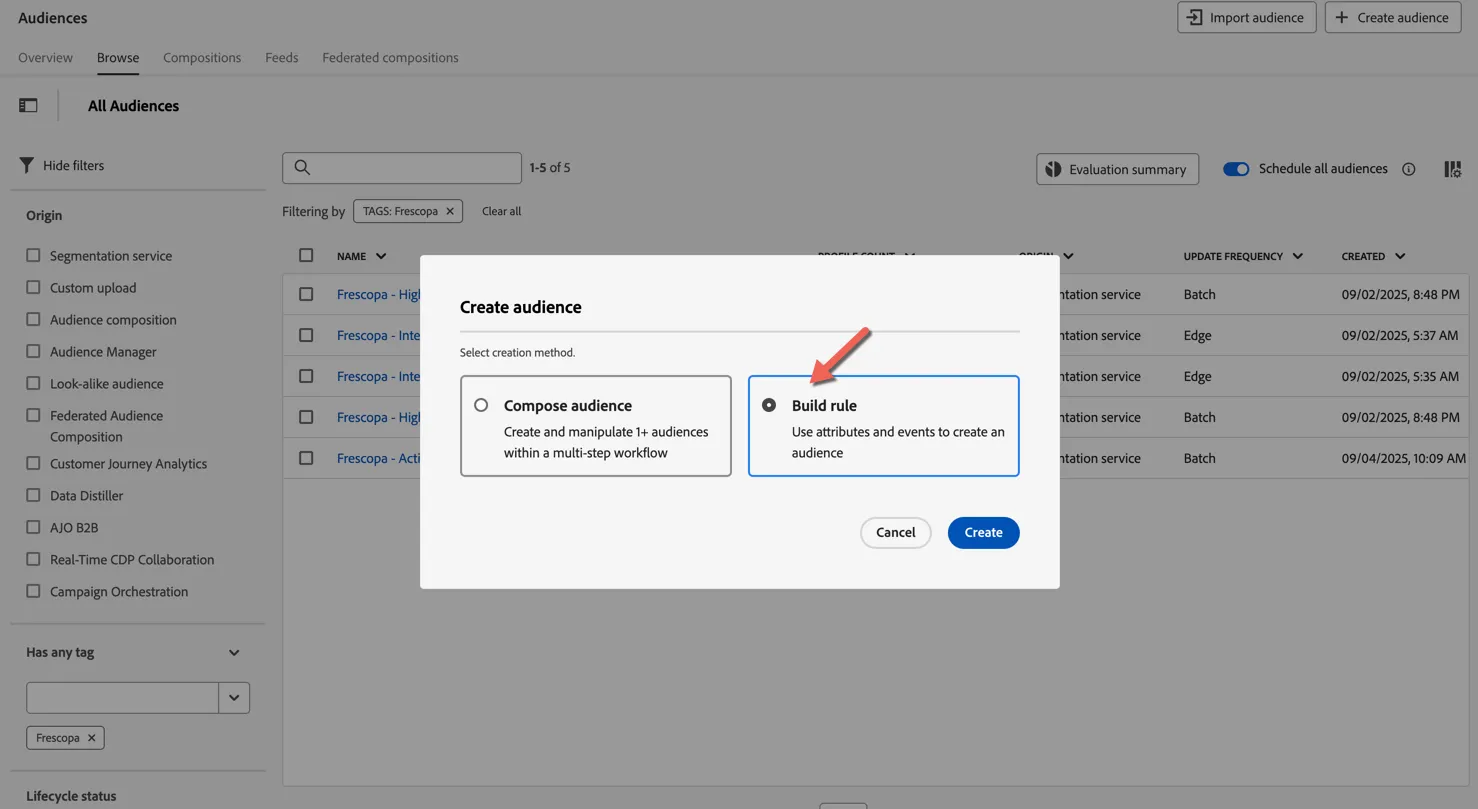
Click to Build rule and click Create.
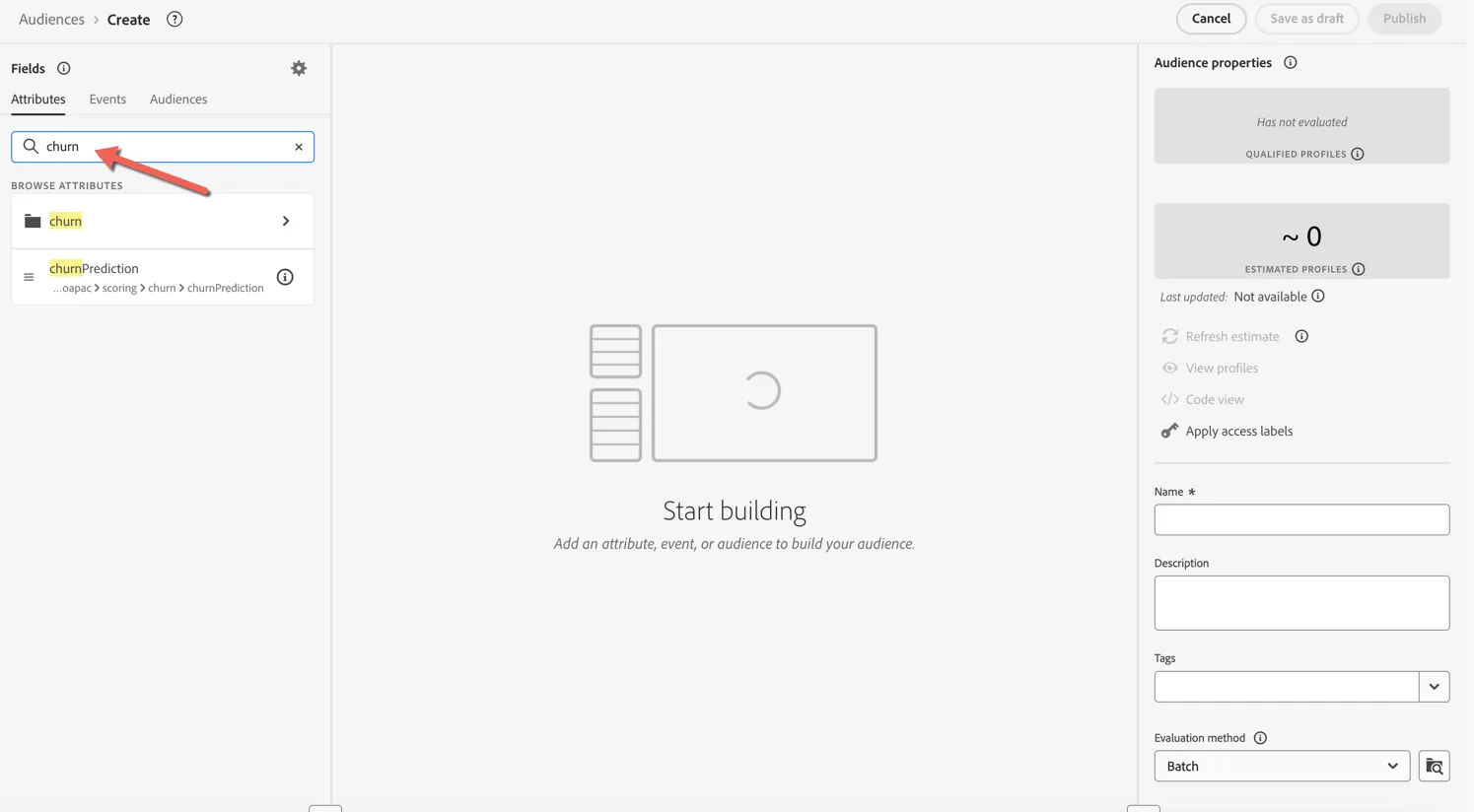
The drag and drop audience builder will open. Search for Churn in the attributes tab.
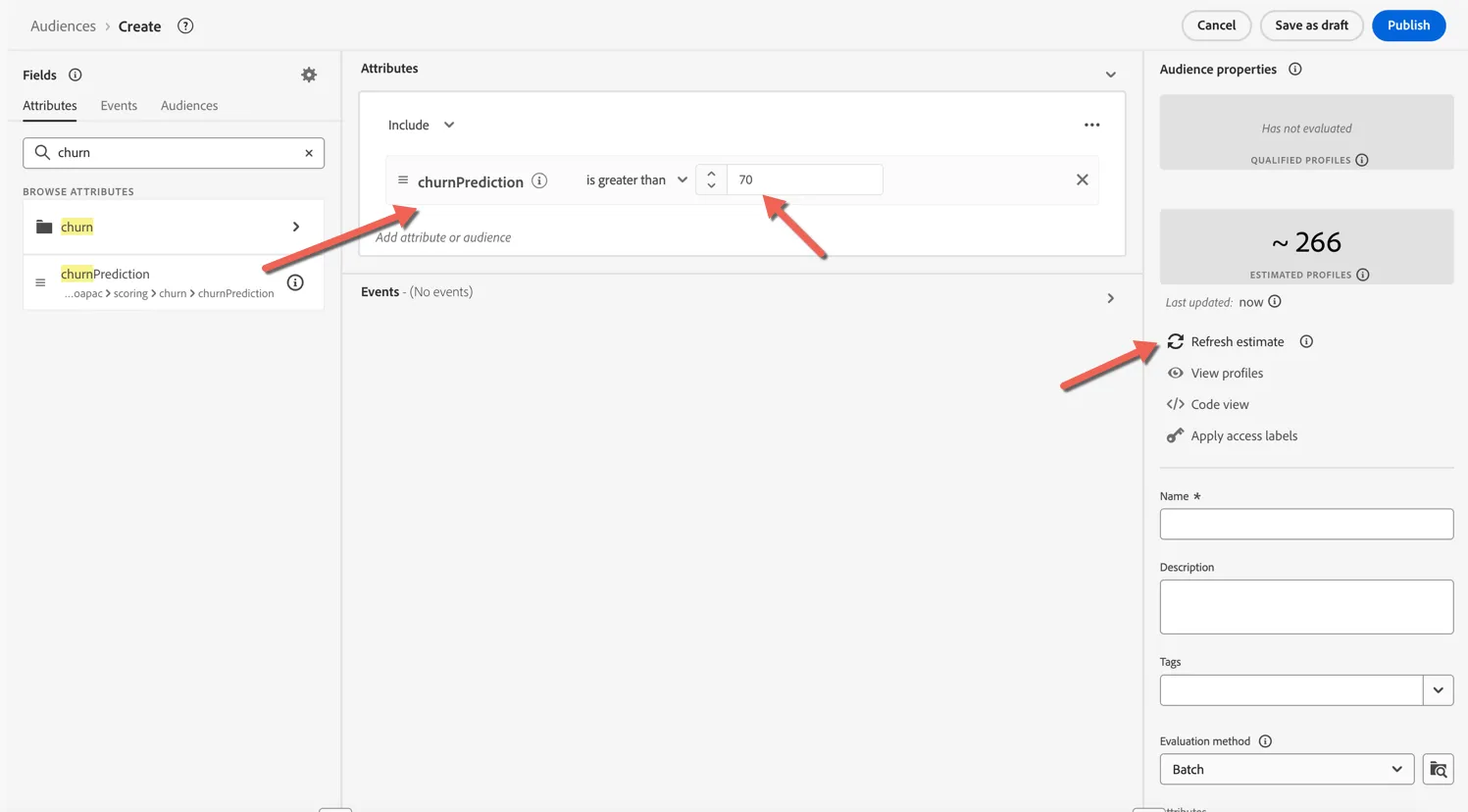
Drag the churnPrediction attribute into the canvas and set the condition to is greater than 70. You can click the Refresh estimate to get an idea of how many profiles will qualify so far.
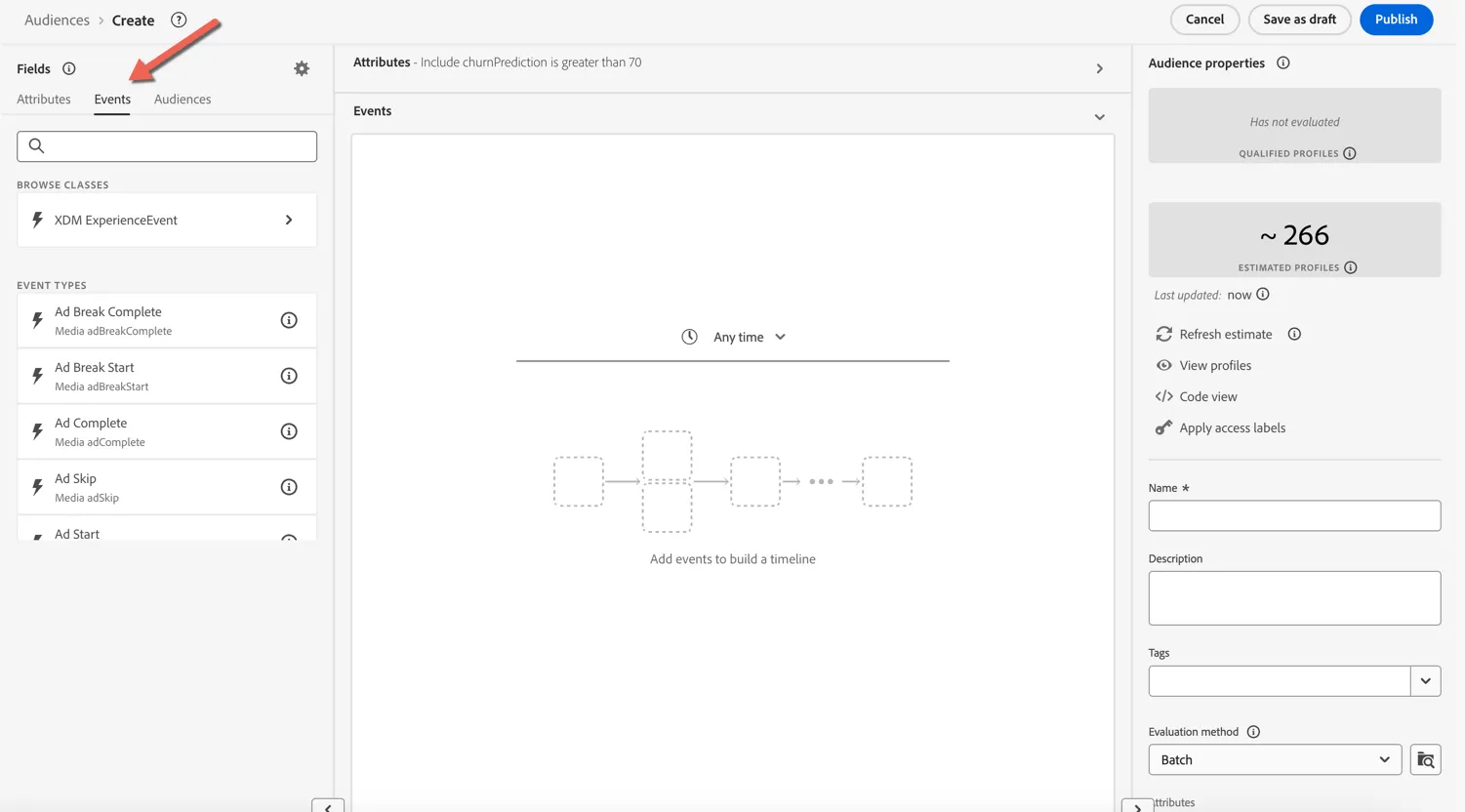
Next we'll add the event based condition. Click to move to the events tab.
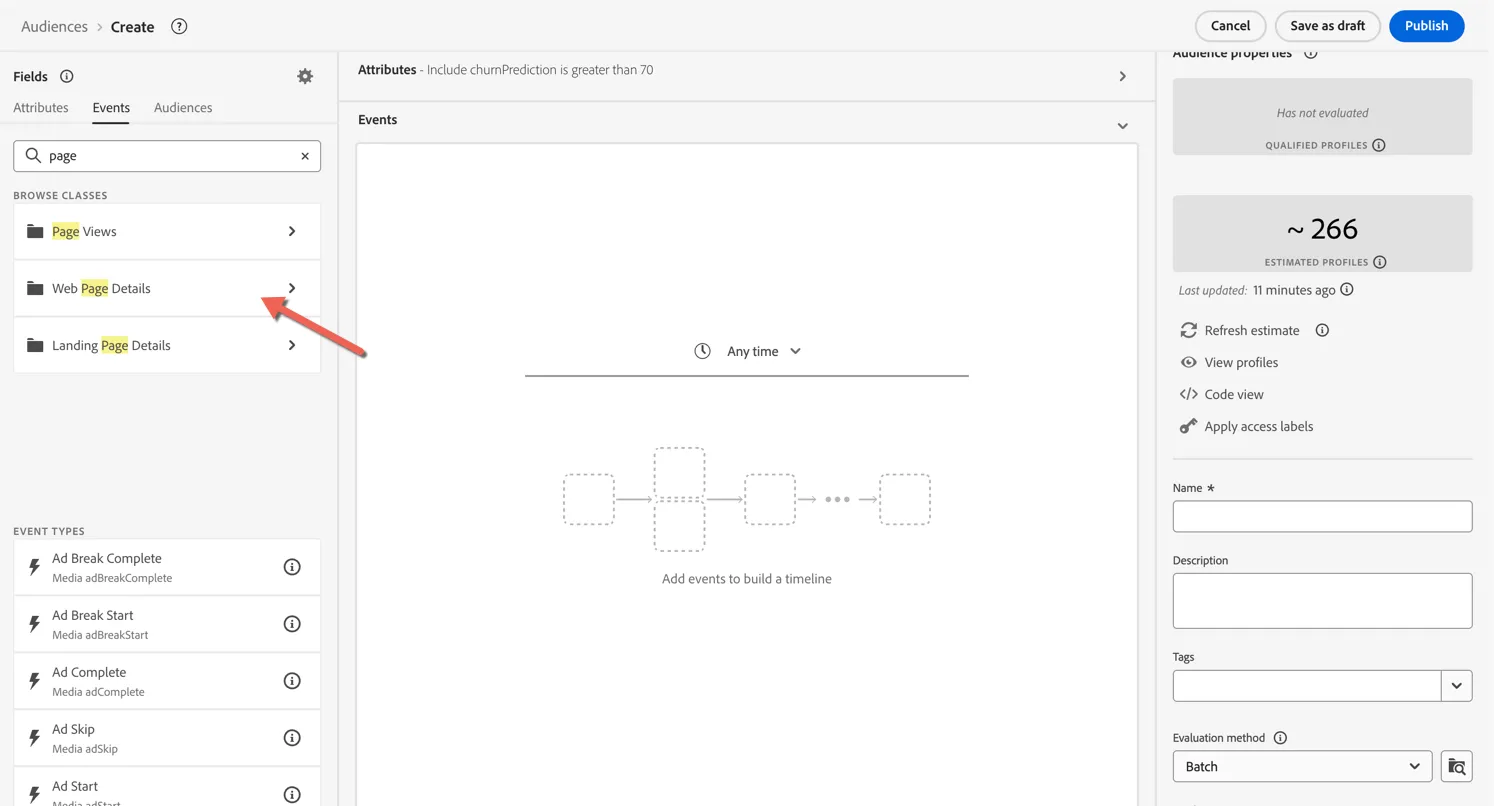
Search for page and click into the Web Page Details element.
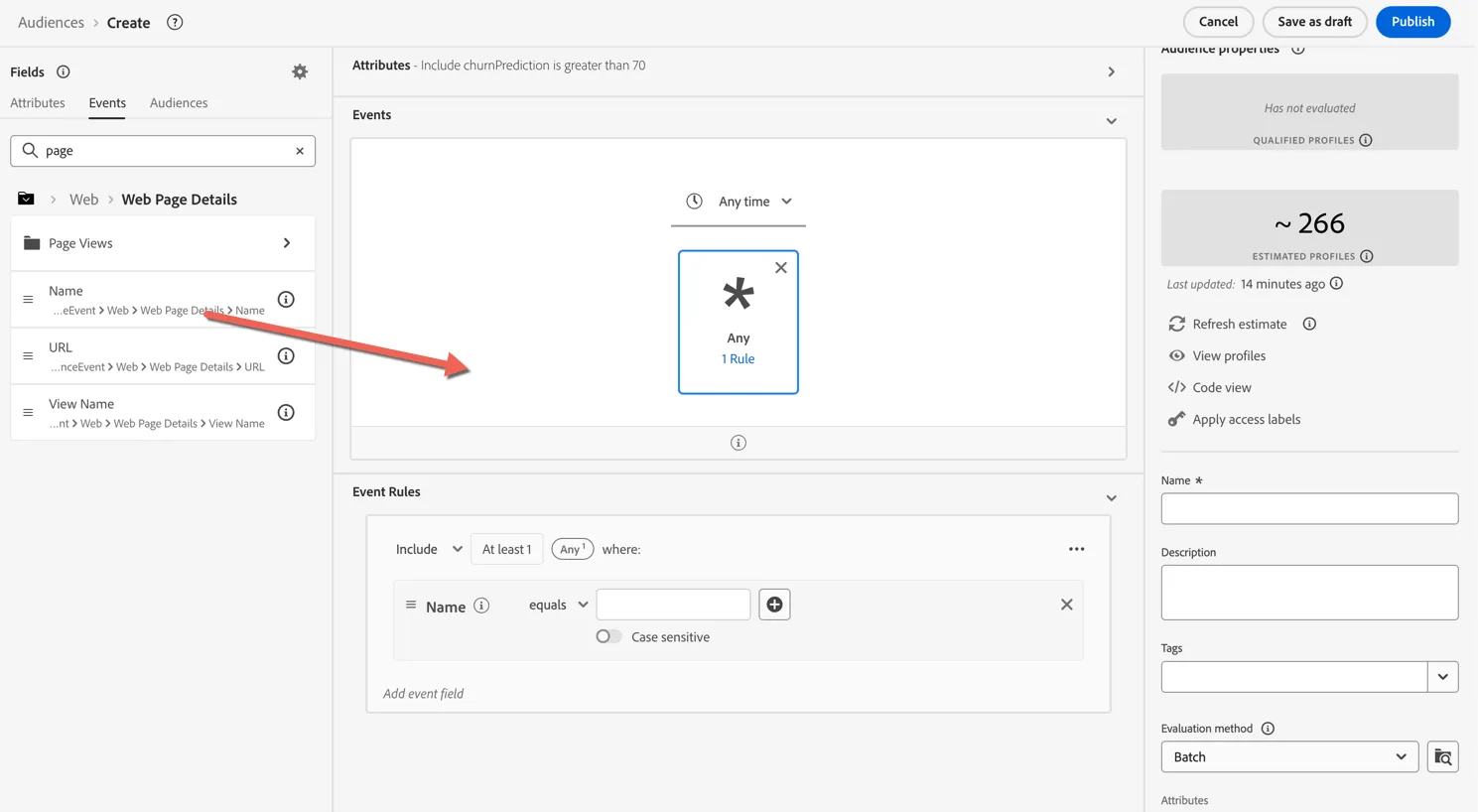
Drag the Name attribute into the canvas. This attribute contains the page name collected from the website.
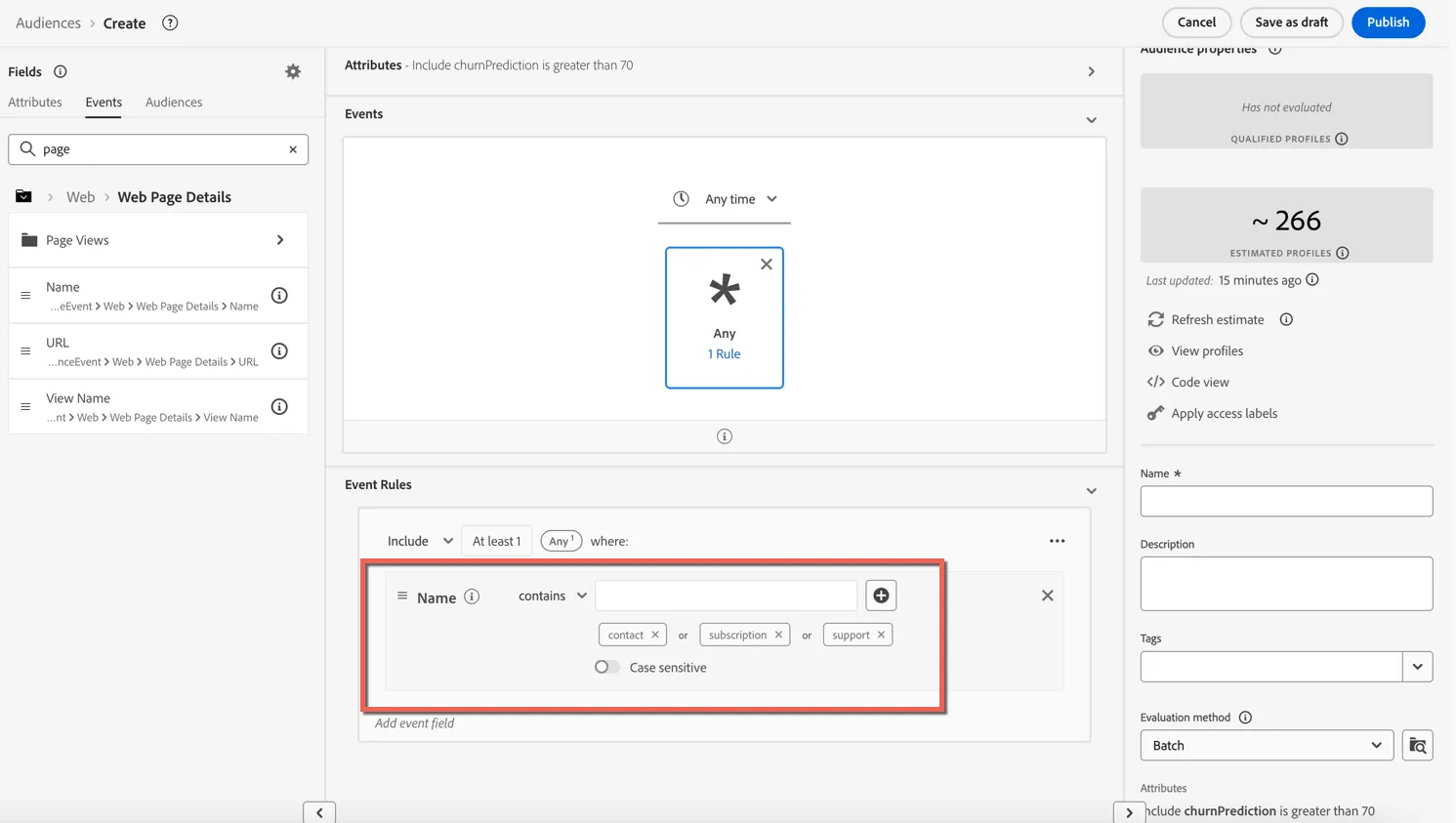
Change the event rules to specify the Name should contain support or contact. Hint: type one value into the text box and hit enter before adding the second.
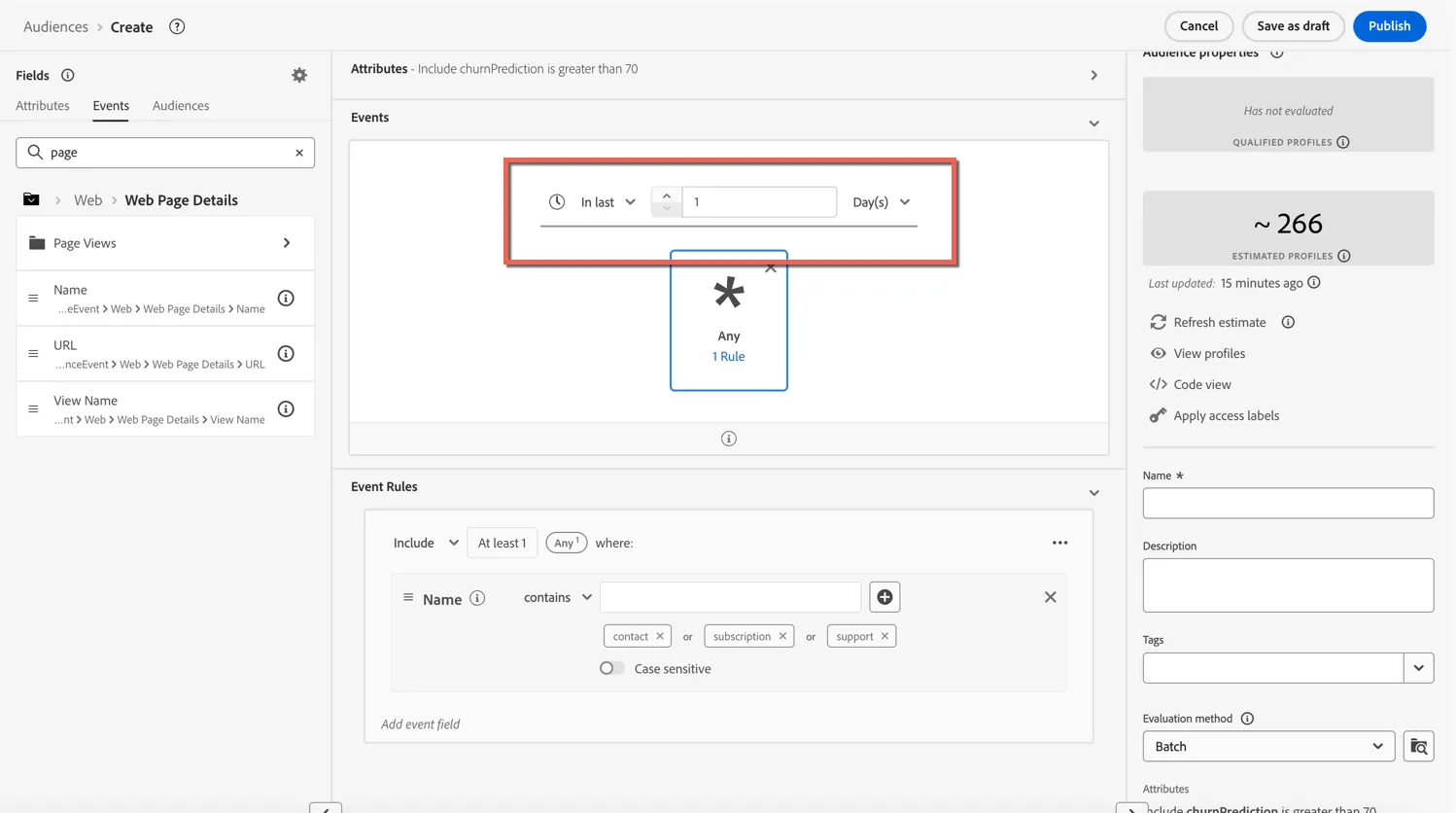
Next we'll change the timerange for our event to be within the last day.
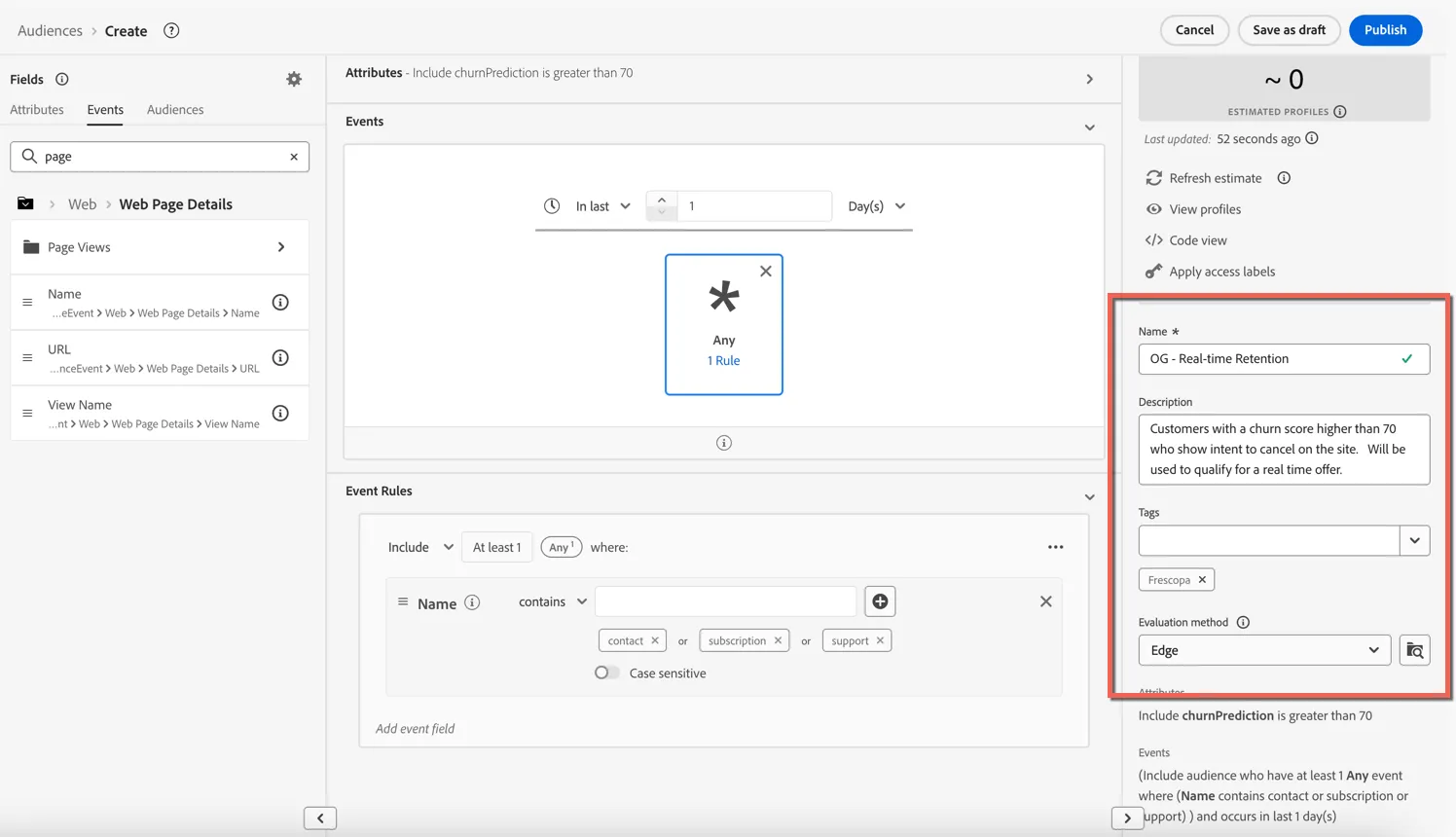
Lastly we need to configure the Audience Properties:
Name: give your audience a unique name - include your initials perhaps
Description: an optional description to help others understand the purpose of this audience - this will also be leveraged by the audience agent to understand more about the audience.
Tags: add the Frescopa tag for easy sorting and filtering
Evaluation Method: Set the evaluation method to Edge - this ensures the audience will qualify in real-time (sub 250 milliseconds) when the customer lands on the website.
Click to Publish the audience.
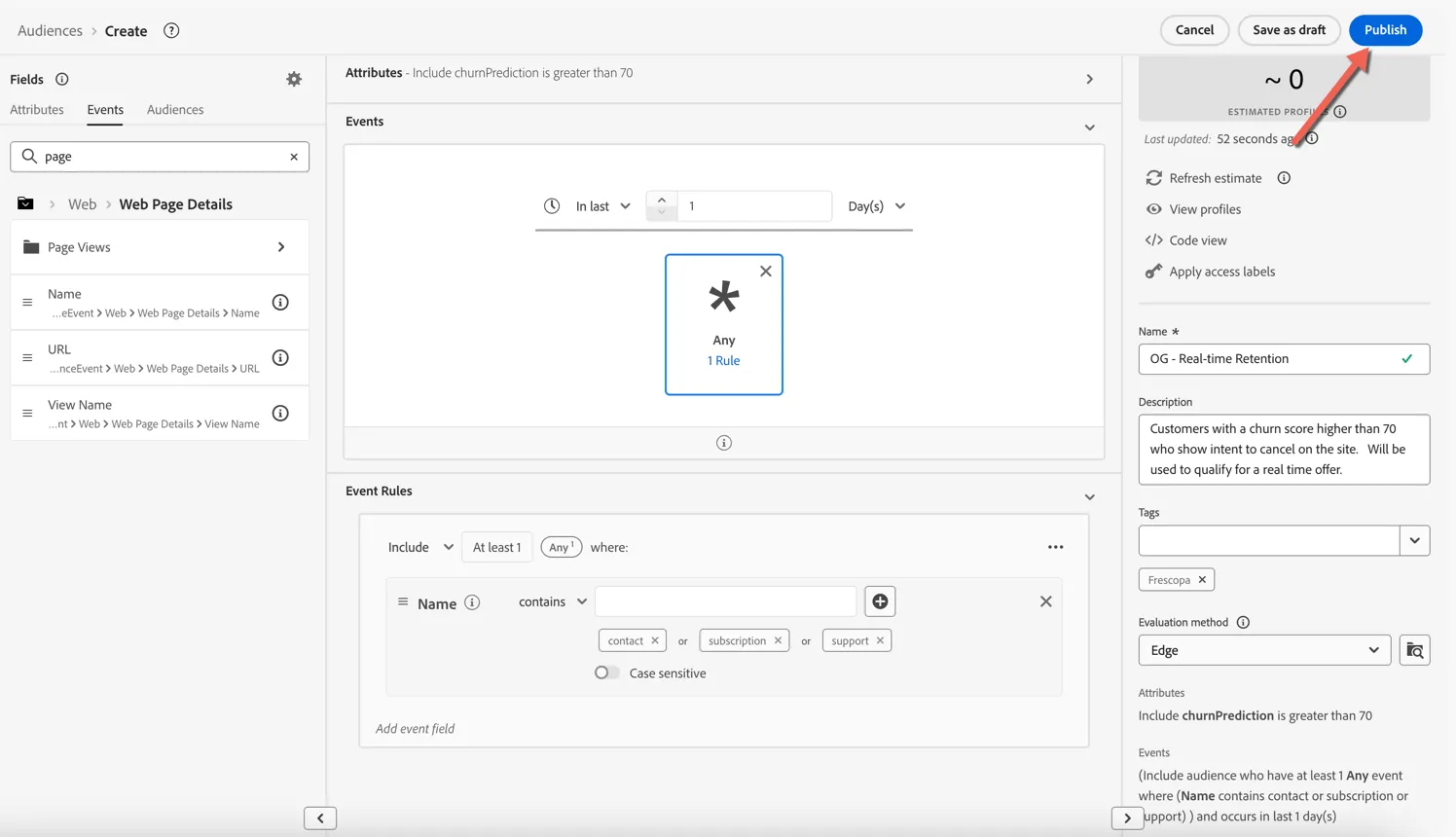
Congratulations! You've created your first real-time audience in Adobe Experience Platform.
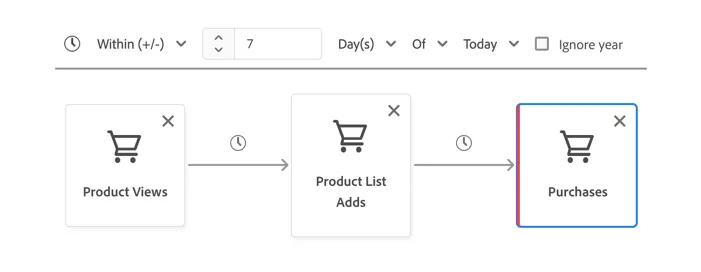
One of Adobe's differentiators is being able to create dynamic and sequential audiences within this rule builder. We can for example build audiences based on a sequence of behaviours such as - viewed a product, then added it to their cart but did not make any purchases.
Summary
By consolidating known and pseudonymous customer data from diverse sources—such as CRM systems, behavioural events, and device IDs—RTCDP creates a single, actionable view of your customers. AEP Provides a central repository for all of your audiences regardless of how they're created. Enrich and segment unified profiles in real time with the segmentation service and leverage AI-powered insights to fuel your workflows, ensuring your campaigns are on target and relevant.