Create Offers
1 min
Click on the Reactivation Offer in your journey then:
- Click on Click Configure Action
- Set Push notification channel configuration to Push
- Due to time restraints, we won't set up a Business Rule in this lab, but this is where you would set up Frequency Capping, Quiet Hours etc which you required in the platform.
- Click Edit Content
- Set the Title and the Body to something representative such as We Miss You! / Redeem your 1-for-1 coffee in-app
- (Optionally you can add an image. Also, as always, you could use AI Assistant to help with the content generation too as in the previous exercises)
- Click the back arrow at the top left of the screen.
- Remember to click Save back on the journey screen! 😉
- Click Follow-up Offer and repeat the process.
Your journey should look something like this and will have auto-saved:
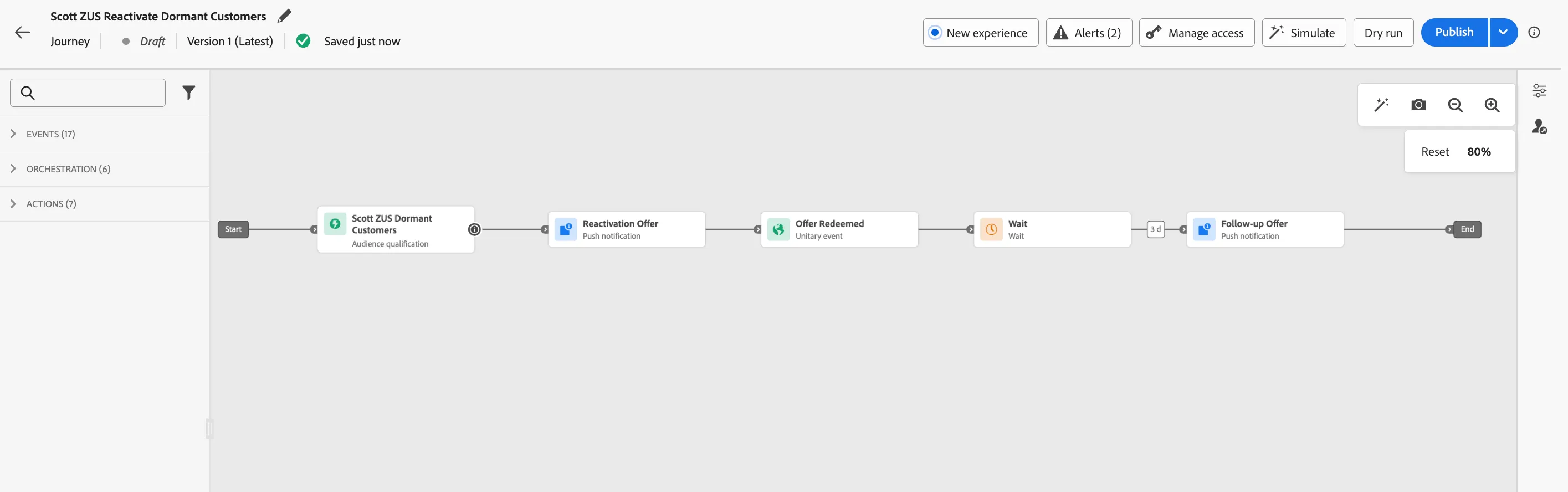
Congratulations! You've created a real journey relevant to ZUS Coffee! While this is a very basic use case to get you familiar with the UI, only Adobe Experience Platform is enterprise level and scalable to meet whatever use cases you want to throw at it.