AEM Assets Discovery
In this exercise you'll use Coworker's AEM Assets Discovery skill to find approved Frescopa assets — and to stay ahead of assets that are about to expire — using plain natural language instead of hunting through folders in the DAM.
Objectives
By the end of this exercise you will be able to:
- Use the Discovery skill to semantically search approved assets in AEM Assets.
- Inspect an asset's approval status, AEM path, and Dynamic Media URL from Coworker.
- Surface assets approaching expiry so outdated content never reaches the site.
Scenario
Frescopa's Express coffee page is attracting a lot of interest, and the team wants to promote it with a hero banner on the homepage. Rather than digging through the DAM, you'll ask Coworker to surface the most relevant approved imagery. You'll then run a governance-style check for assets nearing expiry, so nothing unlicensed or out of date slips onto the site.
Find approved assets
Open Coworker and start a new chat. Paste the following prompt and send it:
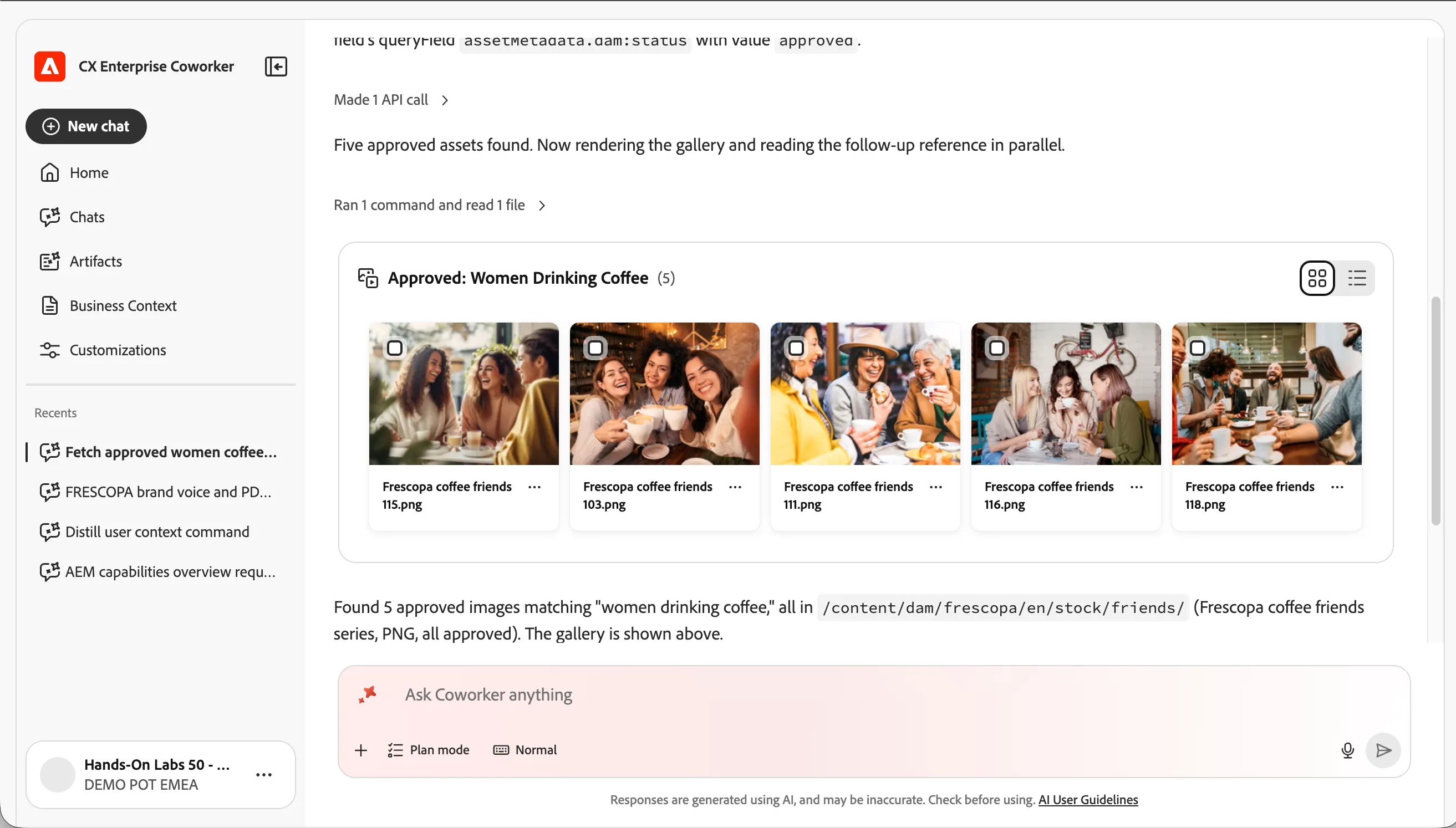
Show me 5 approved assets of women drinking coffee
The first time Coworker reaches into AEM, it may ask you to confirm the environment. If asked, select: https://author-p135360-e1341441.adobeaemcloud.com : DEMO POT EMEA Program 1 CSC EMEA Bootcamp dev author
Coworker automatically routes this request to the AEM Assets Discovery skill, performs a semantic search against your asset metadata, and returns five approved matches.
- Click any asset to preview its details — approval status, AEM path, creator, Dynamic Media URL, and download options.
- Expand the Reasoning Complete accordion to see how Coworker interpreted your intent and which retrieval steps it took.
ℹ️ Tip Discovery only returns approved assets by default. That is the point — reuse should always start from content that is already cleared for use.
Find assets that are about to expire
Licensed imagery expires. Ask Coworker to flag coffee assets approaching their expiry date before they cause a compliance problem:
Prompt
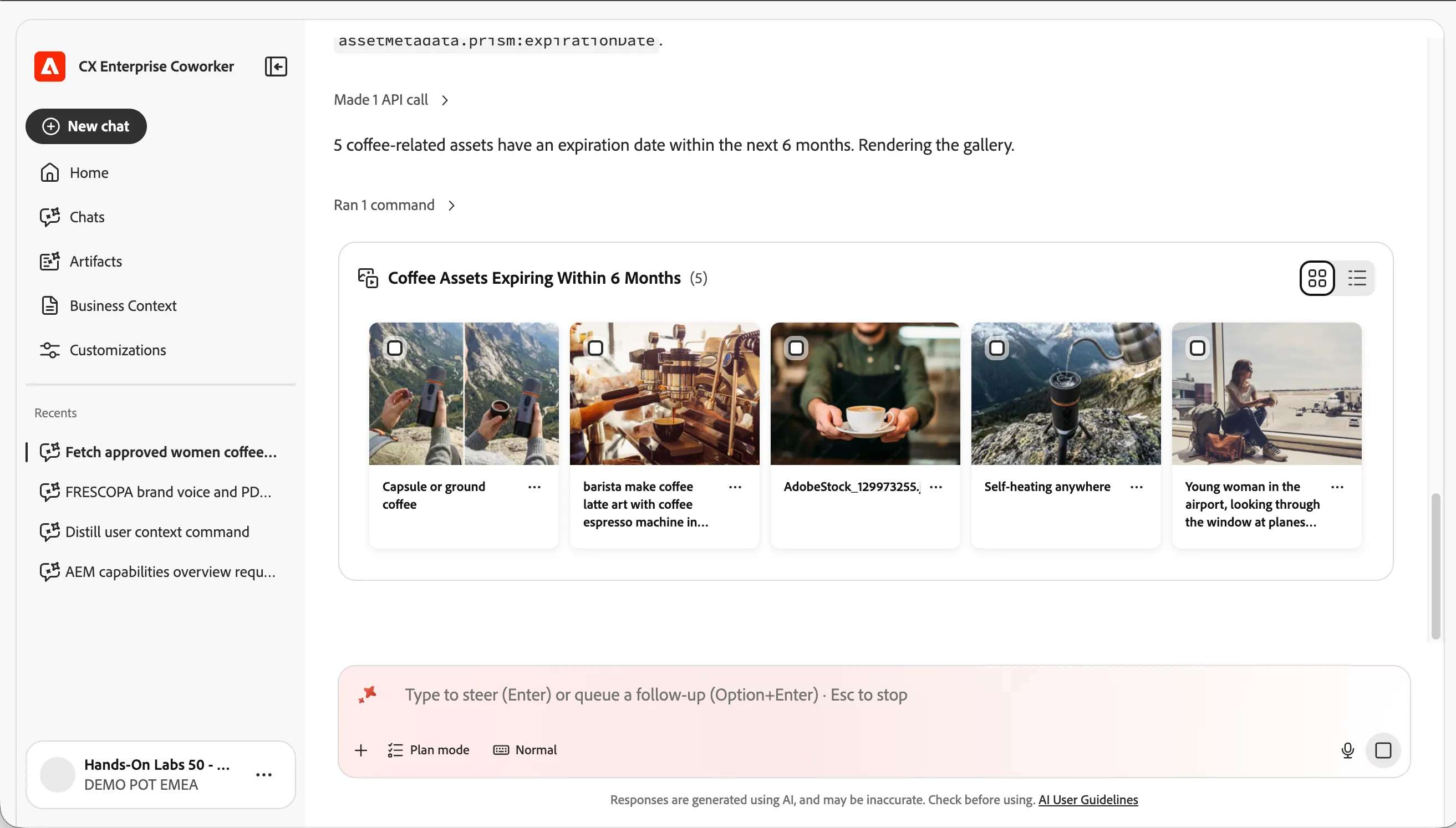
Which of my coffee related assets will expire within the next 6 months?
Coworker filters the repository for coffee-related items with an expiry date inside the next six months. Expand Reasoning Complete to review the date and category filters it applied, then review the results.
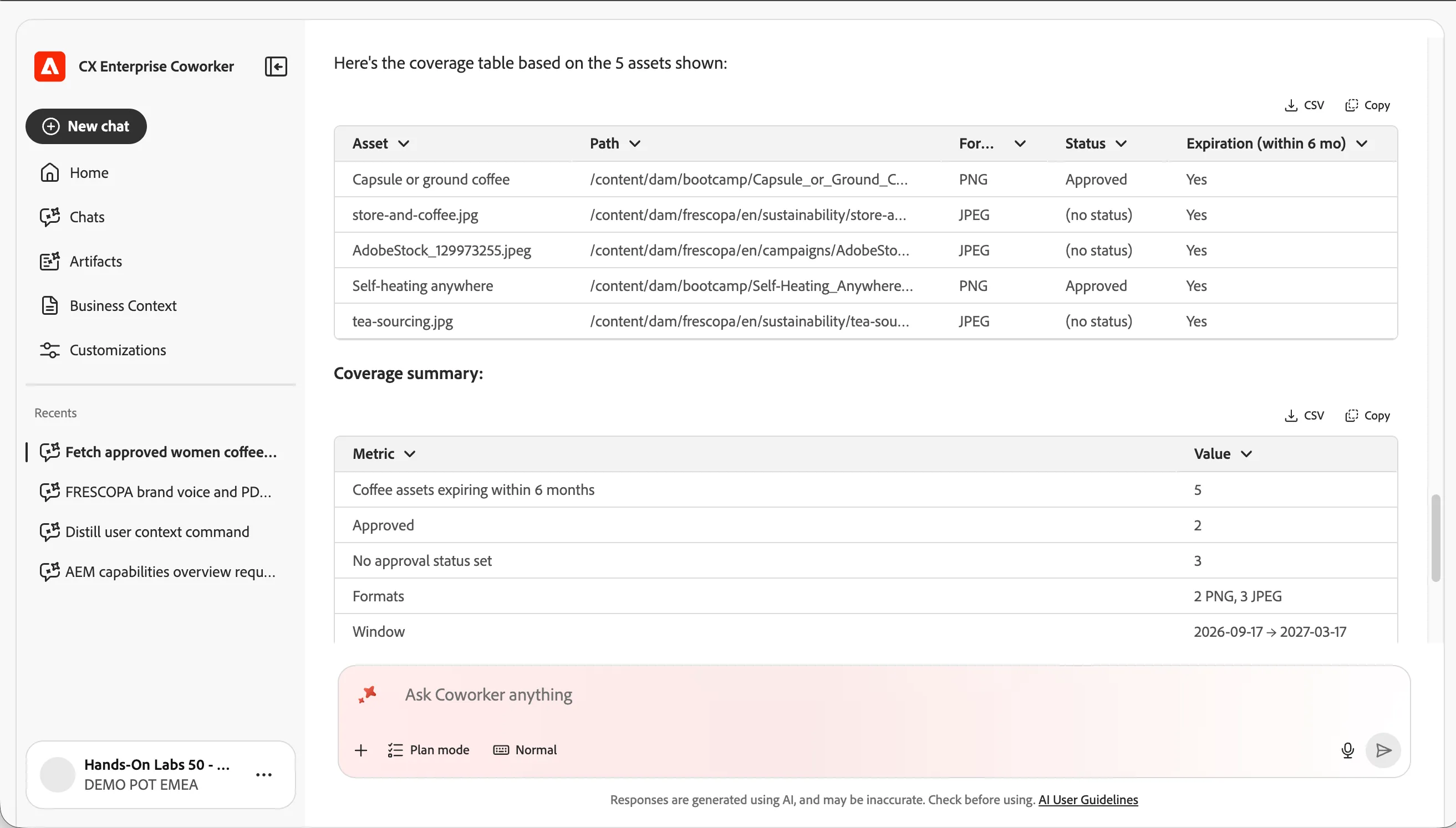
Ask for a cleaner summary: Prompt
Summarize my coffee asset expiration coverage as a table
Some other prompt variations to try :
Which assets across all categories will expire in the next 3 months? Show me expired assets in the Frescopa folder Which approved banner images are expiring this quarter?
Checkpoint / Reflection
- What changed? You located approved, on-brand imagery and surfaced expiry risk without opening the DAM UI — Coworker interpreted intent, applied metadata filters, and returned reuse-ready results.
- What's next? In the next exercise you'll take one of these approved assets and use the Content Optimisation skill to generate channel-ready renditions for social.
✅ Success — Exercise Complete You've used Coworker's AEM Assets Discovery skill to find approved Frescopa assets and to proactively track expiring content.