AEM Assets Content Optimisation
In this exercise you'll use Coworker's AEM Assets Content Optimisation skill to turn one approved Frescopa asset into channel-ready renditions using Adobe Dynamic Media — no manual resizing or re-exporting.
Objectives
By the end of this exercise you will be able to:
- Chain Discovery and Content Optimisation in a single Coworker conversation.
- Generate social-media-ready renditions of an approved asset.
- Retrieve the Dynamic Media URL for each optimised rendition.
Scenario
You've found approved Frescopa imagery. Now the social team needs the same shot sized and formatted for several channels. Instead of briefing a designer, you'll ask Coworker to produce channel-optimised renditions from the approved master, delivered straight through Dynamic Media.
Locate a source asset
Start a New Chat, paste the below prompt:
Find approved image assets showing people enjoying TravelBrew outdoors in a mountain setting
Coworker uses the AEM Assets Discovery skill to filter for approved PNGs matching your criteria. Confirm the AEM environment if prompted:
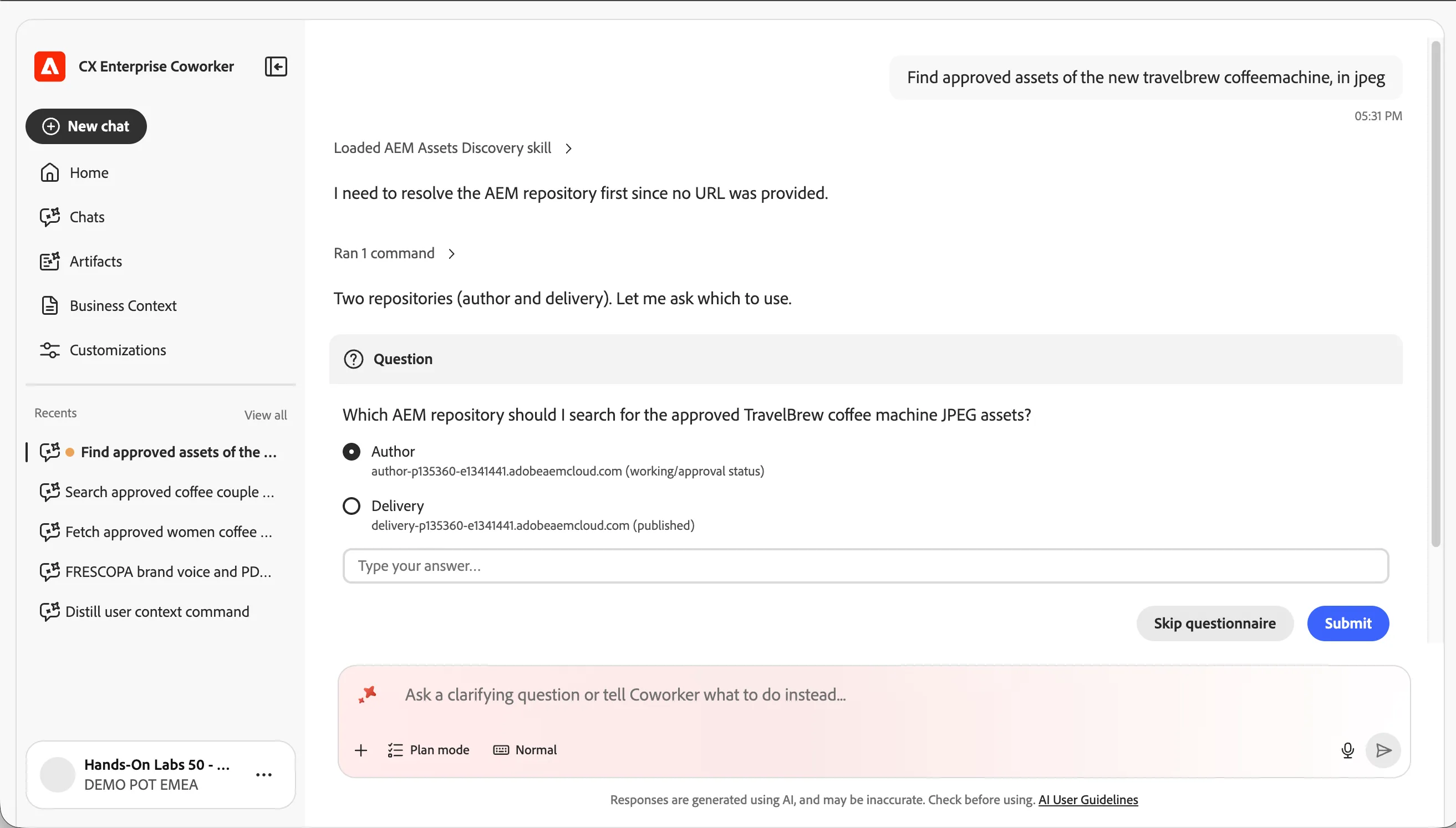
Once resolved, it will figure out the search criteria and find the assets. It might ask you further questions to refine the search.
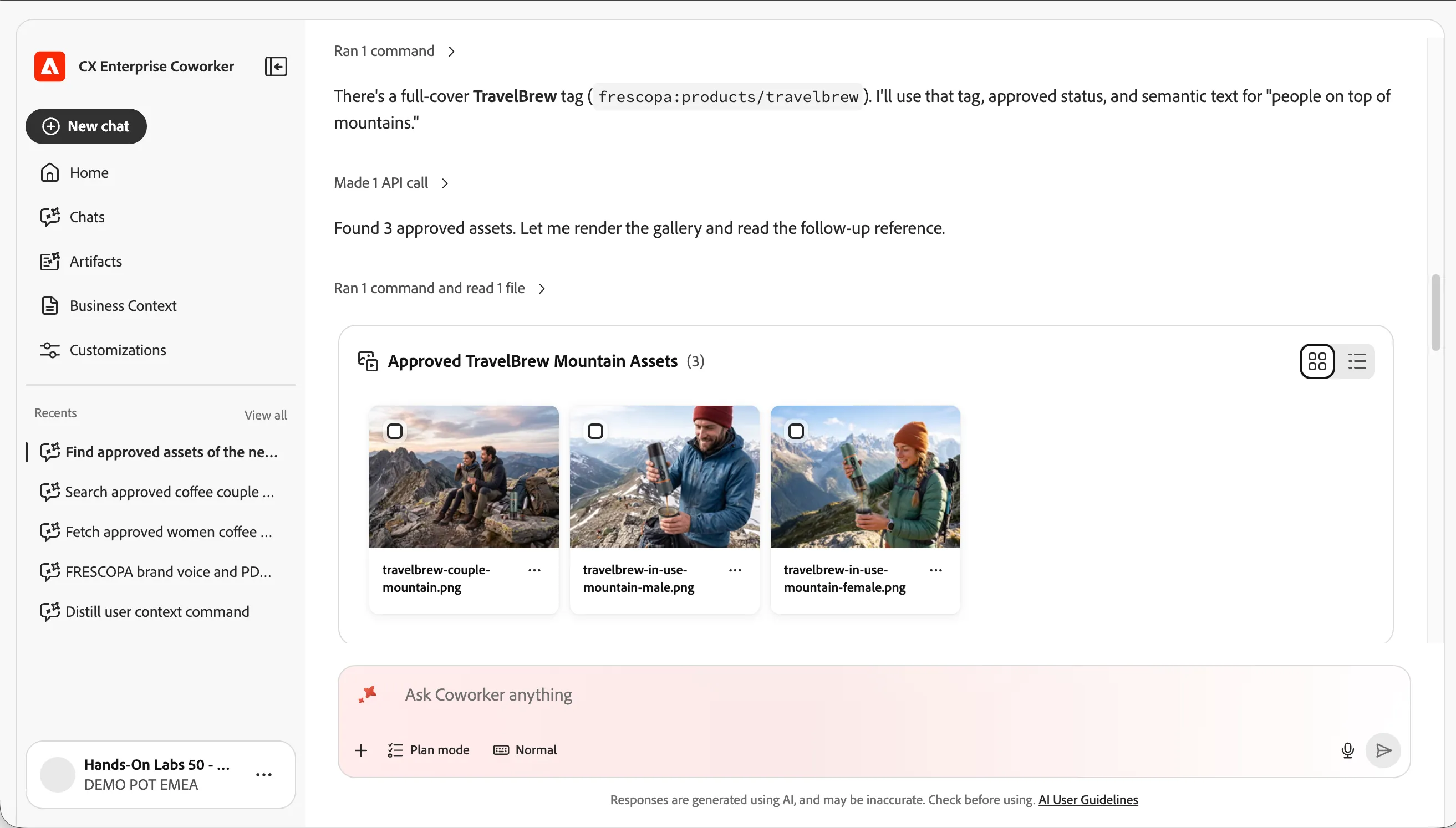
Generate channel renditions
With the result on screen, ask Coworker to optimise the first asset:
Prompt
Create renditions of the first asset for various social media formats
Coworker invokes the AEM Assets Content Optimisation skill and generates multiple channel-optimised renditions via Dynamic Media.
- Select Open Dynamic Media URL to view an optimised rendition in the browser — this is the delivery URL you can hand to the channel.
Explore further optimisations
Try steering the output with more specific requests:
Create a 1080x1080 square rendition optimised for Instagram Create a rendition with a warm background colour that matches our brand Sharpen the first asset and export it as a high-quality JPEG Create a landscape 16:9 rendition for the website hero
Checkpoint / Reflection
- What changed? One approved master became a set of channel-ready assets in seconds, each with a Dynamic Media delivery URL — no design round-trip.
- What's next? In the next exercise you'll switch from producing assets to policing them, using the Experience Governance skill to check copy, images, and pages against Frescopa's brand.
✅ Success — Exercise Complete You've used Coworker's Content Optimisation skill to generate Dynamic Media renditions from an approved Frescopa asset.