Data Visualisation
Visualizations are graphical displays of the analysis results. You can drag-and-drop dimensions, metrics, segments, and date ranges to visualizations in panels to create meaningful reports.
Common Visualization Types in CJA
You can choose from a variety of visualization types, including:
- Freeform Tables: Flexible tables where you can place any combination of dimensions, metrics, and segments to analyze data granularly. Great for ad hoc exploration.
- Line and Bar Charts: Show trends over time or compare the magnitude of metrics across categories.
- Donut, Pie, and Treemap Charts: Make proportions and segment comparisons easy to grasp.
- Flow and Fallout Visualizations: Show how users progress (or drop off) in multi-step journeys or funnels.
- Cohort Tables: Highlight patterns by grouping users/events based on shared characteristics or actions over time.
- Text Visualizations: Display textual explanations, commentary, or context alongside your charts and tables.
- Summary Number: Displays single key metrics, such as totals, averages, or other highlights.
- Histogram and Scatterplots: For distribution analysis and seeing relationships between two metrics.
- Journey Canvas: Visualizes paths and journey branches users take across channels or touchpoints.
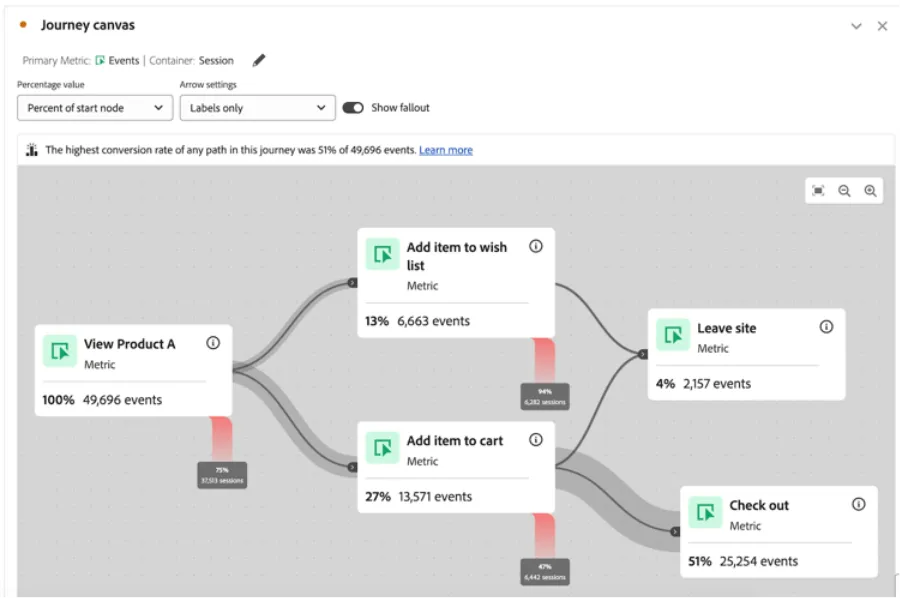
For more information on CJA Visualizations see the Adobe Experience League.
In the IKEA ATTRIBUTION WORKSPACE, you can find some examples of visualizations in the first panel named ‘IKEA's OMNICHANNEL KPIs’
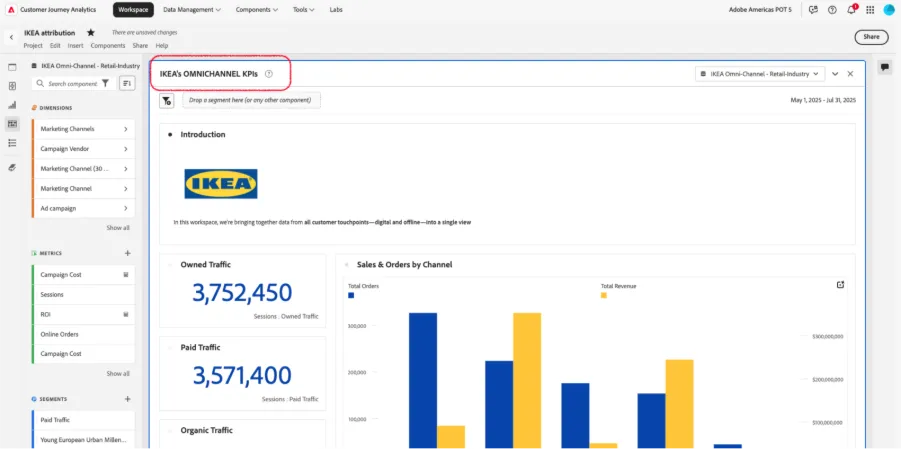
You can find here some visualizations we have built as example. From the left rail, you can see the full list of visualization available:
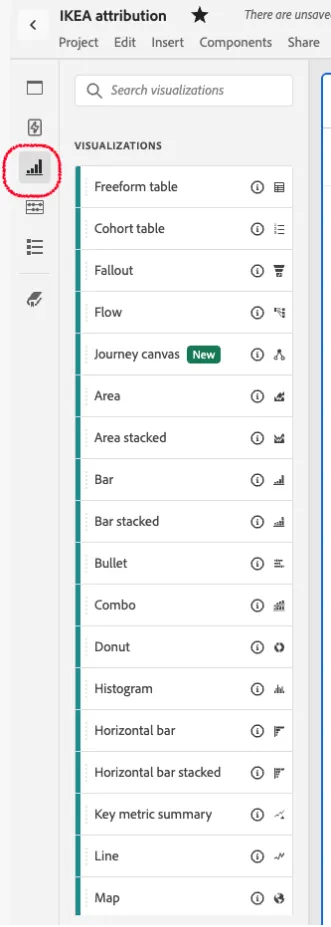
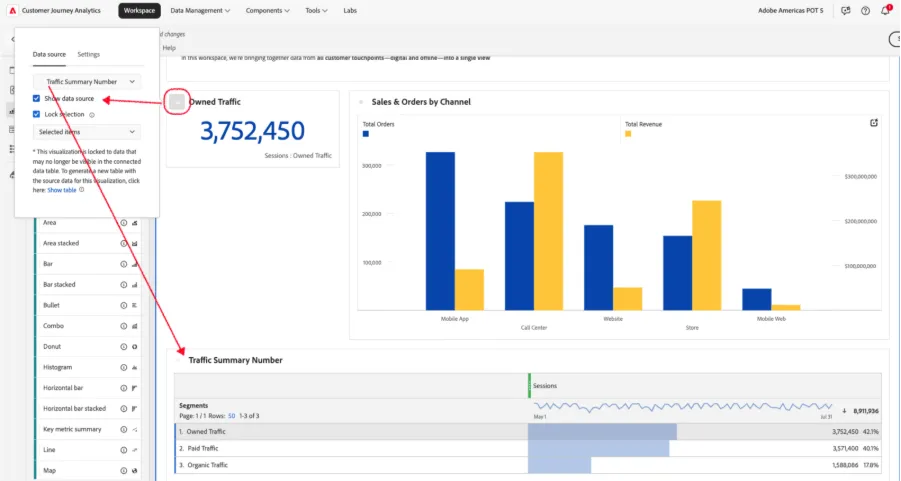
Visualizations are built from data tables with dimensions, metrics and/or segments. We can then hide the tables to get a cleaner panel, just showing visualizations. We can customize panels as we need.
See an example of how we created the visualization of the ‘Summary Number’ for Owned Traffic sessions, built from a table that we then hide: