POC-CX1 - Support Integration
This tutorial is designed to teach you how Adobe Experience Platform can be integrated into support systems
There are two options for integration - we can push audience memberships and profile attributes via the Salesforce CRM Destination connector or you can pull the profile attributes, audiences and events via our Profile API.
Activation via destinations is something that can be managed by a non-technical audience - calling the Profile API requires technical knowledge.
Learning Objectives
- Activate audiences to Salesforce CRM
- How to call the profile API
Activate to Salesforce
You won't all be able to activate at the same time. This exercise should be done one person at a time.
Note as well, the CRM connector behaves differently from the Marketing Cloud connector. For email integration you will use the Salesforce Marketing Cloud connector NOT the CRM connector. This exercise is related to service cloud integration only.
Navigate to Connections -> Destinations and go to the Browse tab.
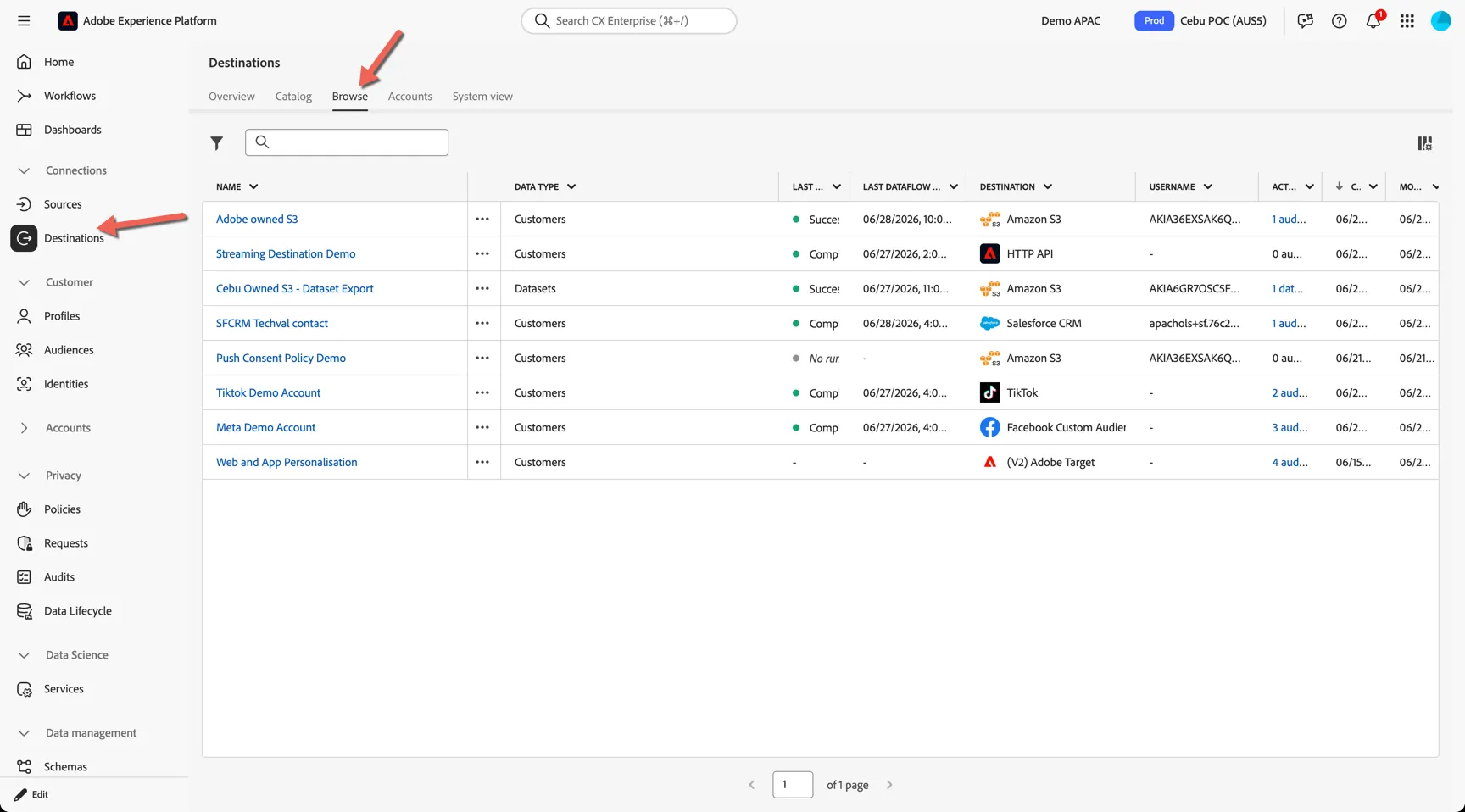
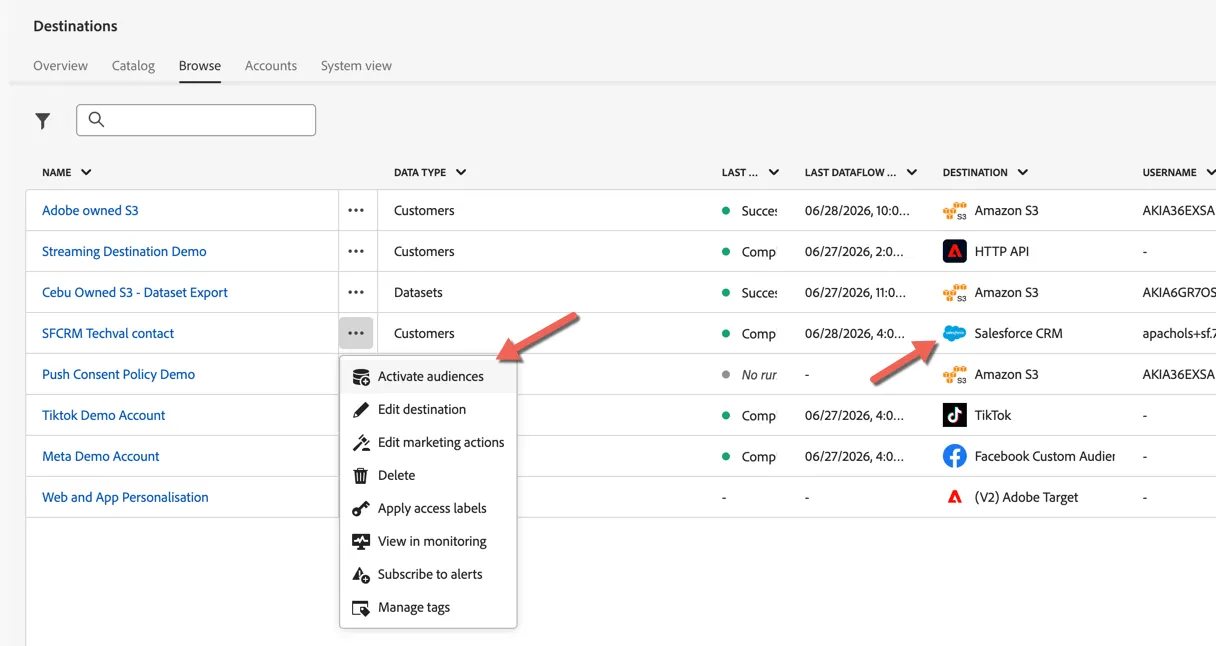
We've configured for you one of our demo salesforce crm environments as a destination. Click on the three dots next to the salesforce crm destination and select to Activate Audiences
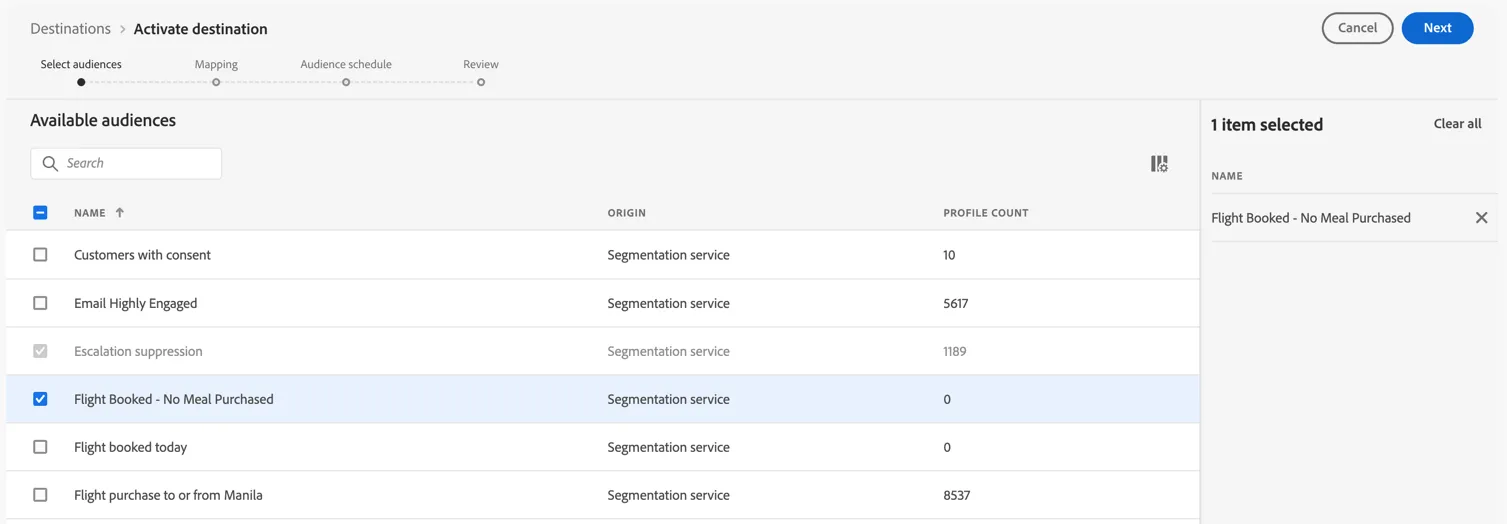
Select the audience you want to activate, for example the Ancillary Meal Upsell audience - this can be helpful to expose to support staff so they can prompt the user with a meal offer. Click Next.
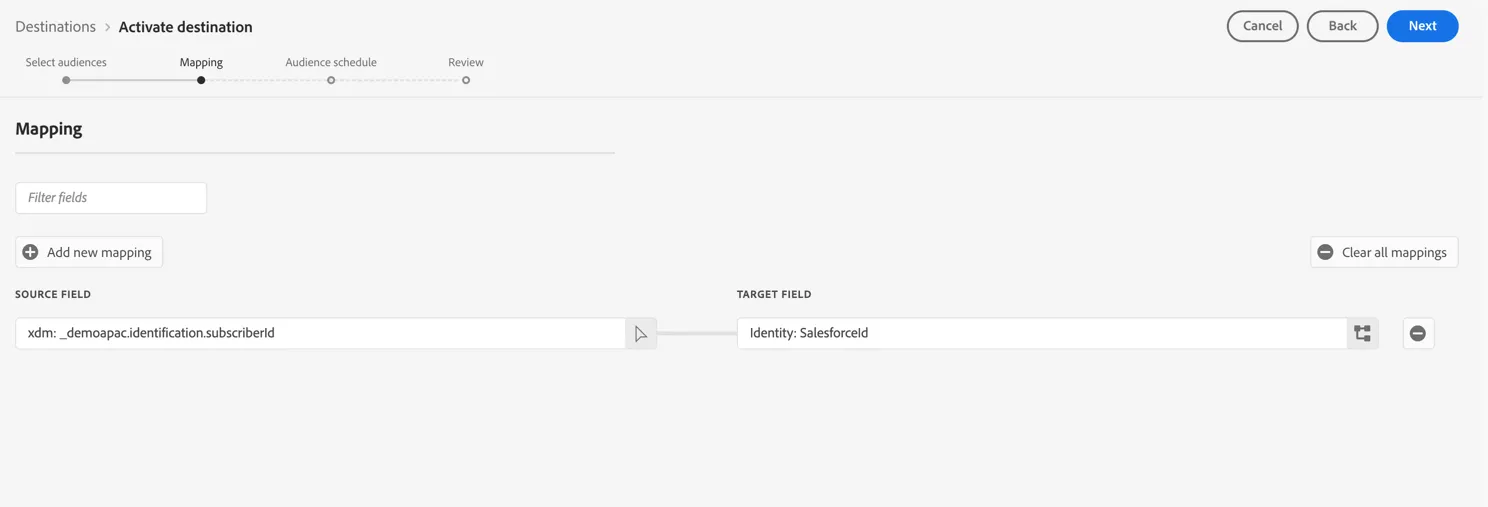
The mapping step is where you can define which attributes are shared with Salesforce - at a minimum you need the customer identity to use for matching the contacts.
Click Next.
The mapping ID is where you define which attribute in Salesforce the membership information will be added. Set the value to aep_audience3.
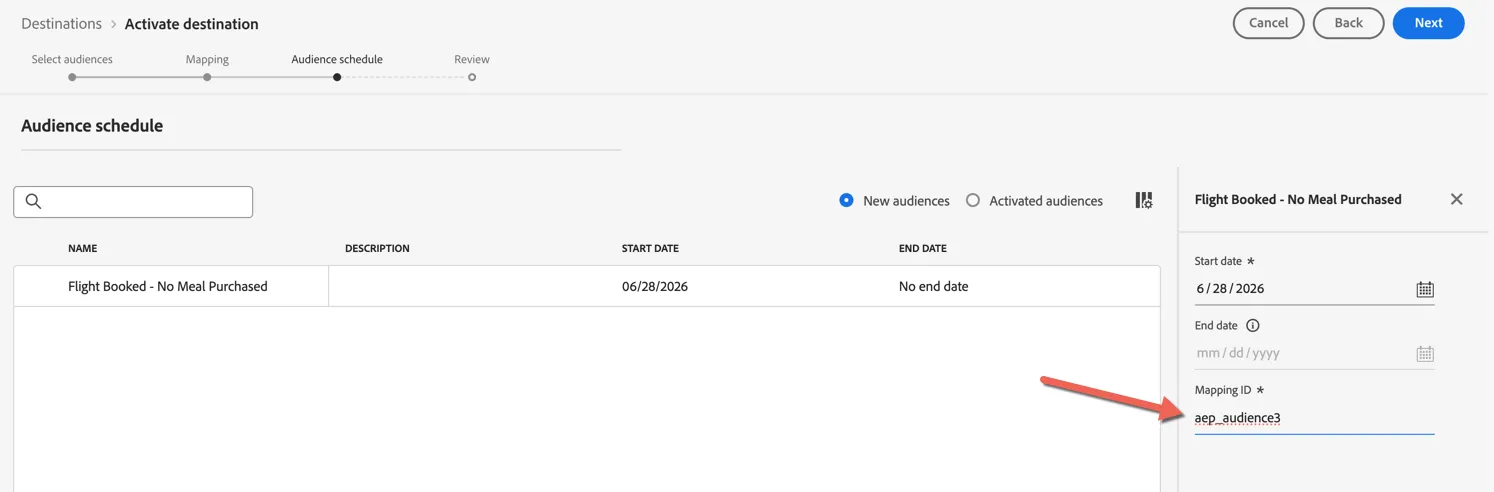
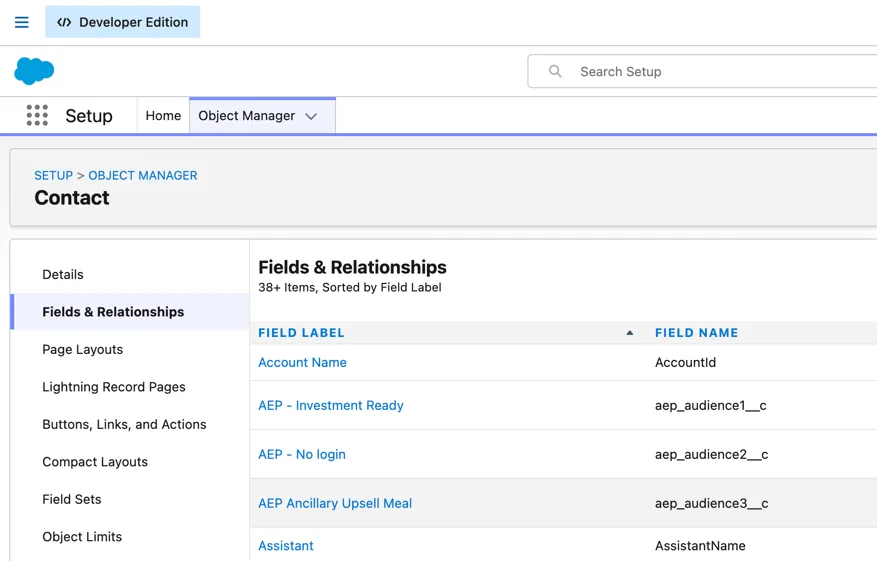
The mapping id relates to the custom field name on salesforce side, you can see field name within the Object Manager in Salesforce. This field creation and mapping would be managed by your Salesforce admins in co-ordination with your service use cases.
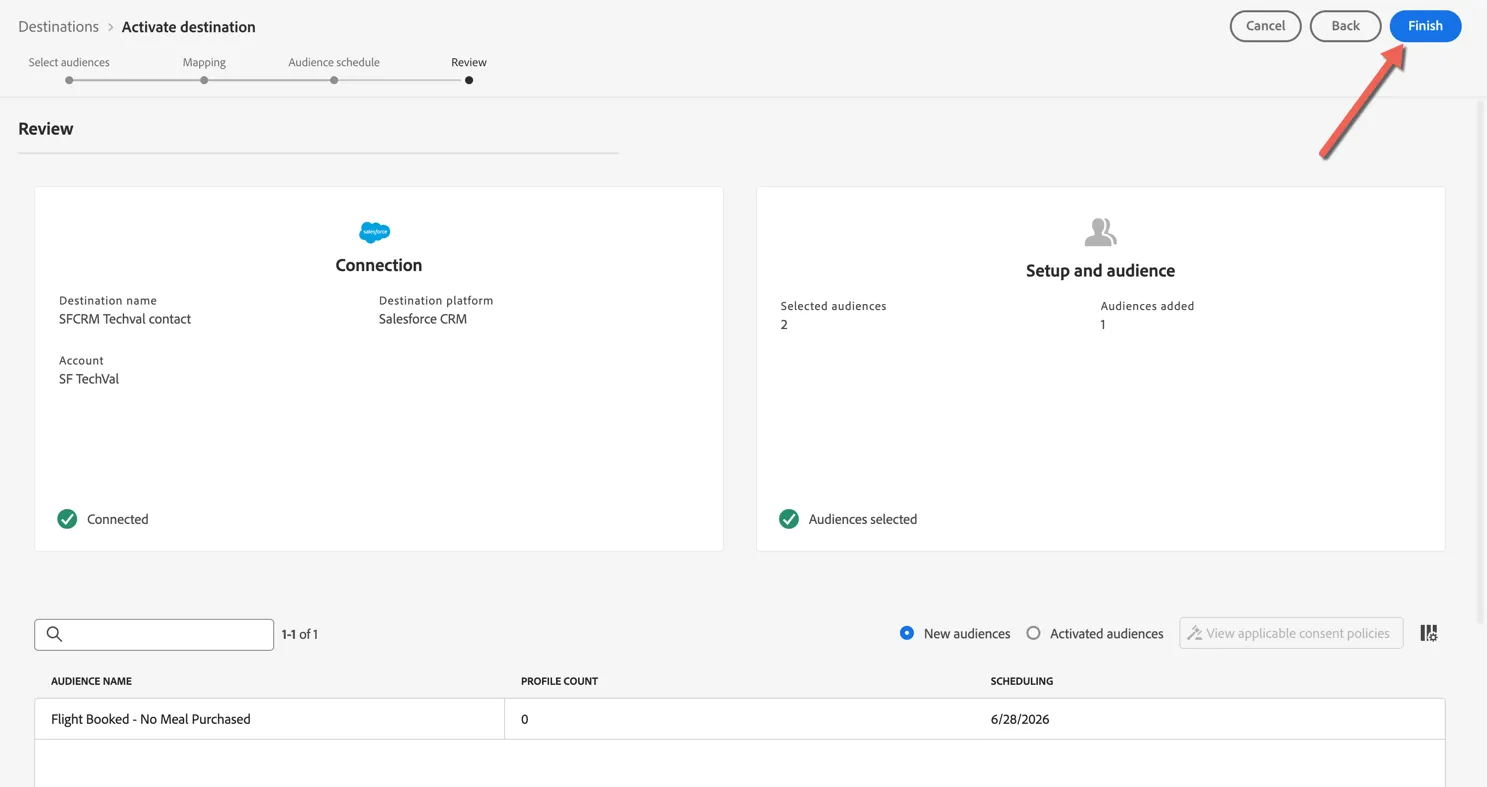
Review your planned activation and click Finish.
Congratulations!
You've successfully activated an audience to Salesforce for display through Service Cloud.
Profile API
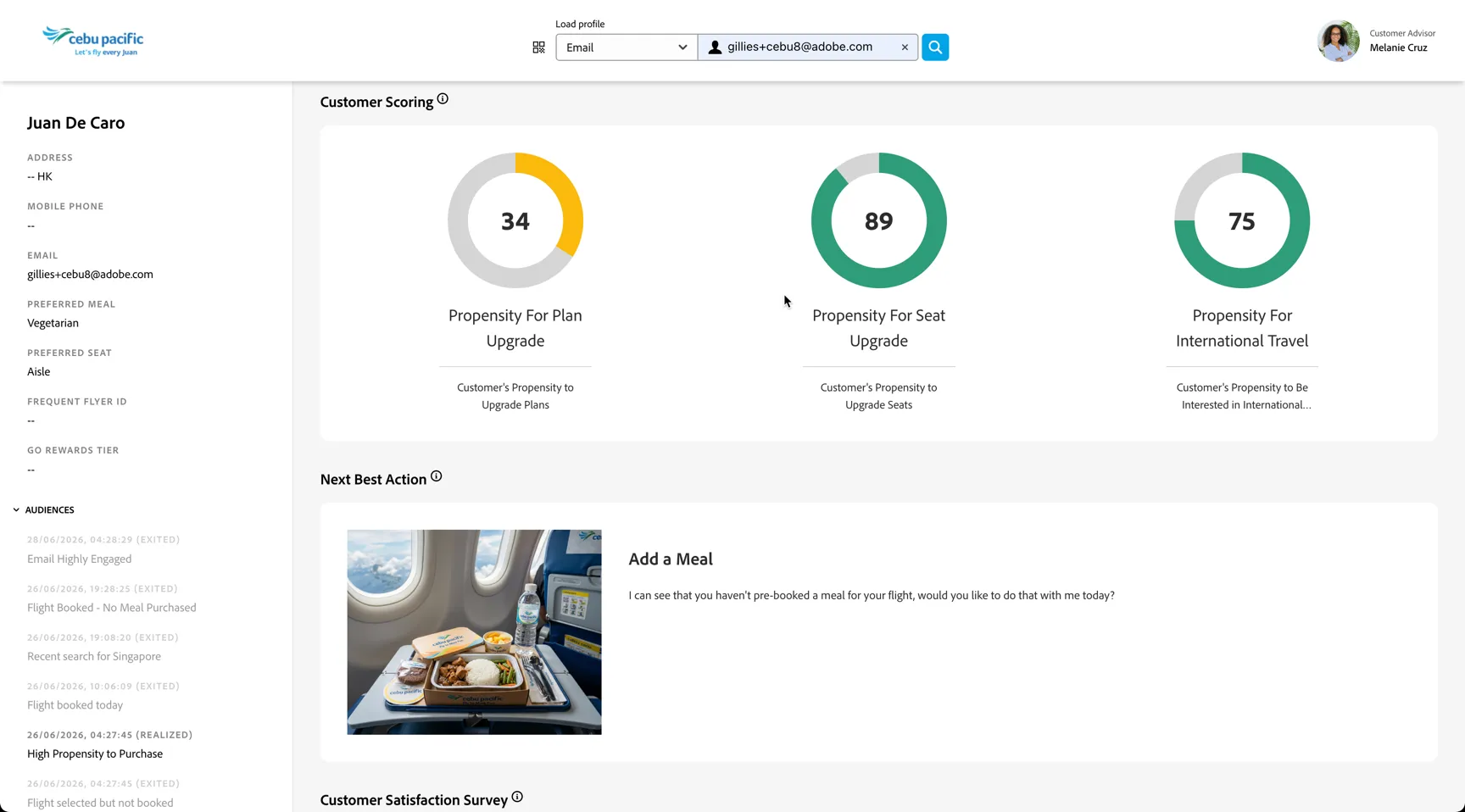
For a closer integration we recommend using the Profile API to retrieve the real-time customer profile on demand.
API Reference Documentation: https://experienceleague.adobe.com/en/docs/experience-platform/profile/api/overview
The API can be integrated into your service team facing interfaces, similar to what was shown during the Demo.
Additional Resources
The Profile API is best suited to agent-initiated lookups at the moment of a service interaction - a Salesforce agent clicks a record and the AEP profile is fetched on demand. The CRM Destination approach is better for pre-populating Salesforce fields in batch with audience membership or propensity scores so that context is already present before the agent opens the record. Many implementations use both: push the slow-changing attributes via activation, and use the API for real-time signal retrieval during live interactions.
- Real-Time Profile Access for Support & Sales - Architecture Blueprint