POC-P1 - Identity Resolution
This tutorial is designed to teach you about Adobe's Identity Service used to stitch fragments of customer data ingested from separate source systems. The components taught in this module are core to all Adobe Experience Platform applications.
It is designed for a technical audience (Data Architects and Engineers) but can be interesting also for marketers to understand.
Learning Objectives
- Learn how to view which namespaces are used, reach for each identity namespace and overlap across namespaces.
- Learn how to view an identity graph and how it's changed evolved over time.
Identity Dashboard
We used a number of identity types or namespaces when ingesting the Cebu data for the POC.
Note that only Hashed Email was leveraged for stitching Cebu data across datasets. This was as directed by Flo and the data team during the Pre-POC data review discussions. Post POC, additional identifiers such as Loyalty Id and Phone number can also be considered.
Source Data | Namespace | Comment |
|---|---|---|
Insider | Insider Id (iid) | Primary identity used by Insider this was ingested for all data coming from Insider files. |
Insider | Hashed Email | Hashed email was provided on some Insider records, this was ingested as secondary identity. |
Salesforce Marketing Cloud Events | Subscriber Id | This is the only customer identity available within those files, this was ingested as primary identity for SFMC Events ie. sends, clicks and opens |
Salesforce Subscribers | Subscriber Id | Primary identity required to stitch subscribers to their events |
Salesforce Subscribers | Hashed Email | Used as secondary identity for subscribers - interesting to note that we found many subscribers shared the same hashed email. |
Salesforce Service Cloud Cases | Hashed Email | Hashed email was used as identity for SFSC Case data - this should be reviewed post POC as there are 2 email fields and neither is 100% populated. |
Mock Website | ECID | This is Adobe's first party cookie Id which is added automatically by the WebSDK. Every event originating from the website will have an ECID. |
Mock Website | When authenticating or providing guest details for a booking the Email address entered is also sent as an identity to Adobe within the WebSDK events. Note that some demo profiles were manually stitched to existing Cebu data to provide a more wholistic picture of how a graph might look post POC when hashing would not be required. |
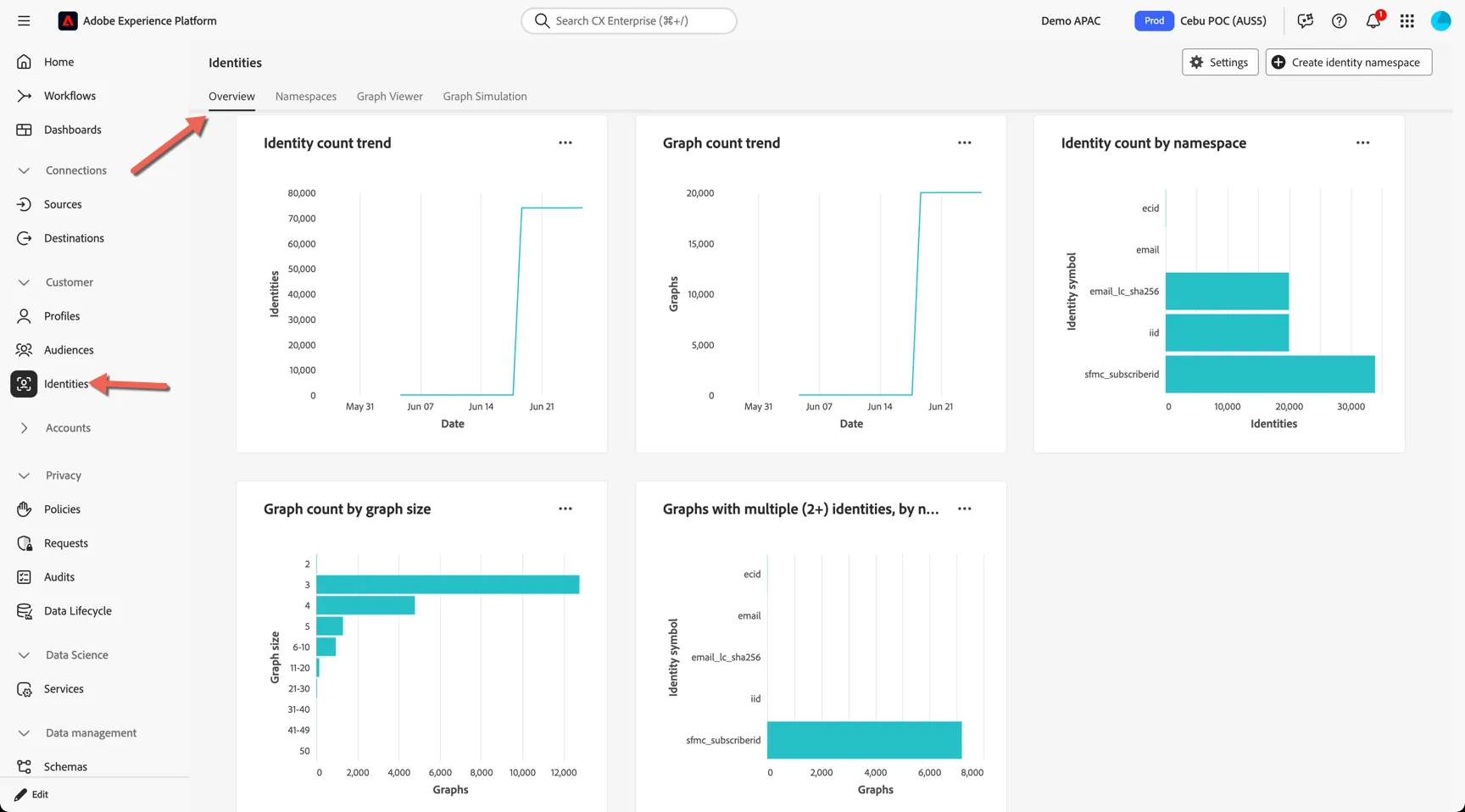
You can view the distribution of identities by viewing the Identity Dashboard.
Navigate to Customers -> Identities and open the Overview tab.
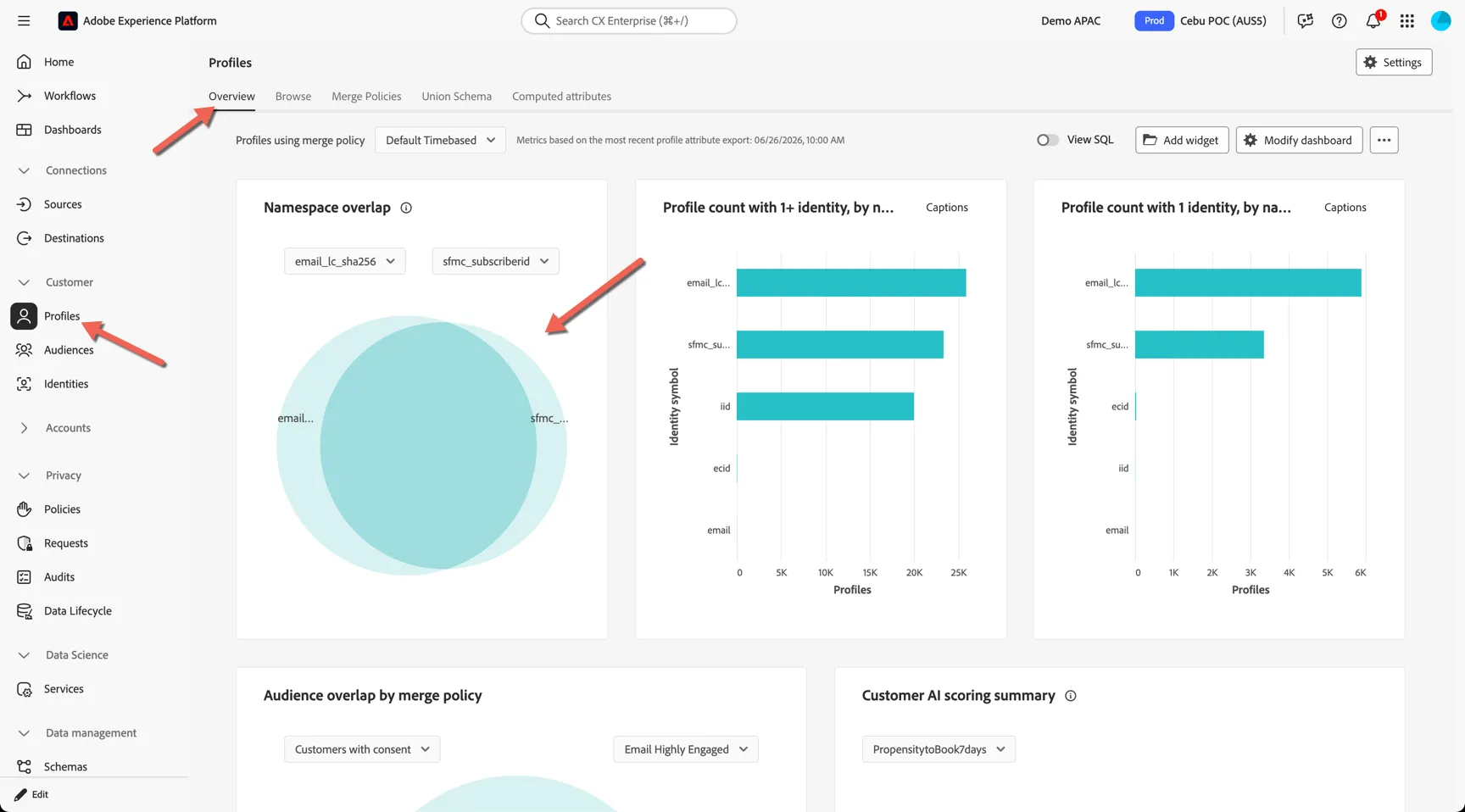
Identity Namespace overlaps can be seen on the Profile dashboard. Navigate to Customers -> Profiles and open the Overview tab.
View the Identity Graph
You can view individual identity graphs to see which id's have been stitched to create our unified profile.
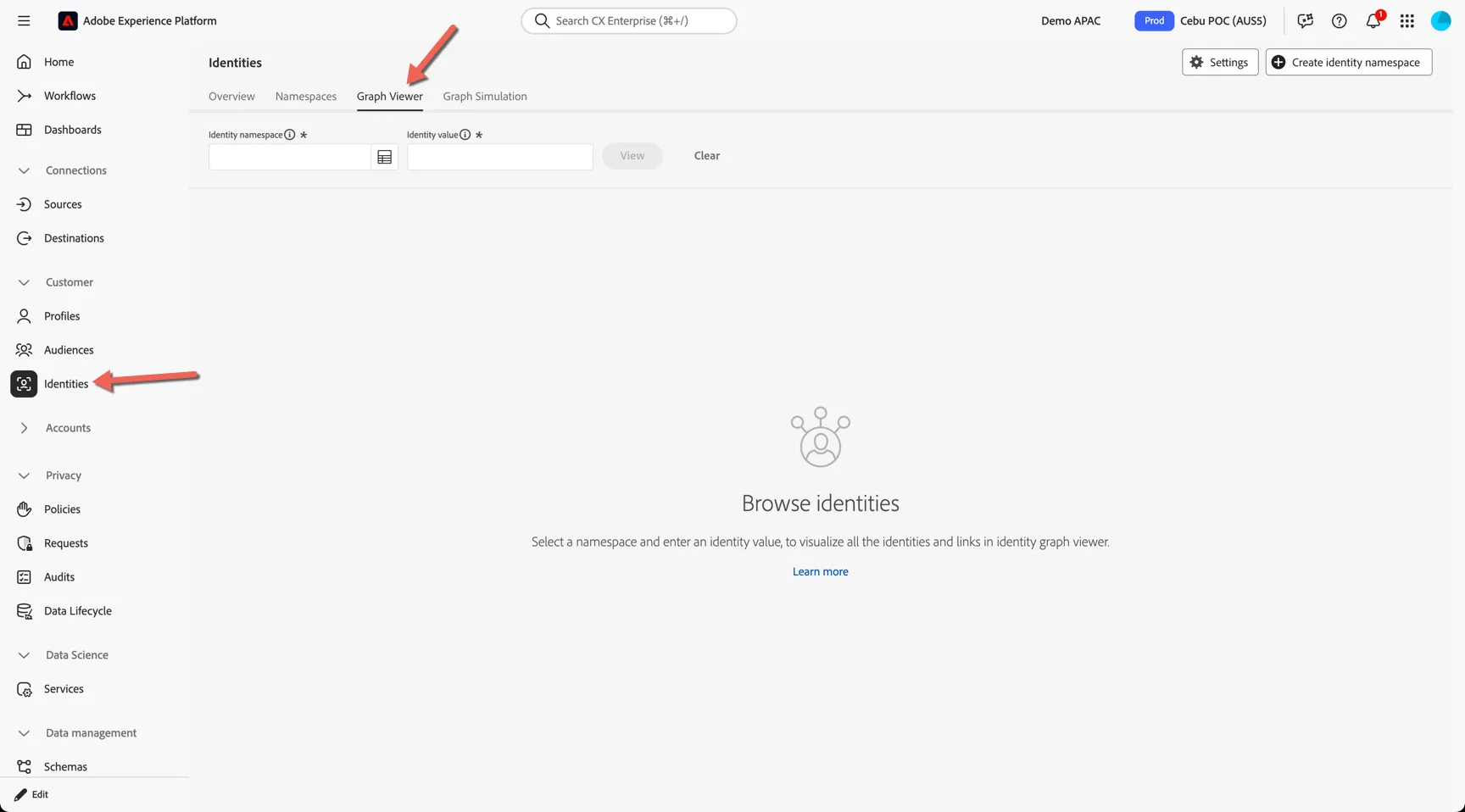
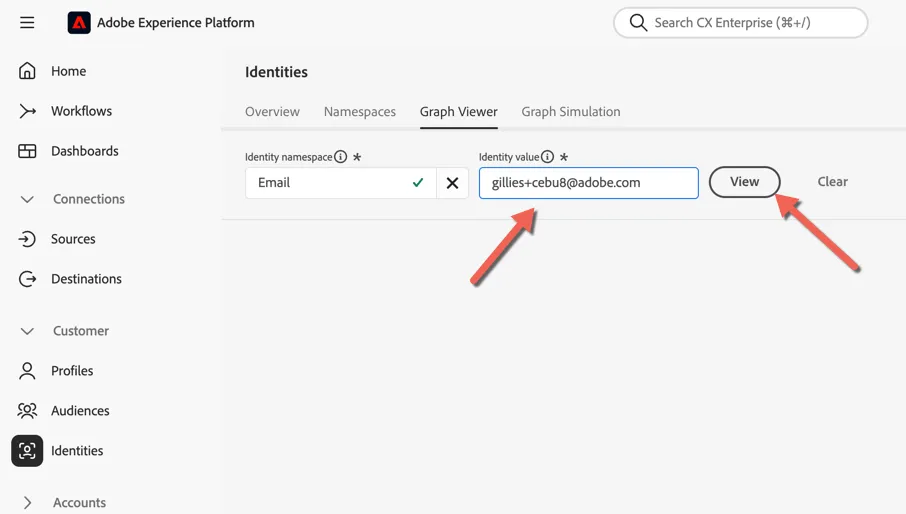
Navigate to Customers -> Identities and open the Graph Viewer tab.
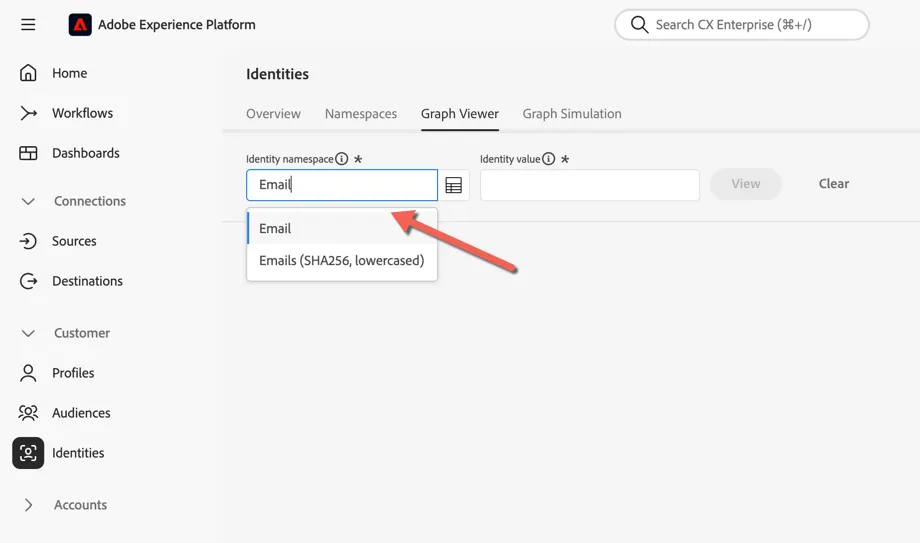
You can look up a graph using any of type of identity. Start type in the Identity Namespace field to find the Id you want. In this case Email.
Now enter the Identity Value you want to look up. Use [email protected]. Click to View.
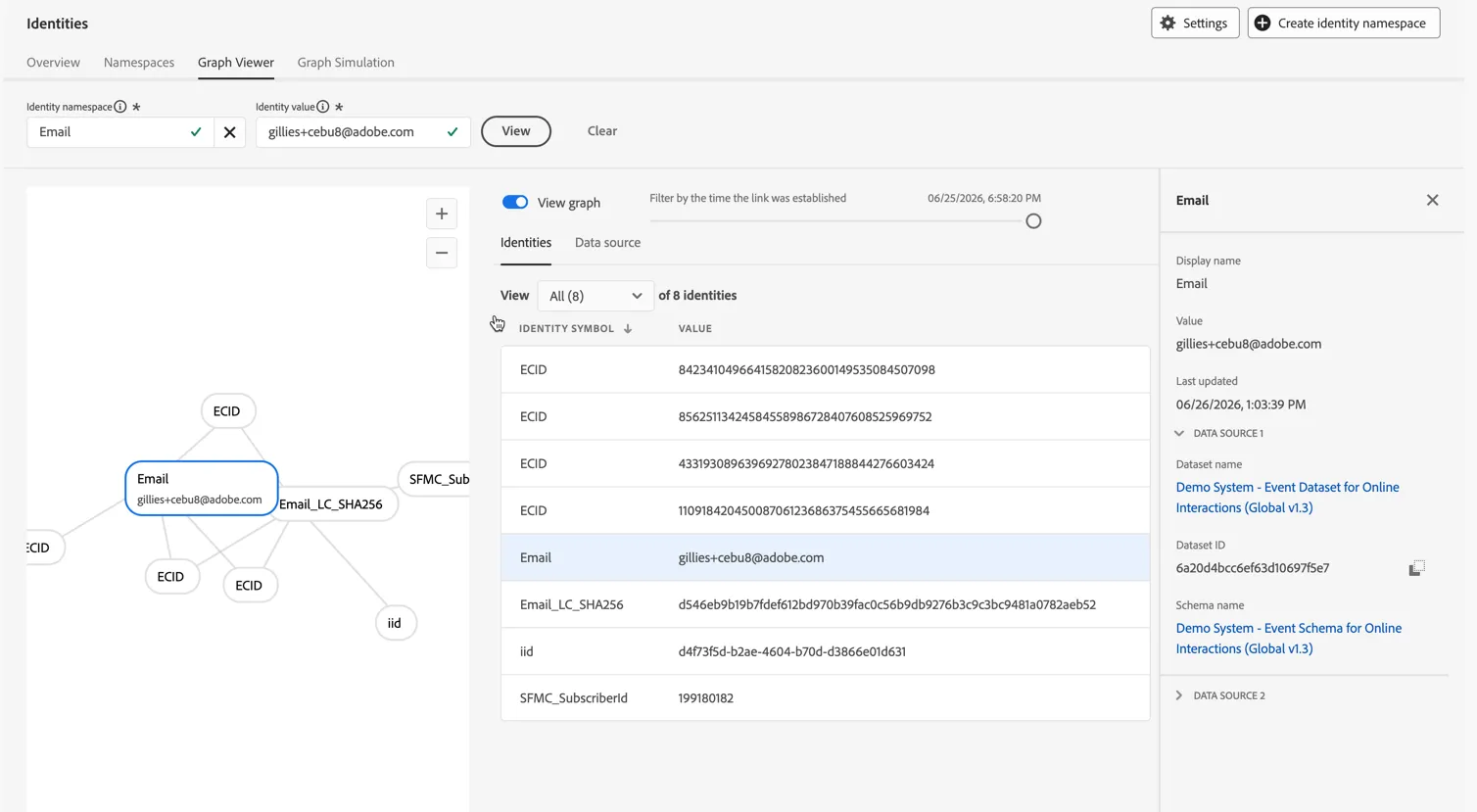
We can a visual representation of the graph to the left, a list of connected identities in the middle and when selecting each identity you can see where that id originated from (ie. from which datasets) on the right.
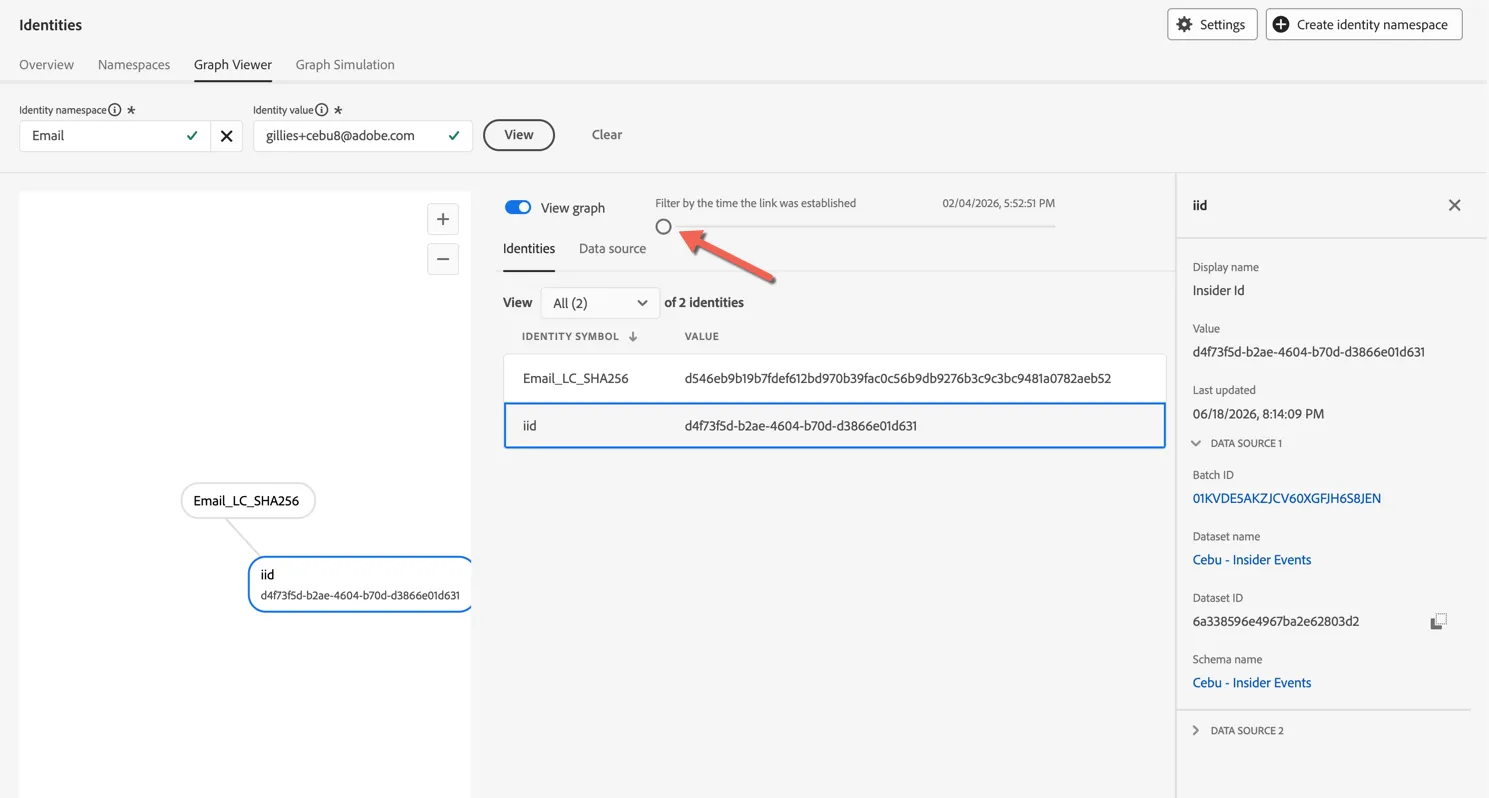
Using the Slider we can view how the identity graph has evolved over time. Slide it back all the way to the start. We can see that originally this graph started with an Insider Id stitched to a Hashed Email. This connection was established when ingesting the Insider Events dataset.
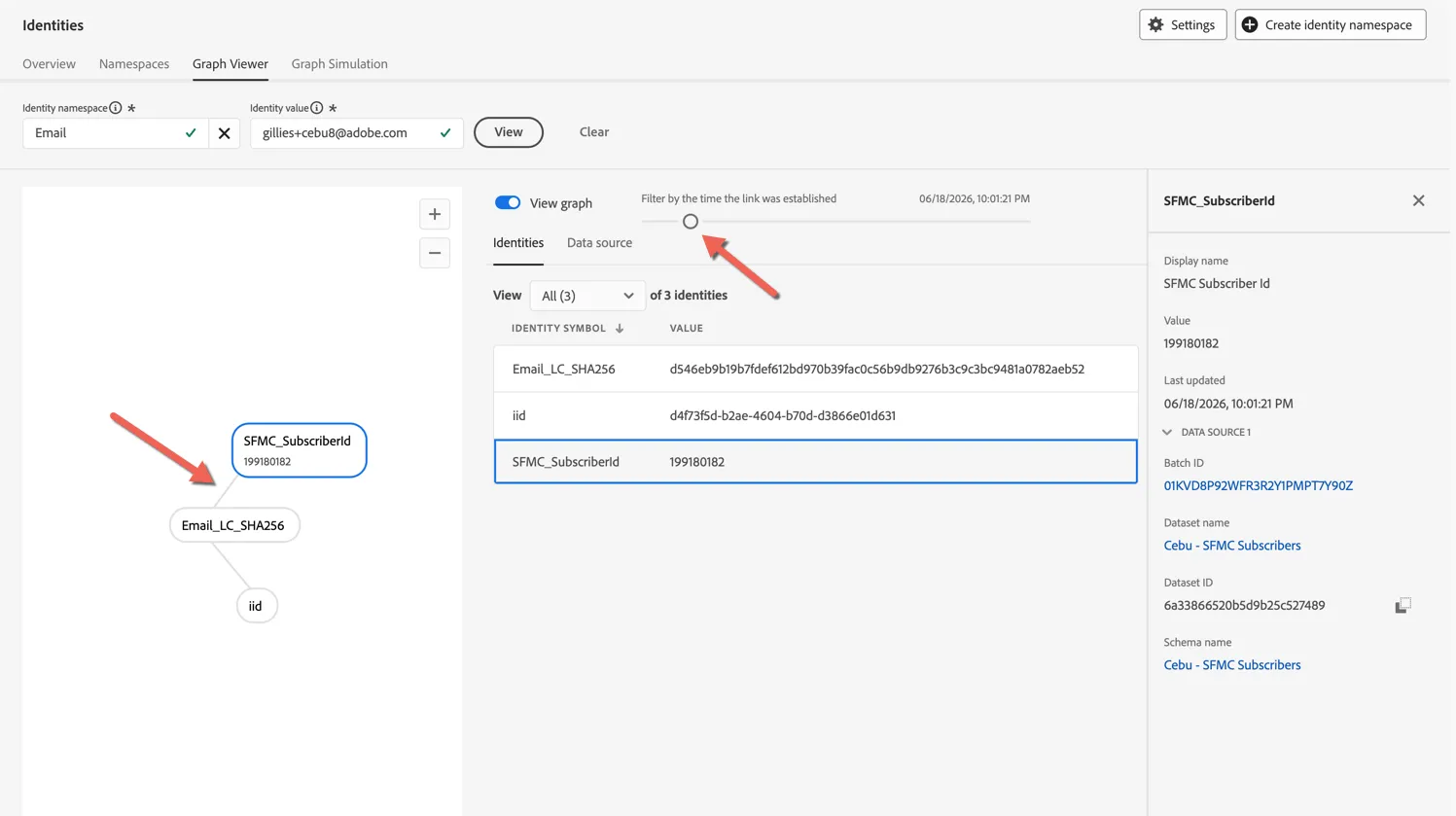
Moving the slider up one position we can see that we next ingested the SFMC Subscriber data, and this created a connection between the hashed email and the subscriber Id.
Move the slider one more position to the right and you will see the addition of my demo profile. At this point in time the demo profile (created through the mock website) was not stitched to the existing profile. There were 2 separate graphs.
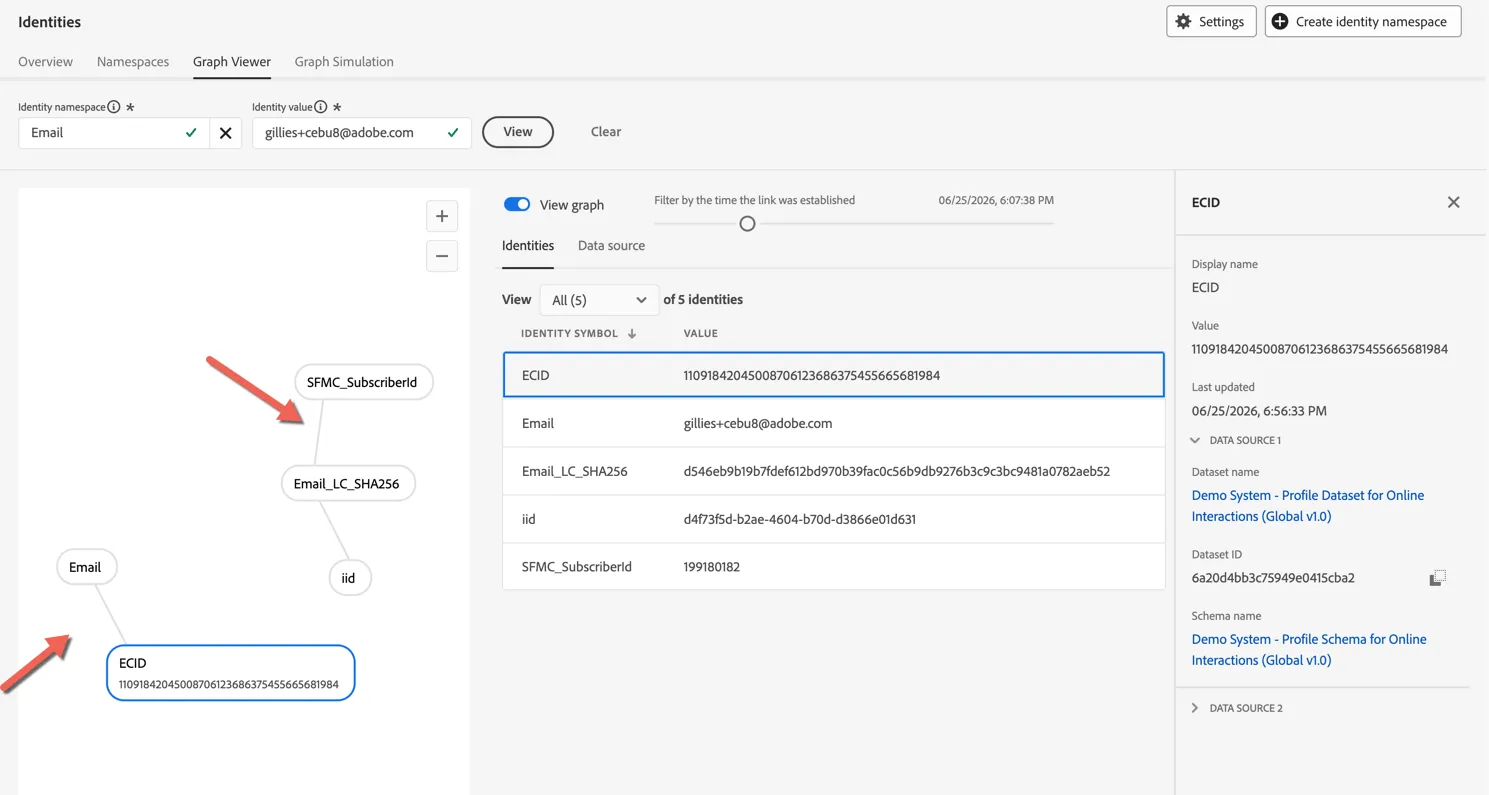
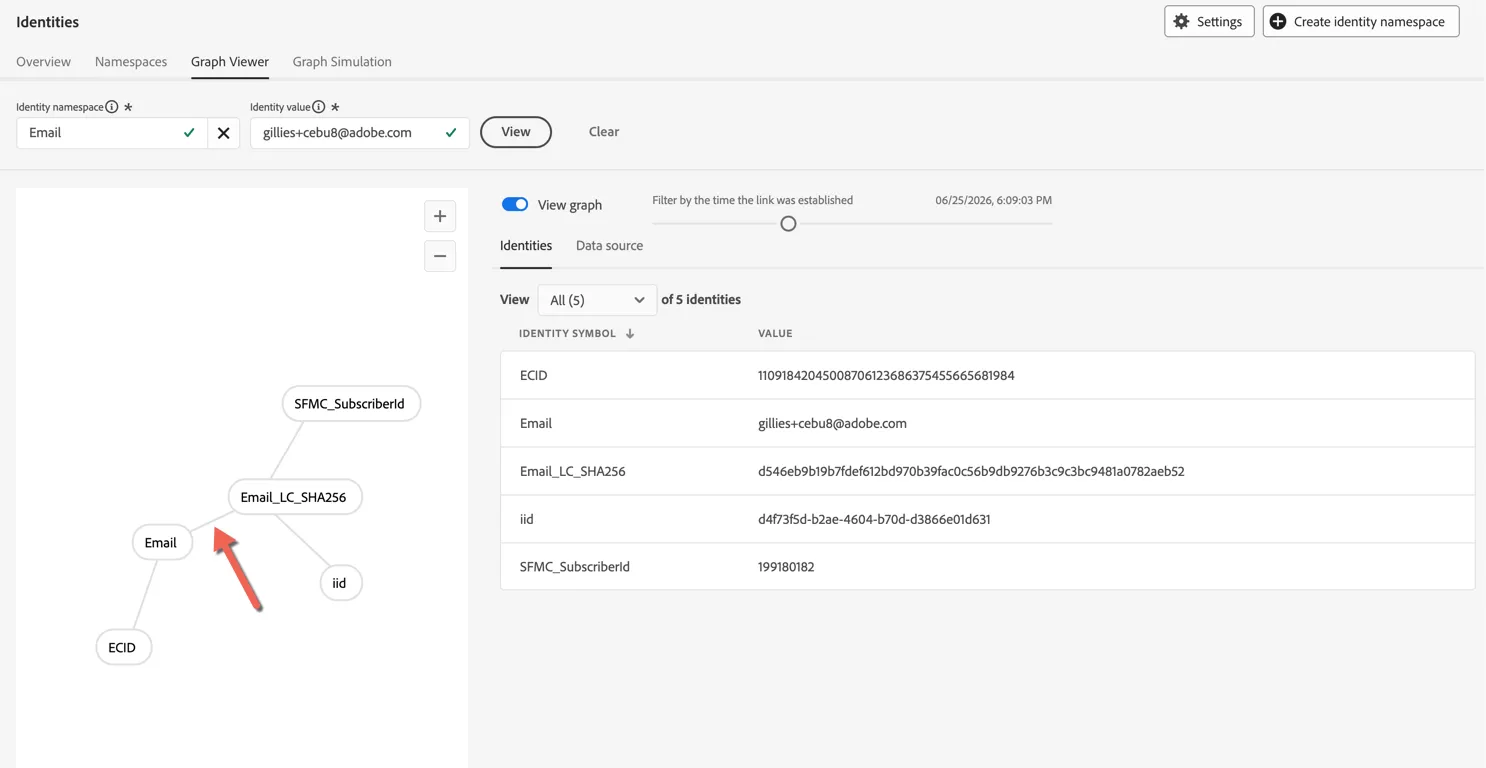
Moving forward again, we can see the connection appear between the clear text email and the hashed email identity - this was done manually for the purpose of demonstration. Post POC your data would be ingested without the need to hash PII and any email provided through the website would naturally stitch to pre-ingested data.
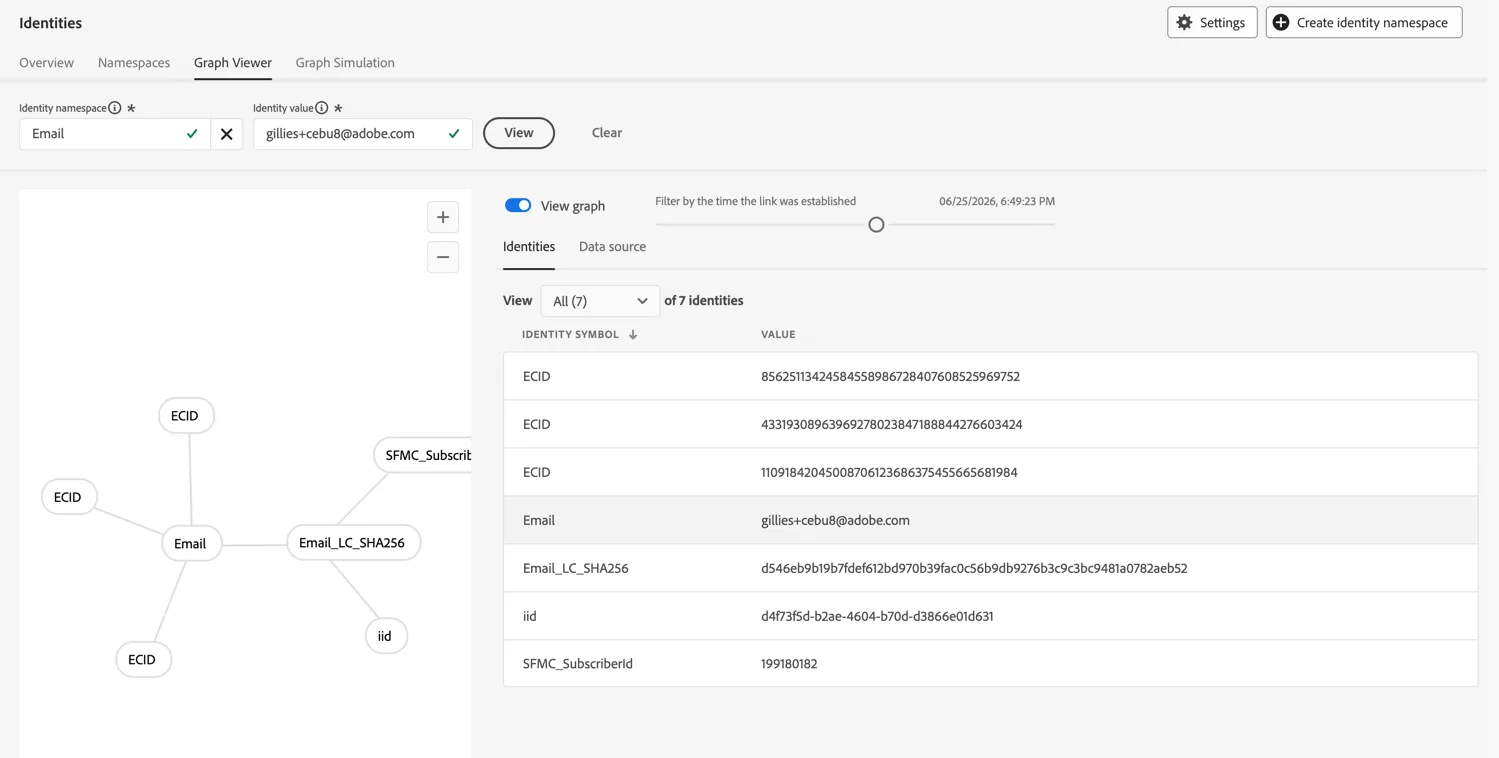
As you continue to move forward you can see additional ECID values added to the graph as I've authenticated using the demo email address across different devices.
Congratulations!
You now know how Adobe's declarative Identity Graph works and how to view the current and previous state of the graph for any profile.
Additional Resources
Adobe Experience Platform Identity Service helps gain a better view of customers and their behaviour by bridging identities across devices and systems, generating an identity graph that links disparate identities together.