POC-P2 - SDK and API Integration
This tutorial is designed to teach you about Adobe's Data Collection capabilities used to ingest fast moving behavioural data from your website and app or other devices. The components taught in this module are core to all Adobe Experience Platform applications.
It is designed for a technical audience (Data Architects, Data and Web/Mobile Engineers) but can be interesting also for marketers to understand.
Learning Objectives
- Learn how to access Adobe's Tag Manager
- Learn how to configure a Datastream for data collection
Access Data Collection
Adobe Data Collection manages the streaming ingestion of behavioural data and integration with our Web and Mobile SDK's. Data collection also offers ingestion of data from IOT devices using the Edge Network API.
Once the SDK is deployed to either your website or App, data is sent to Adobe's Edge Network servers before being forwarded to Adobe Experience Platform.
Whether you use adobe's Tag Manager or choose to implement the SDK another way, the events must be routed to a Datastream. The datastream controls which Adobe applications the data is routed to. Eg. you can route the same event to both Adobe Experience Platform and Adobe Analytics at the same time.
For Adobe Experience Platform, the Datastream also controls which datasets the data coming from the SDK lands in.
Since Data Collection services more than one Adobe product, it has it's own menu item separate from Adobe Experience Platform.
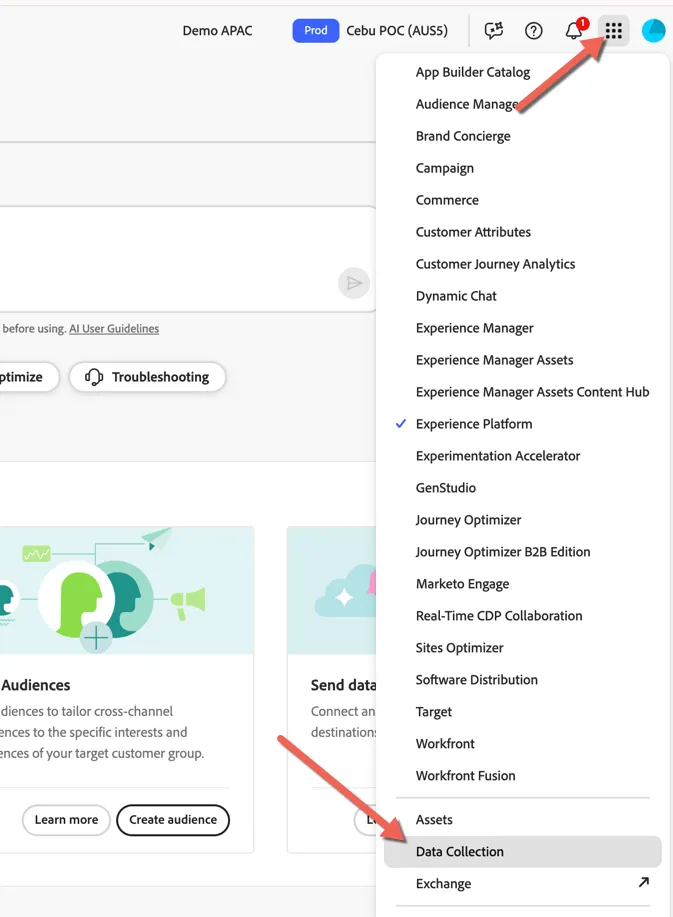
You can access Data Collection by clicking on the product selector in the top right.
Review Cebu Datastreams
Once you're within the Data Collection UI, navigate to Datastreams to see the datastreams configured for the POC.
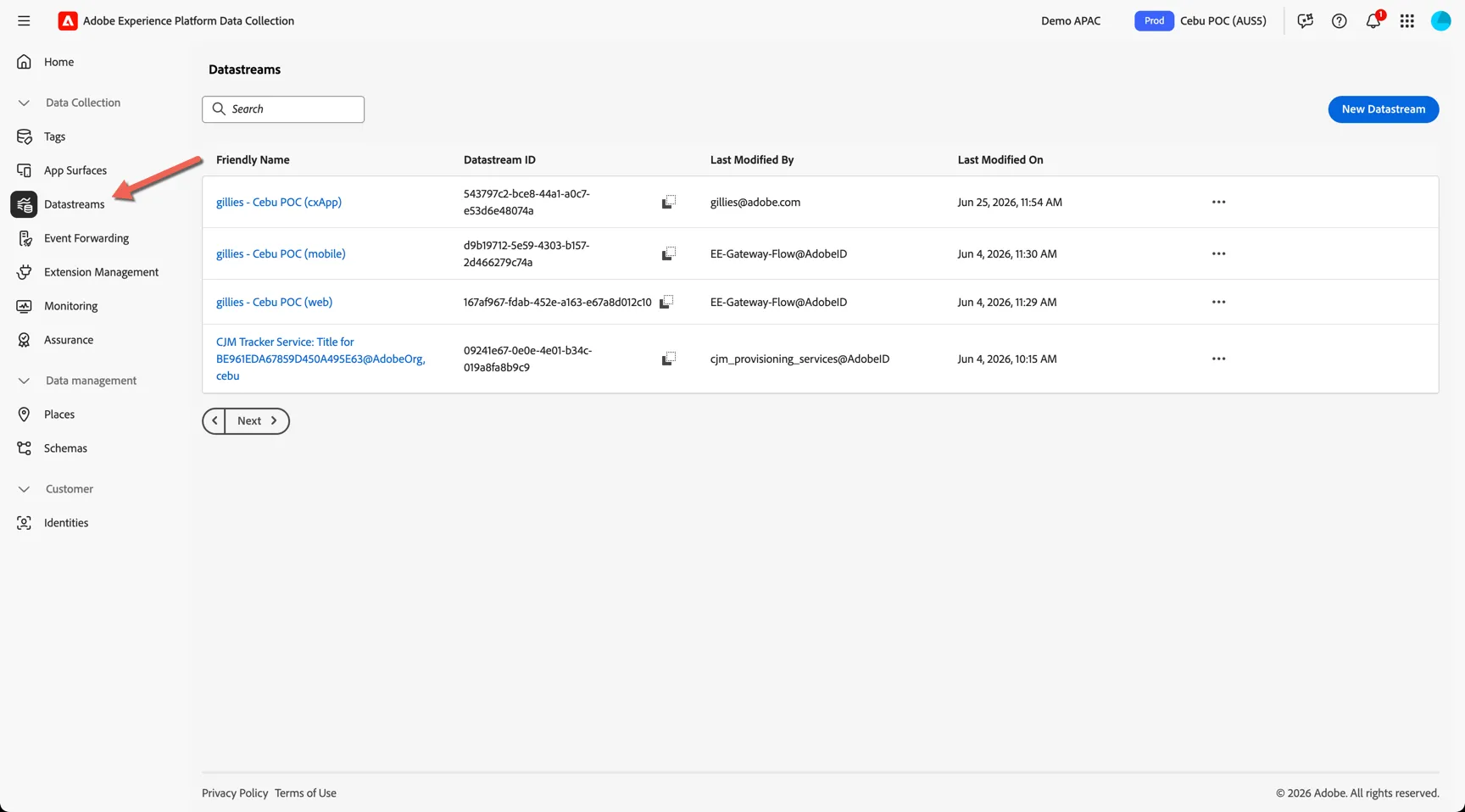
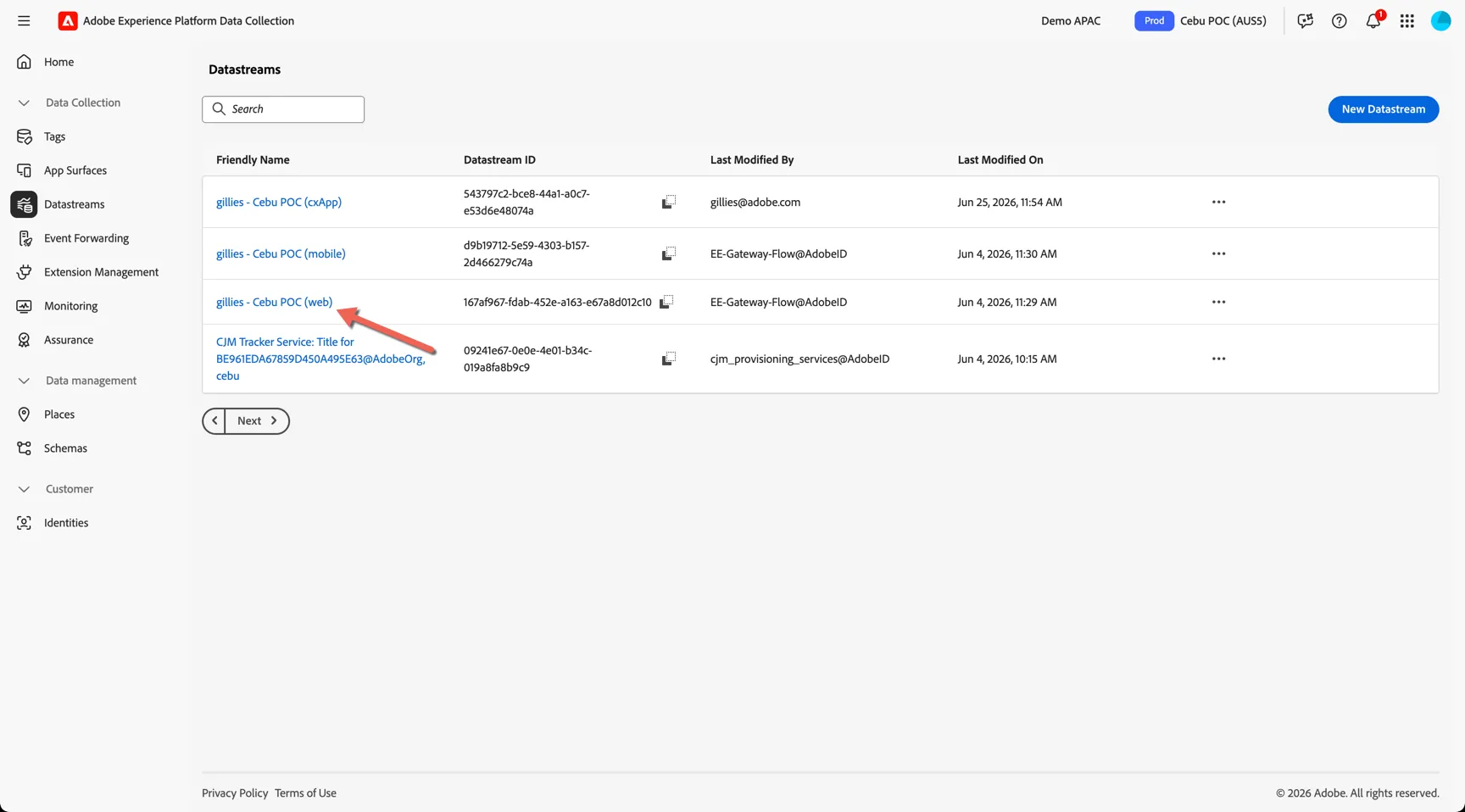
Click to open the gillies - Cebu POC (web) datastream.
You can see there are 2 services are enabled, Adobe Experience Platform and Adobe Target. Click to edit Adobe Experience Platform.
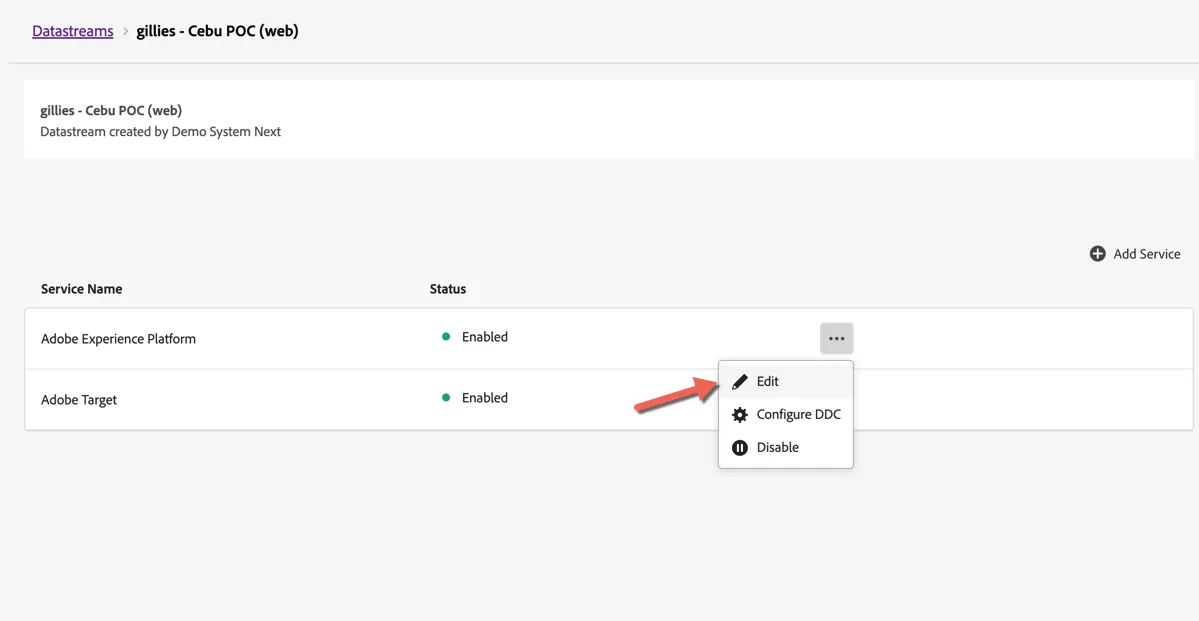
The configuration defines which datasets data lands in from this datastream as well as which modules from the AEP are enabled. For CDP we have enabled only Edge Segmentation (for real-time audience qualifications) and Personalisation Destinations (not used for the POC but allows for integration with third party personalisation tools like Optimizely or Dynamic Yield).
Review the WebSDK configuration
The WebSDK is deployed to the mock website using Adobe's Tag Manager called Tags.
Navigate to Data Collection -> Tags and search for Cebu.
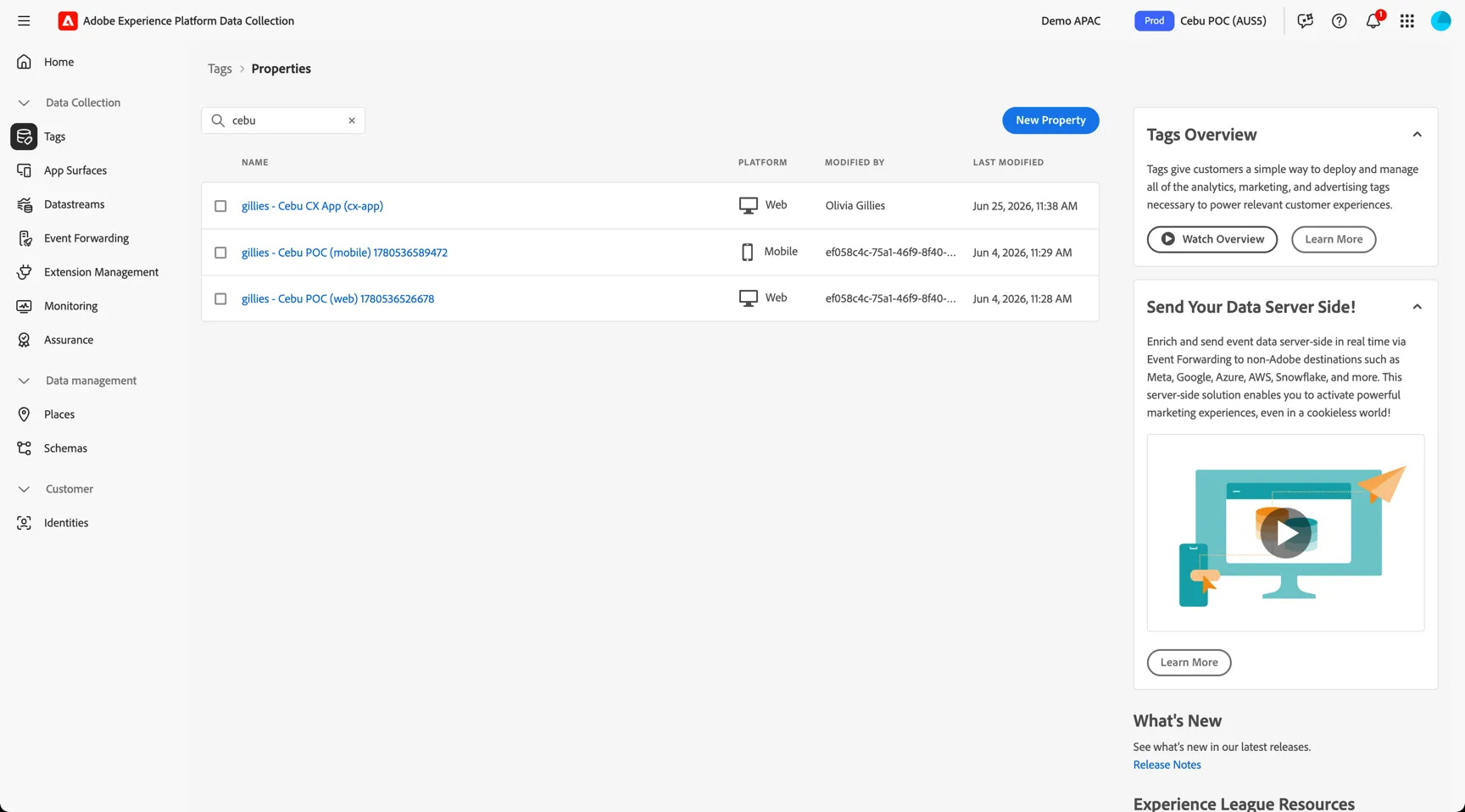
You can see 3 separate properties, one for web, one for mobile and one for our customer service app. Click to open the web property gillies - Cebu POC (web)
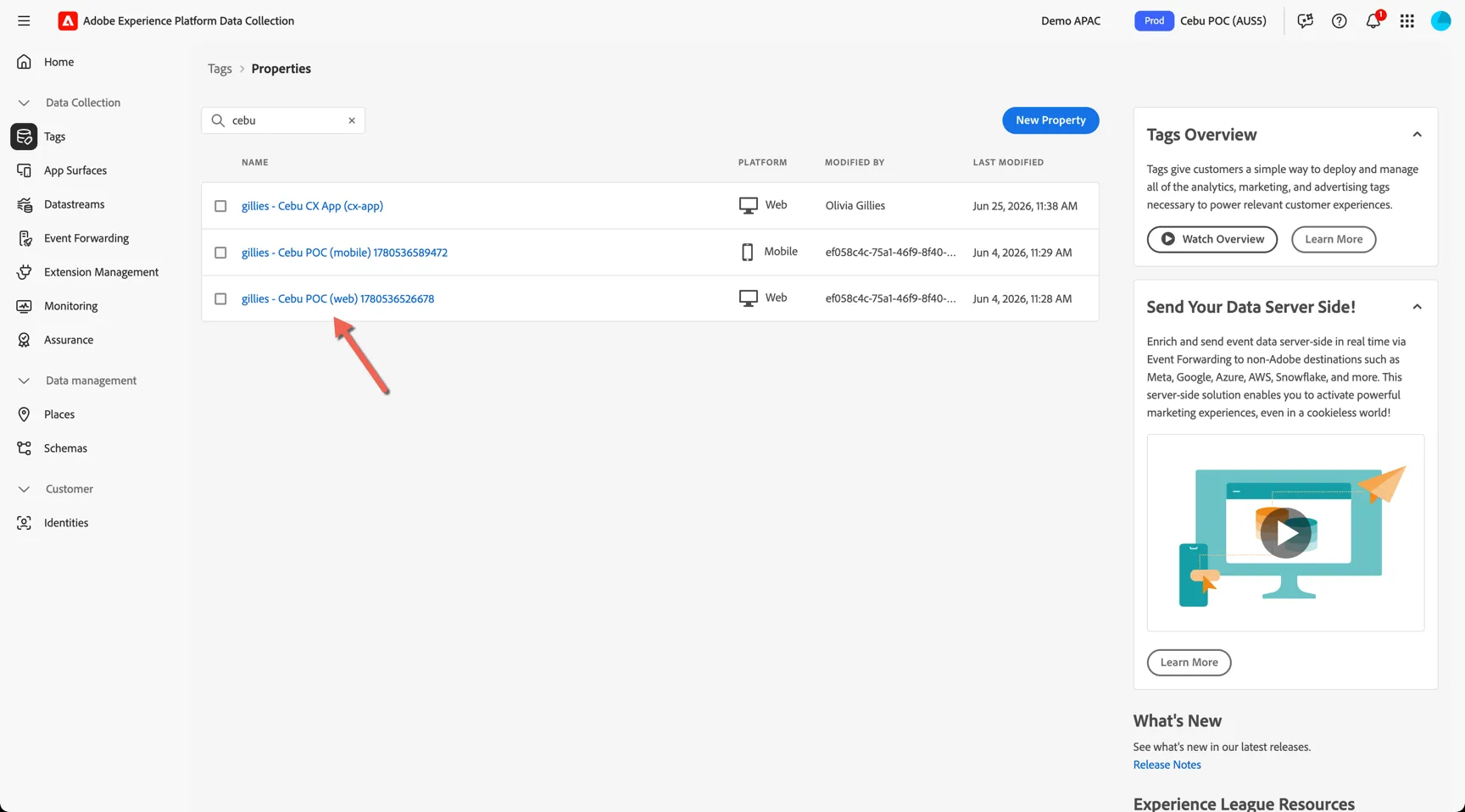
Once you're in the property, navigate to Extensions this is where you'll find the Web SDK configuration. Select the extension and click to Configure.
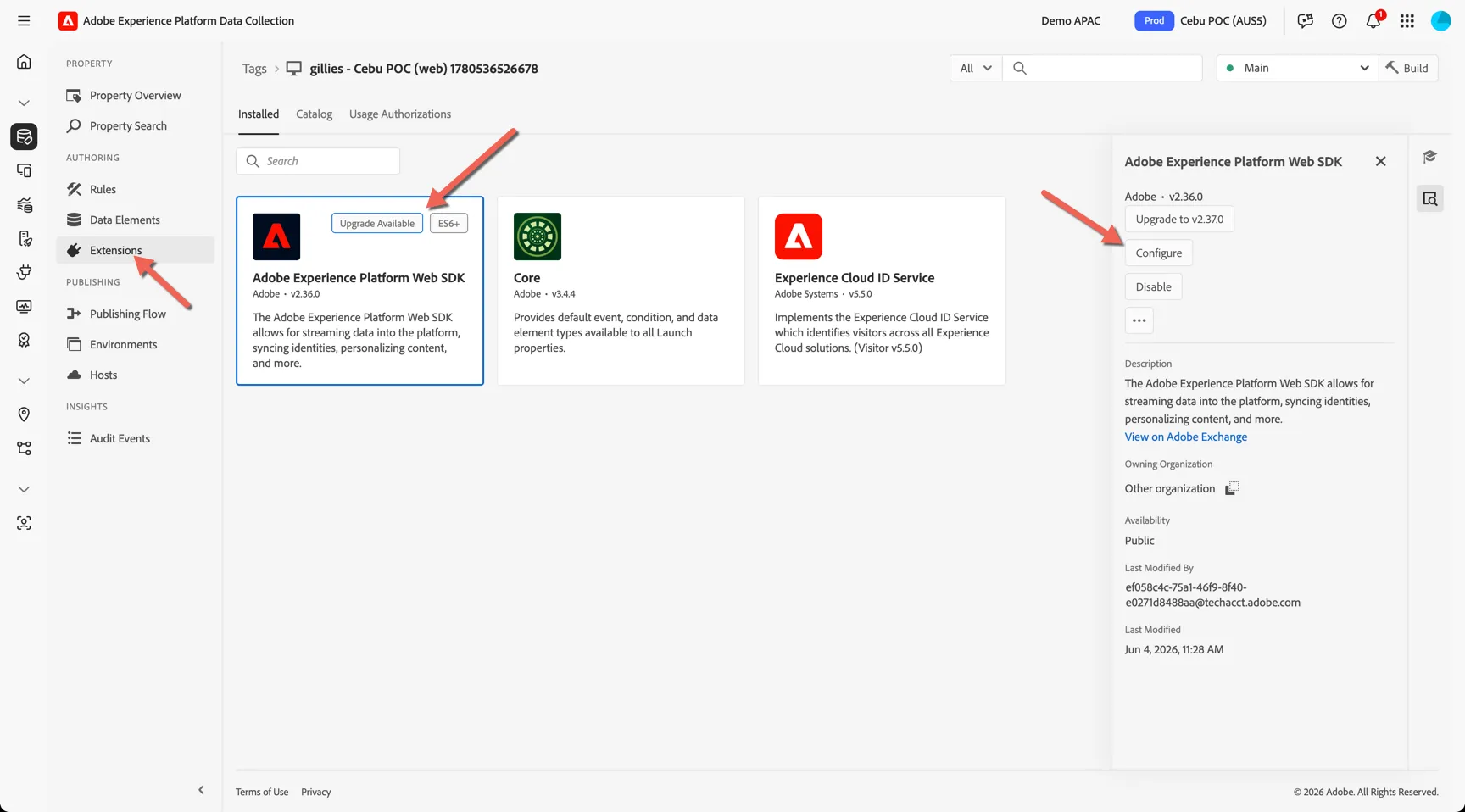
There are many configurations available but the most important configuration is the Datastream setting. This is the minimum requirement for enabling the SDK.
Review a Send Event Rule
Data elements contain references to specific data objects either within the data layer or browser storage. Rules are used to trigger actions when things happen on the website.
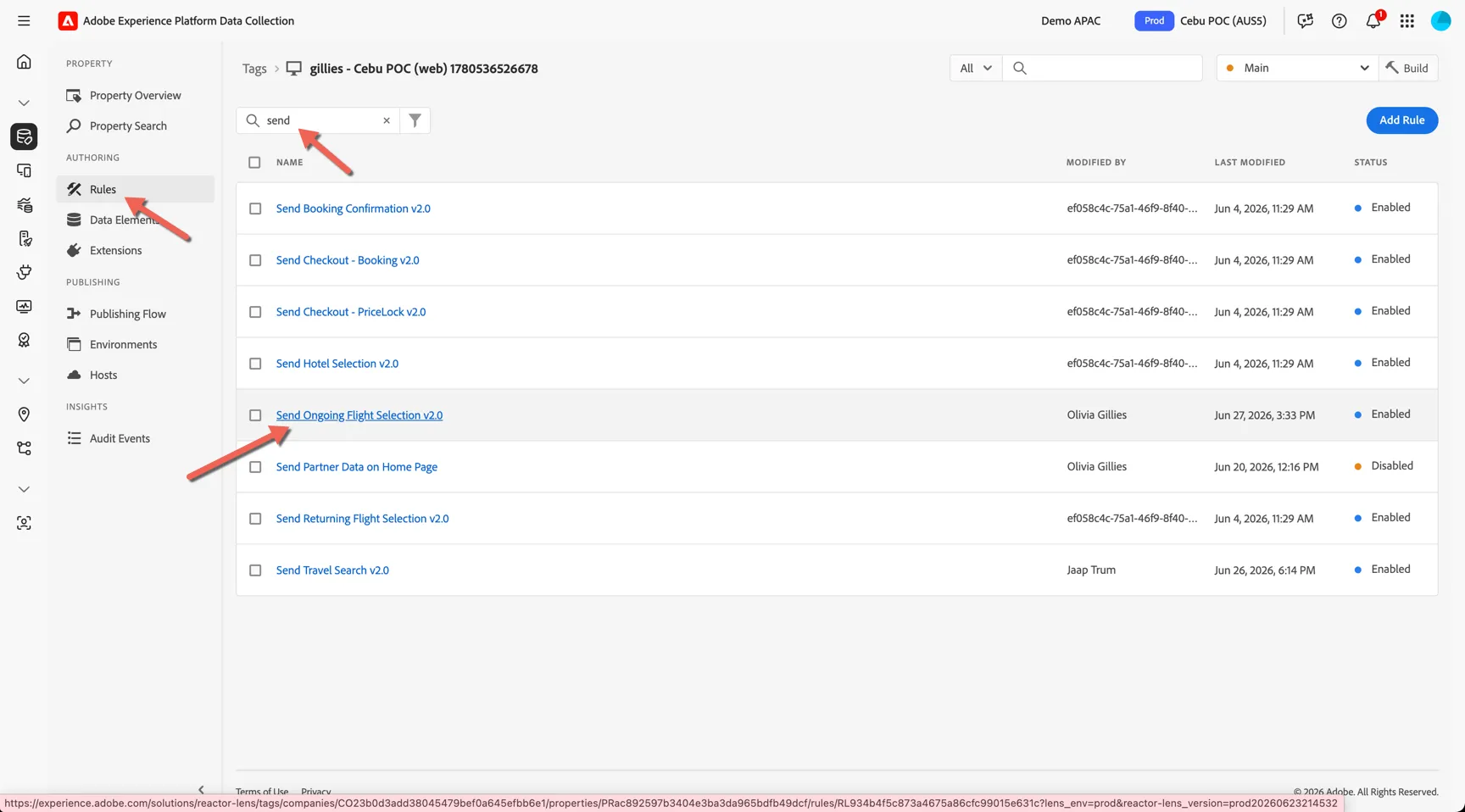
Navigate to Rules and search for Send. You'll see a number of rules starting with the work Send. Click into the Send ongoing Flight Selection 2.0 rule.
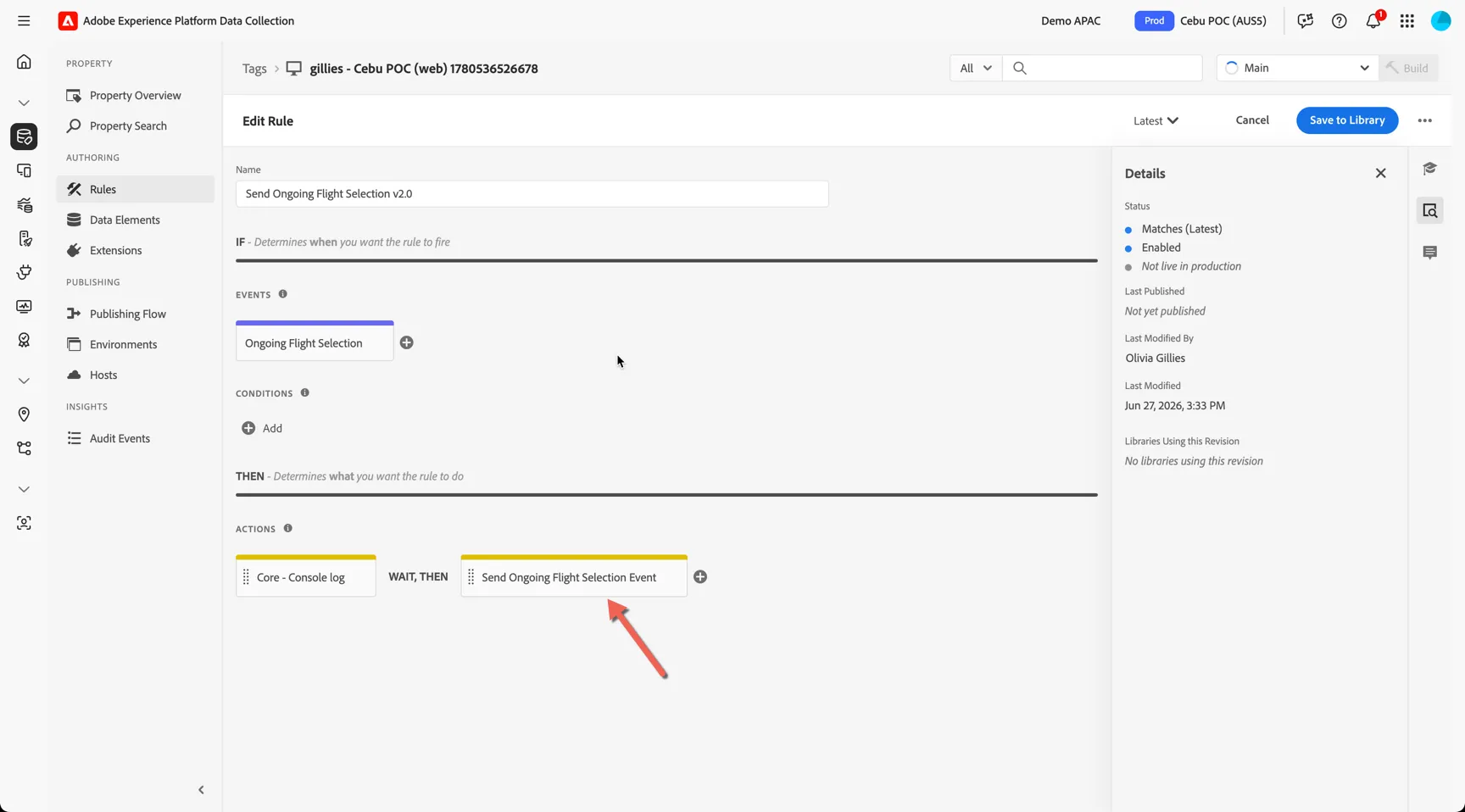
The rule is triggered by one of more events, and takes one or more actions. Click into the Send Ongoing Flight selection Event action.
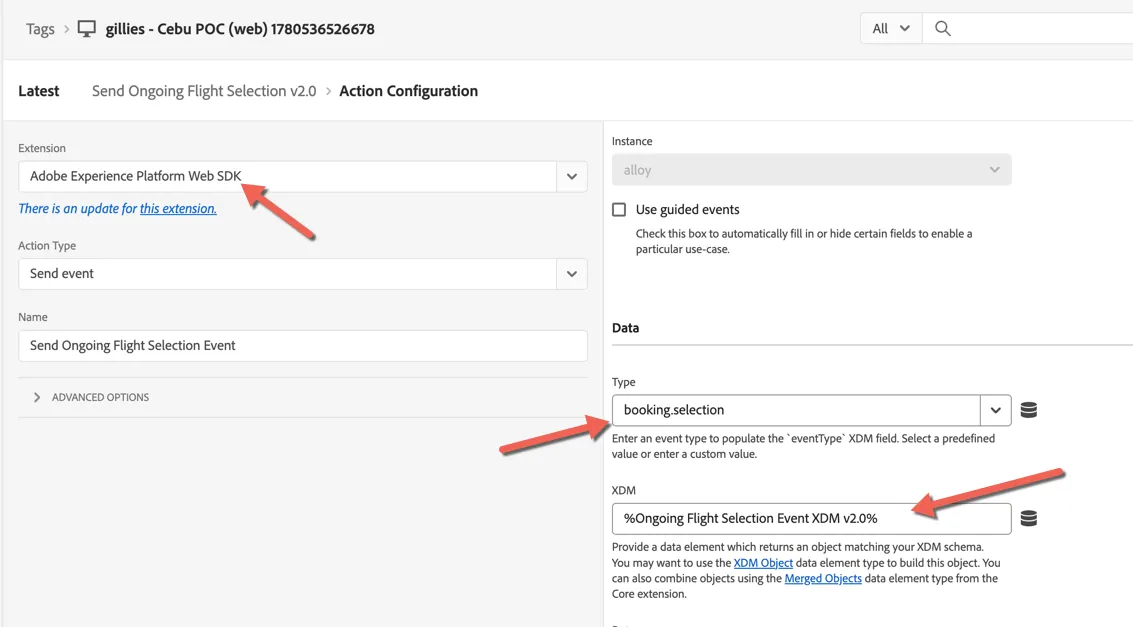
You can see the action is using the WebSDK to send an event of type booking.selection. The full payload of the event is controlled by the XDM data element.
Congratulations!
You now know how to configure data collection via Adobe's WebSDK.
Additional Resources
The Adobe Experience Platform Web SDK is a client-side JavaScript library that sends data to the Experience Platform Edge Network in a solution-agnostic way (XDM), which then maps data to solution-specific formats and sends it in real time.