POC-DA2 - Predictive Segmentation
This tutorial will show you how to create your own propensity models within Adobe Experience Platform.
It is designed for both a technical and non-technical audience.
Learning Objectives
- Learn how to view existing predictive models
- Learn how to configure a new model
View a model
It should be noted that the data provided for the POC was not sufficient to generate an accurate propensity model. Models require an specific amount of historical data in order to generate a prediction within a specific timeframe. For an event to be predicted within the next 7 days we would require at least 30 days of data. Cebu provided only 7 days of data for the POC. As such this data was extrapolated by Adobe to allow the model to train successfully but the quality of this model should NOT be considered as part of the assessment as it does not reflect reality.
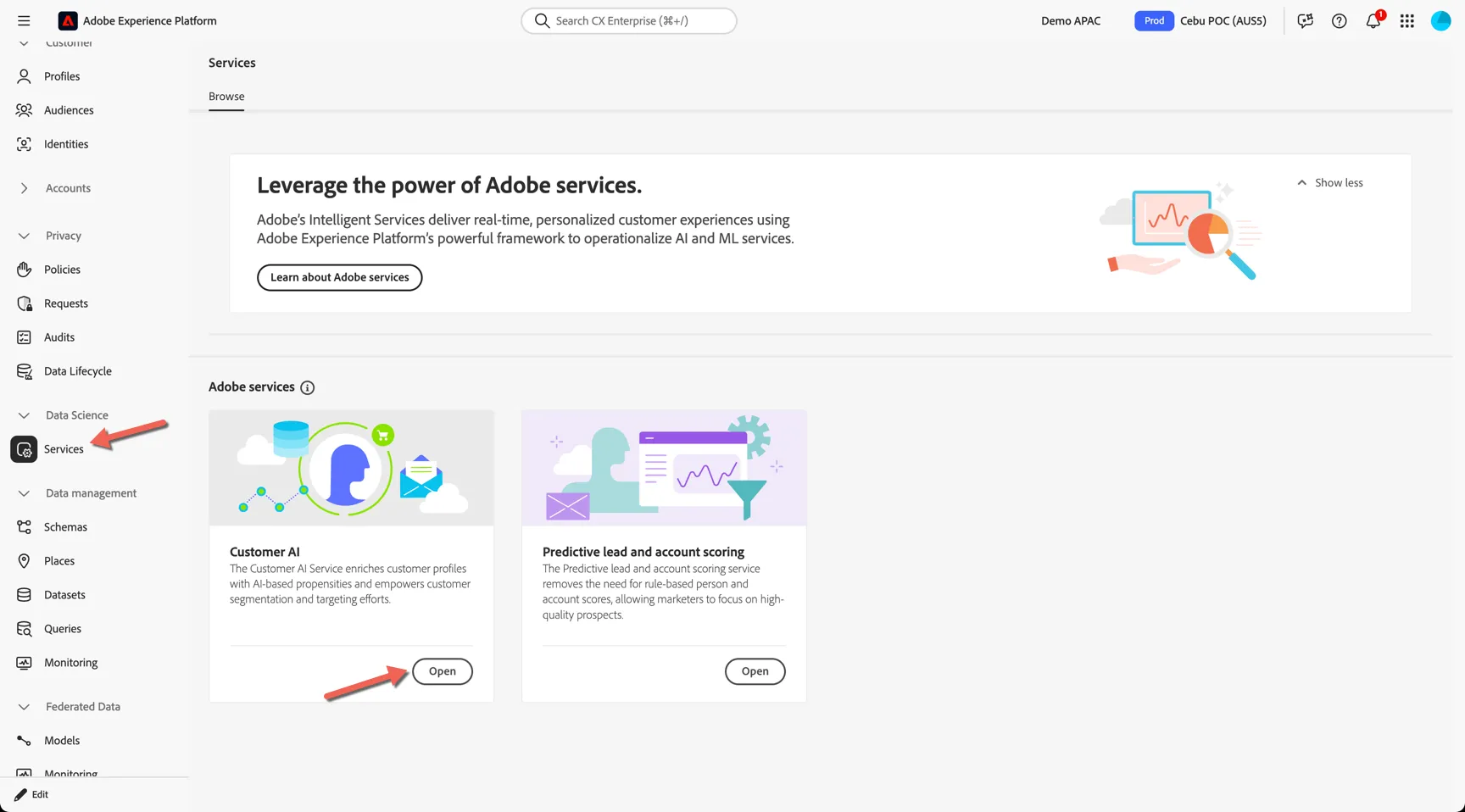
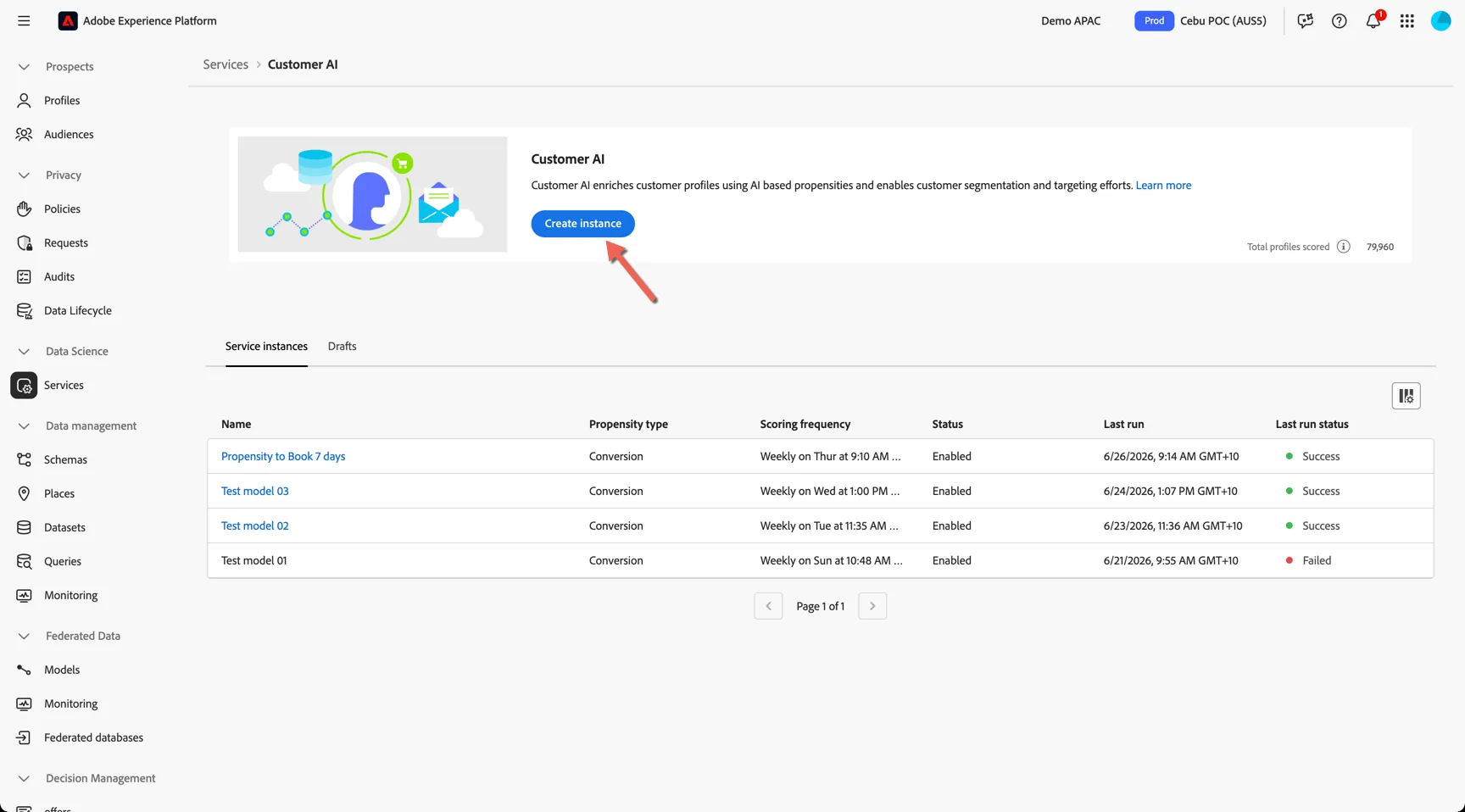
Navigate to Data Science -> Services, click to open Customer AI.
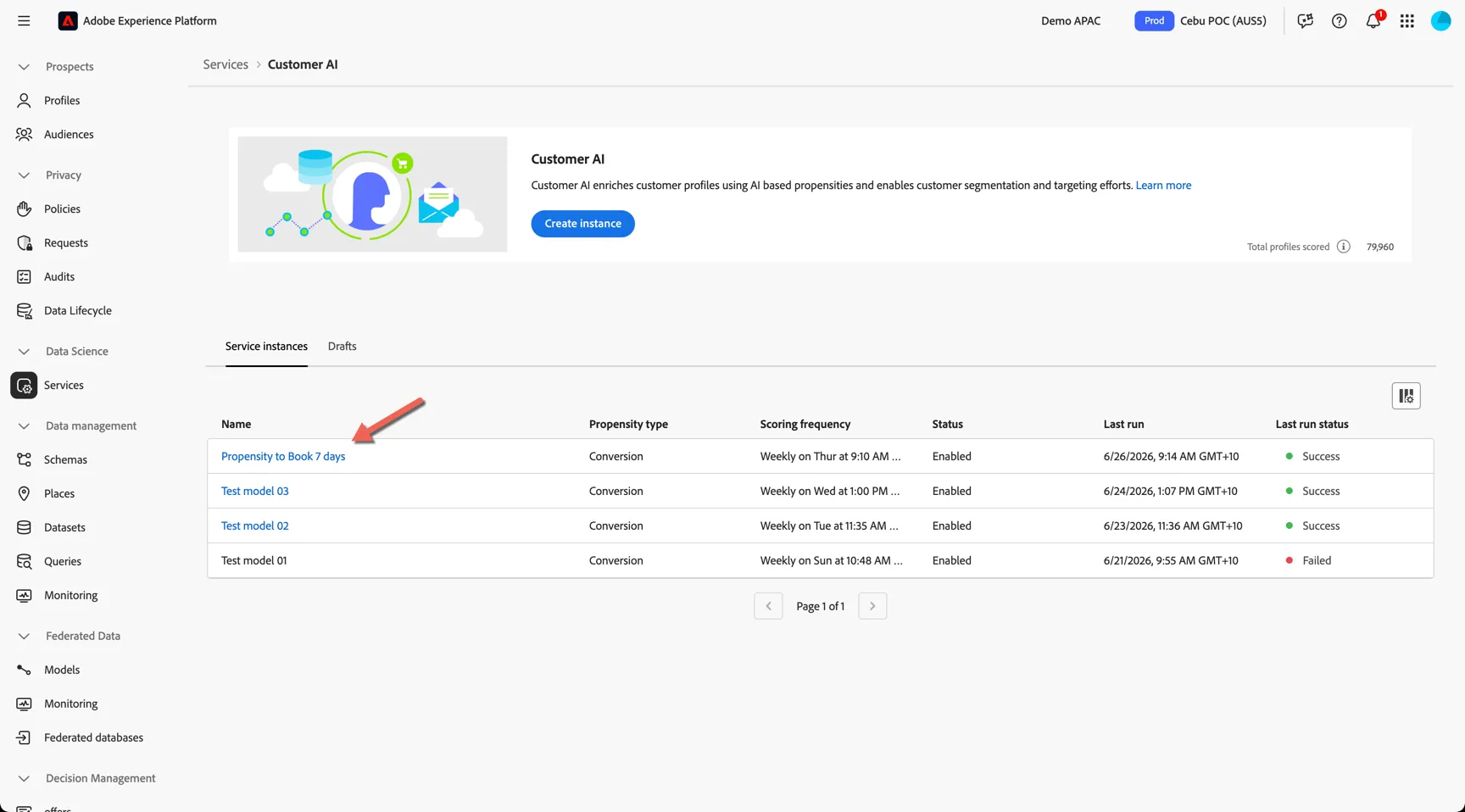
Here you can see the list of models or instances already created. Click to open the Propensity to Book 7 days.
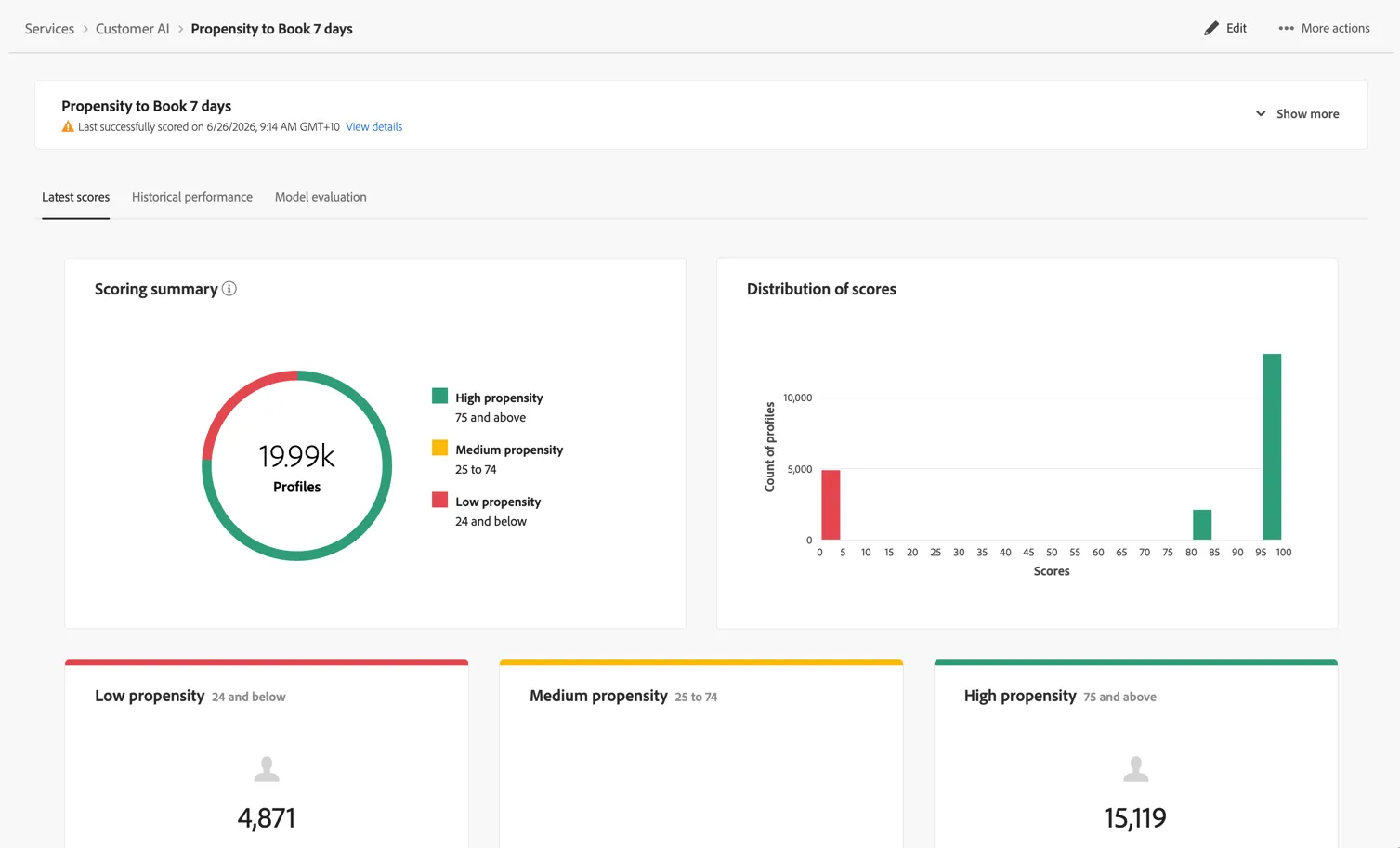
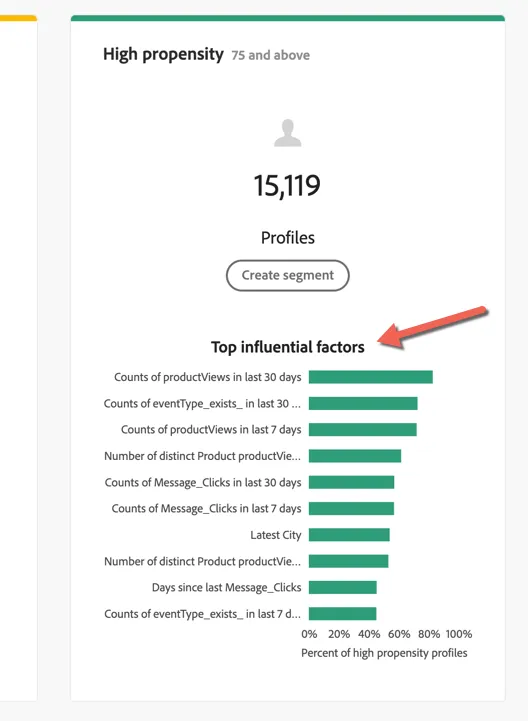
Profiles scored by the model are grouped into 3 buckets, high, medium and low propensity. Each profile also gets an individual score appended to their profile as an attribute.
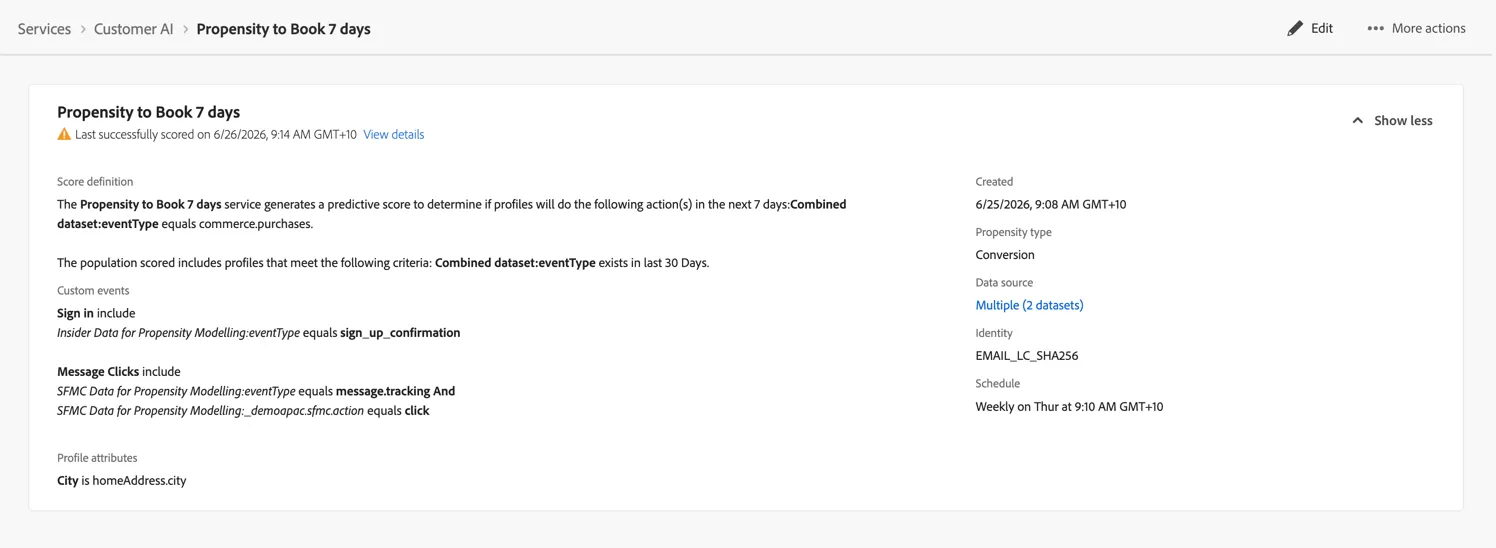
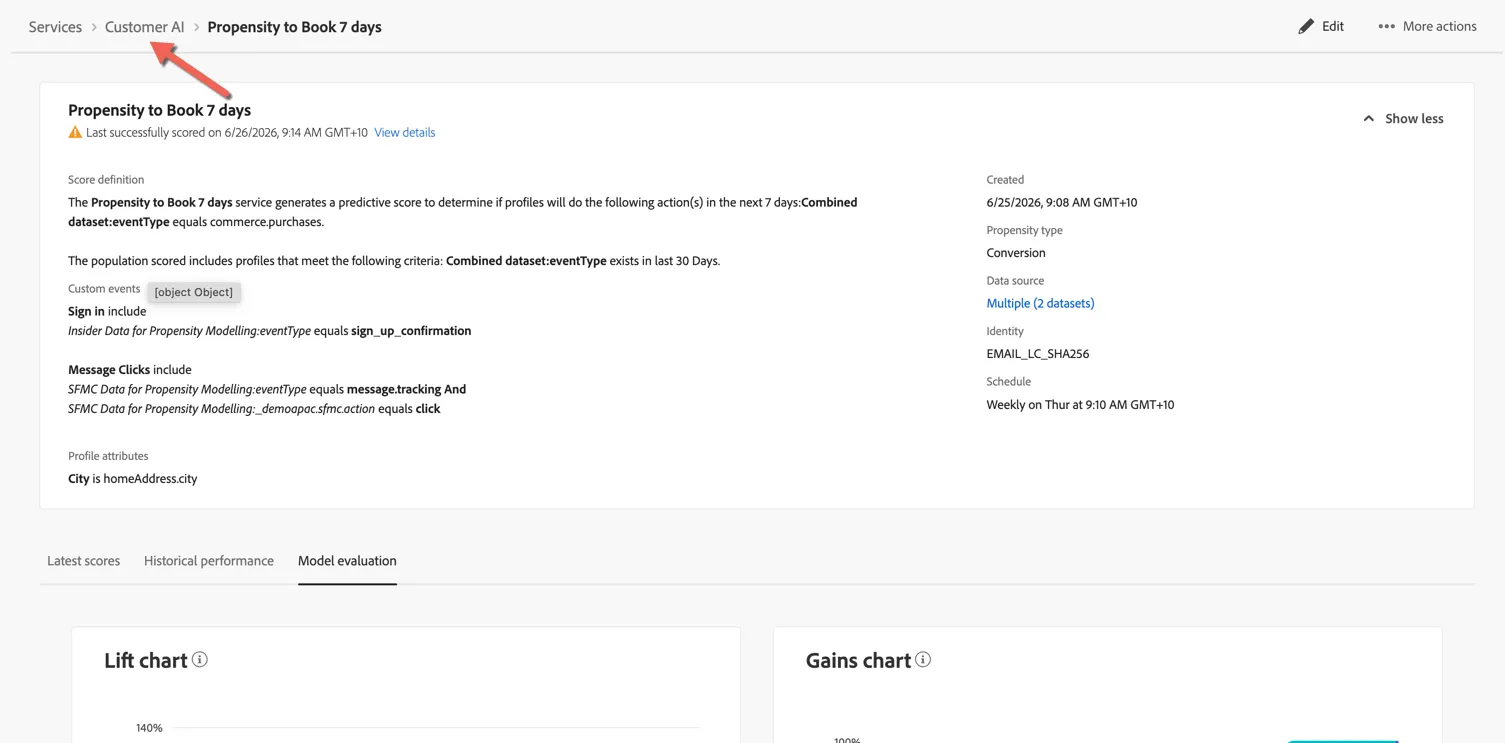
Click on show more to see what was configured for this model. You can see the model was configured to predict whether the profile would make a new purchase in the next 7 days. Apart from the standard commerce events provided by Insider, Email engagement data from Salesforce Marketing cloud was also used along with the profile's home city.
Adobe provides, not only the score but a breakdown of influential factors. This helps you to understand what behaviours are impacting your customers propensity.
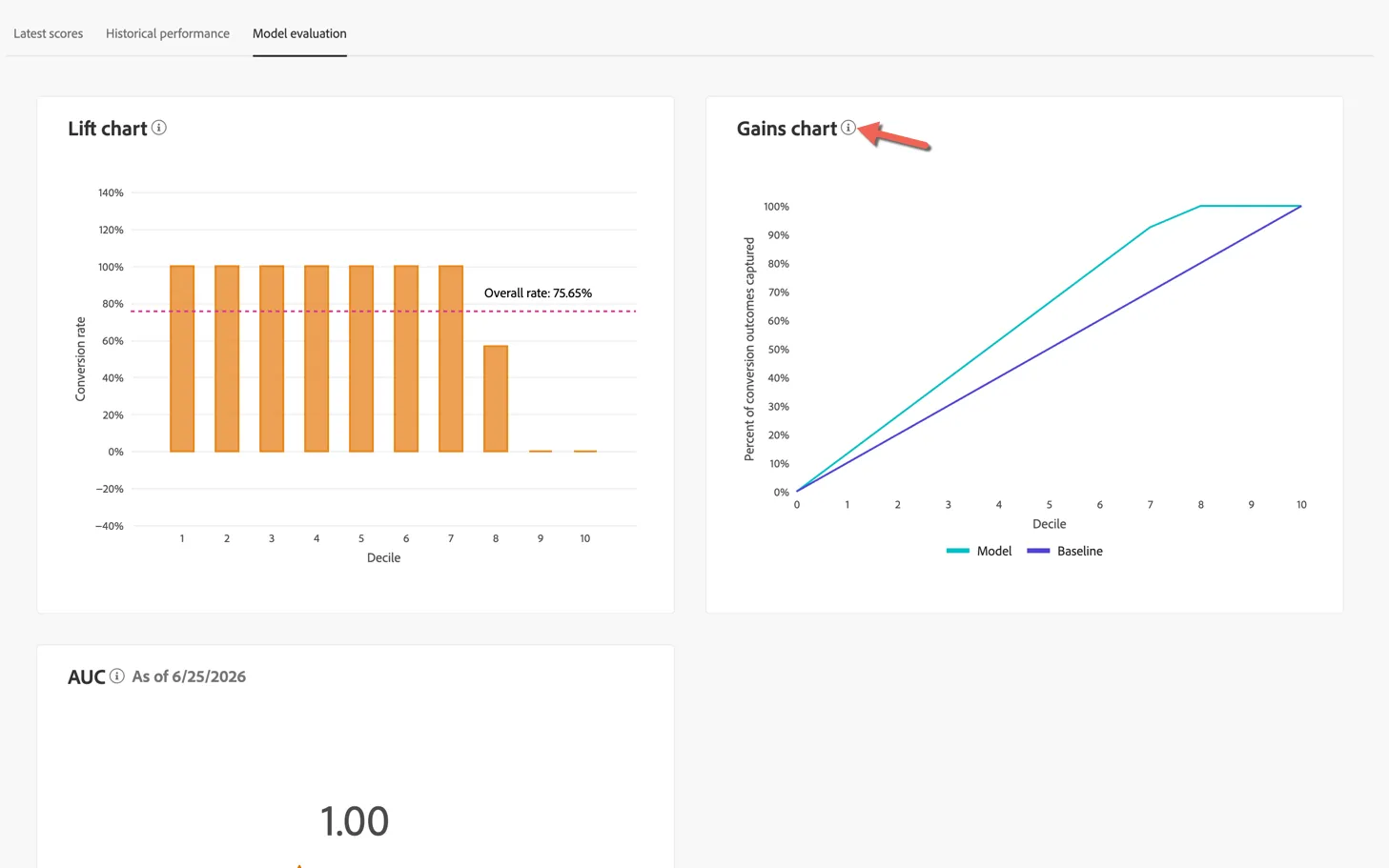
Click to view the Model evaluation tab. This is where you can see the Lift and Gains chart along with the Area Under the Curve score for the model.
As noted above, the quality of this model should not be part of the assessment criteria due to restrictions on the data provided for the POC.
Click on the info icon to read a detailed description for what each for the charts mean.
Create a new model
To create a new model return to Data Science -> Services -> Customer AI.
Click to Create instance
Give your model a name and select whether you want to create a Conversion or a Churn model. Click Save and Continue. This will create a draft that you can return to configure later if needed.
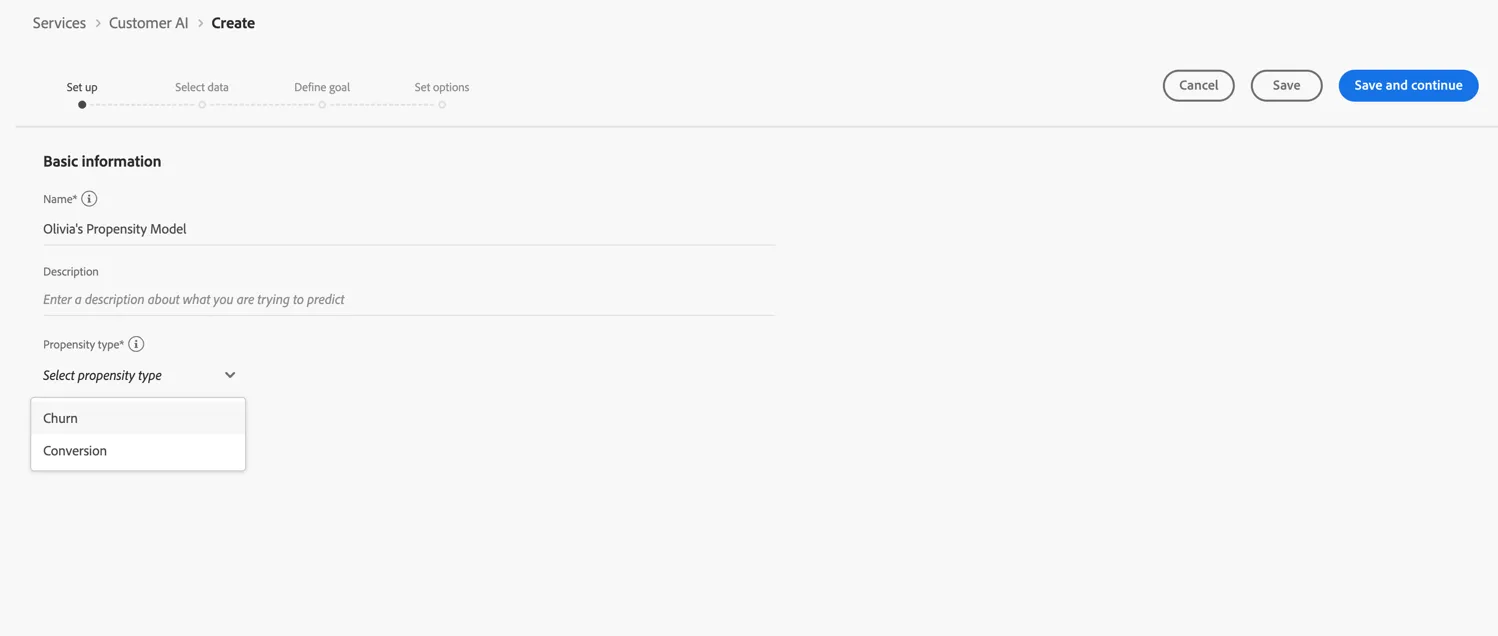
Next we need to define which datasets will be used for the model. Select the Insider Data for Propensity Modelling and SFMC Data for Propensity Modelling datasets.
As described above these datasets were artificially expanded for use in the model.
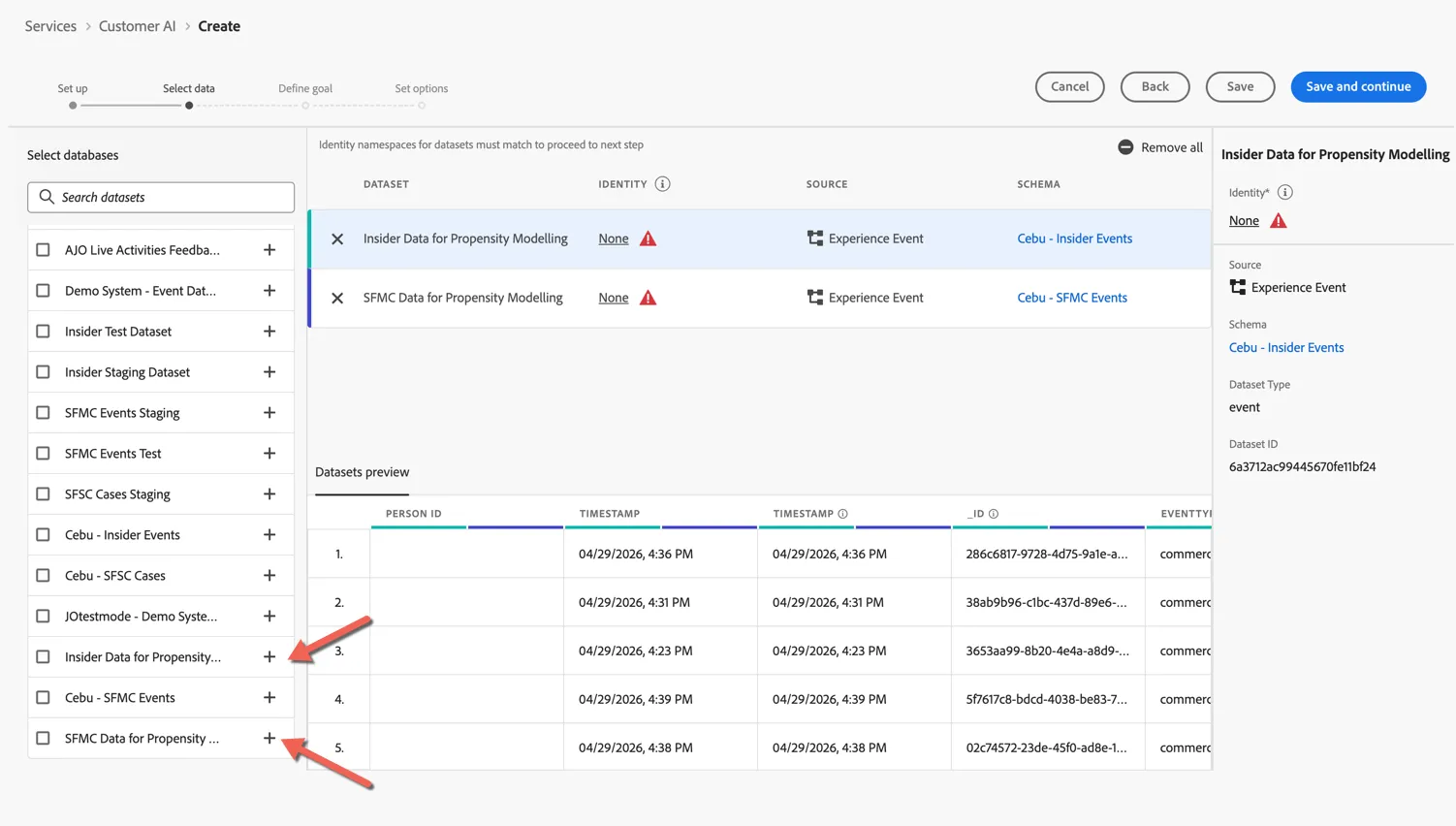
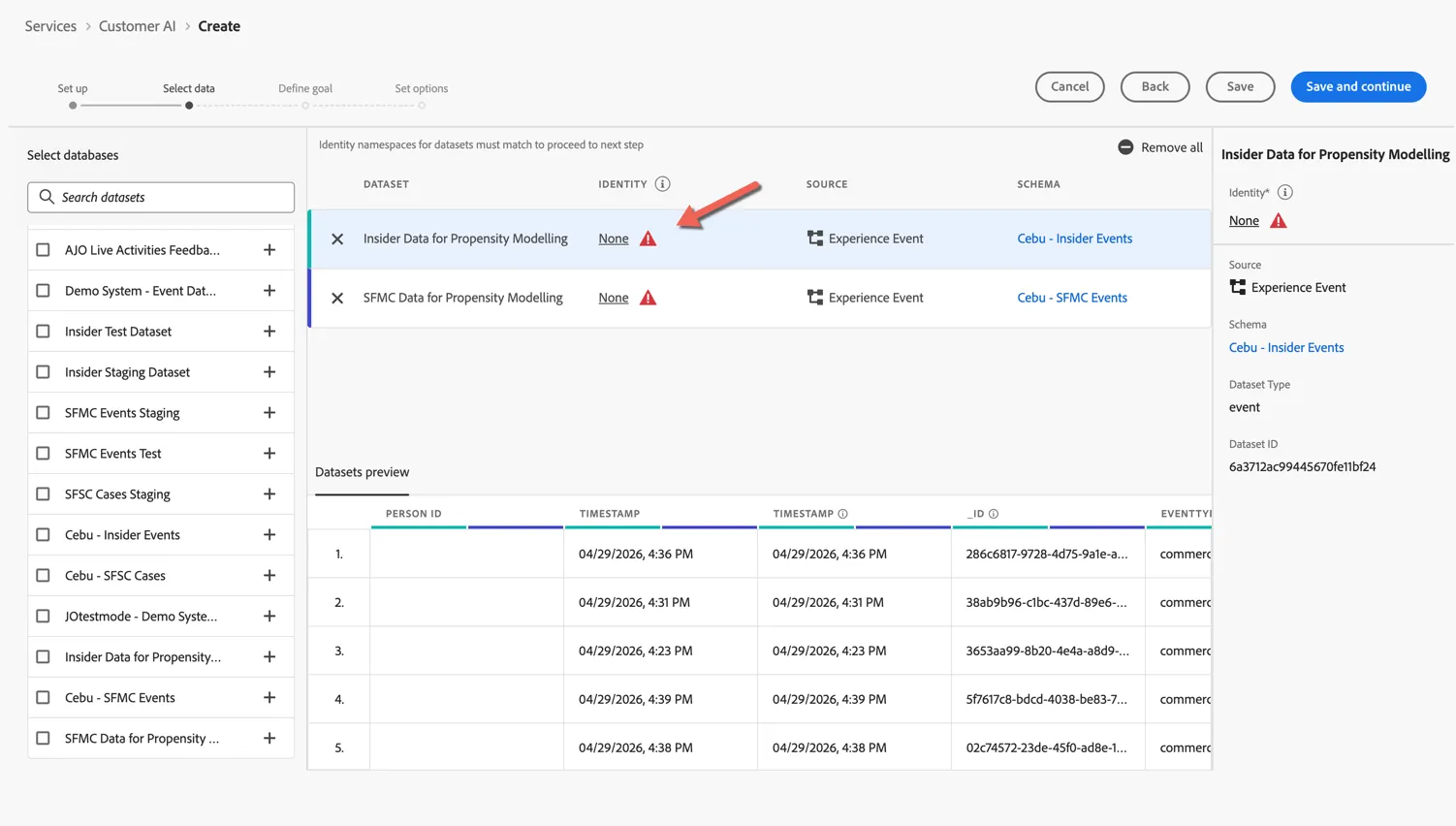
Click to configure the identity field that should be used by each dataset.
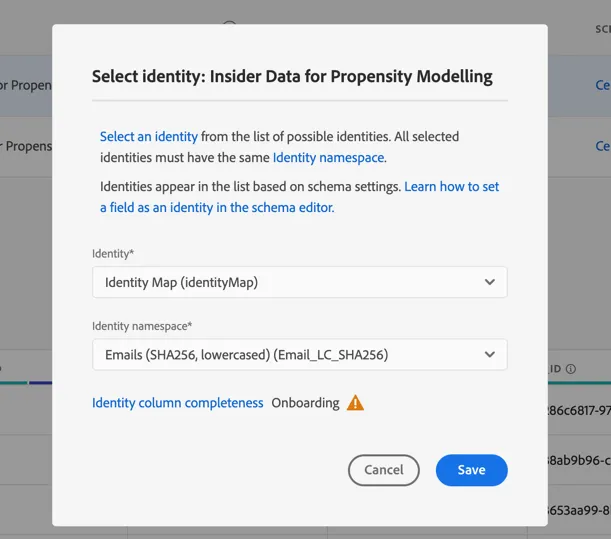
Select the Identity Map (this is where the id lives) and select Email_LC_SHA256 hash namespace.
Click Save and continue to proceed to the next step. This is where you configure the core of the model.
Starting with the Goal. What it is it you want to predict, an ancillary purchase, a booking, an unsubscription or a web check-in for example.
Once the goal is defined, you need to define the timeline for the prediction. When do you expect the profile to take the action - 5 days, 10 days, 30 days. The longer the prediction window the longer lookback window is required (ie. historical data).
These are the minimum fields required for configuring a model. Additional features can be added through the Eligible population, custom events and profile attributes options.
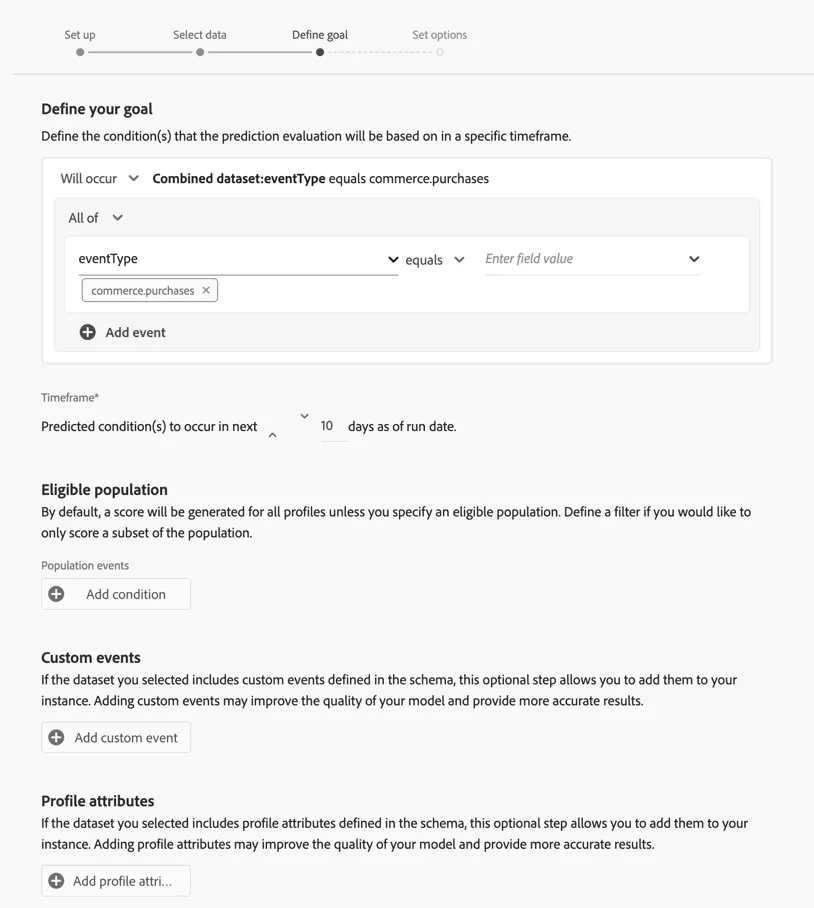
Click on Save and continue to move to the last step - scheduling the model execution.
By default profiles are scored weekly but this can be increased to daily if needed. Here you can provide exclusions - such as travel agents or internal staff profiles. You can also define whether or not these scores should persist on the profile or simply write to the data lake. Generally you would only enable the scores for profile once you are happy with the model quality.
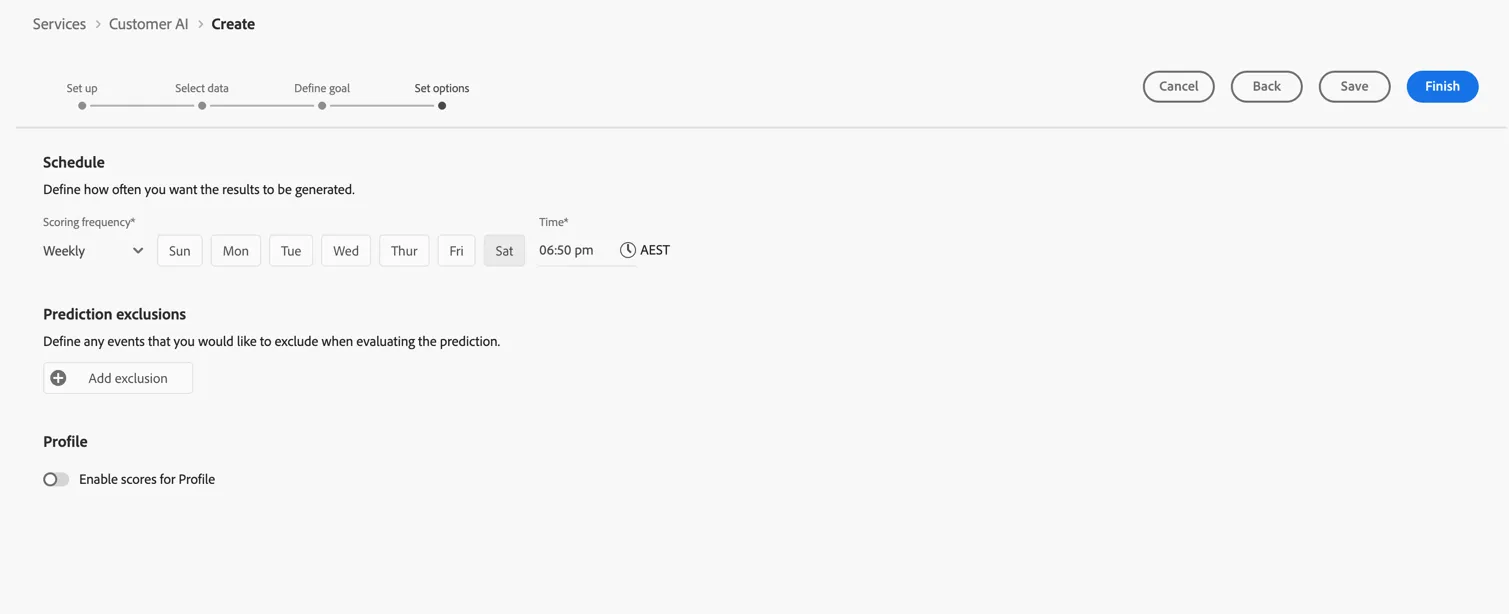
Click to Save you model.
Congratulations!
You've created your first propensity model! In addition to Adobe's built in models you can also create AI / ML Feature pipelines using Data Distiller to feed data from Adobe Experience platform into your own models.
Additional Resources
Customer AI, included with Real-Time CDP, provides high-accuracy customer propensity models for segmentation and targeting, enriching Real-Time Customer Profile with churn and conversion propensity scores and the influential factors behind them.