POC-DA3 - Data Freshness, Lineage and Observability
This tutorial is designed to teach you about Adobe's Monitoring and Observability which can used to control how data is used and accessed. The components taught in this module are core to all Adobe Experience Platform applications.
It is designed predominantly for a technical audience (Data Architects and Engineers) but can be interesting for marketers to understand.
Learning Objectives
- Learn how to view data flow monitoring and failures
- Learn how to subscribe to Alerts
Monitoring
Adobe provides multiple monitoring dashboards within the UI to monitor all aspects of your instance.
Navigate to Data management -> Monitoring. Here you can see an overview of data ingestion, audience calculations and activations.
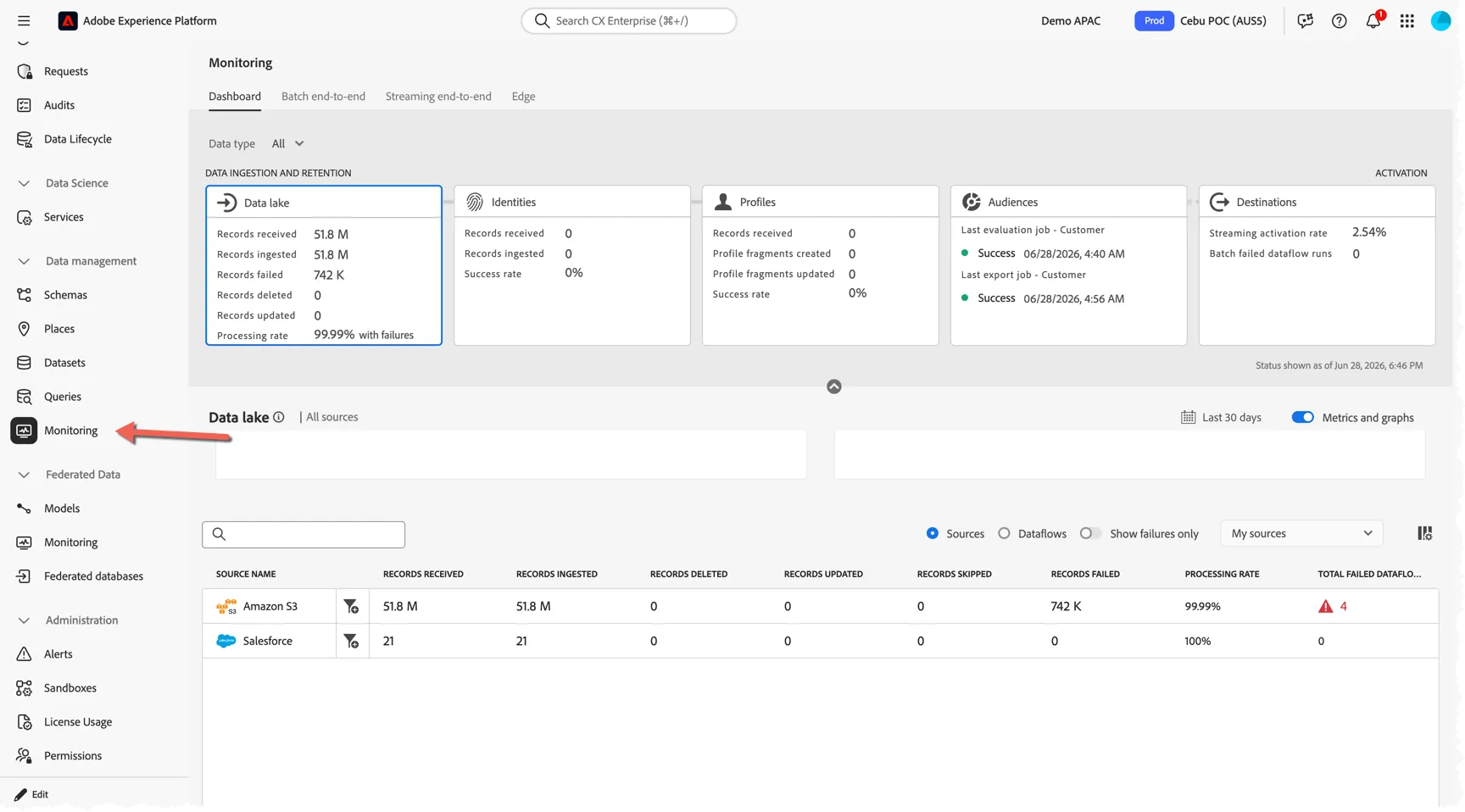
Change the filter from Last 7 days to Last 30 days and switch to Dataflows from sources.
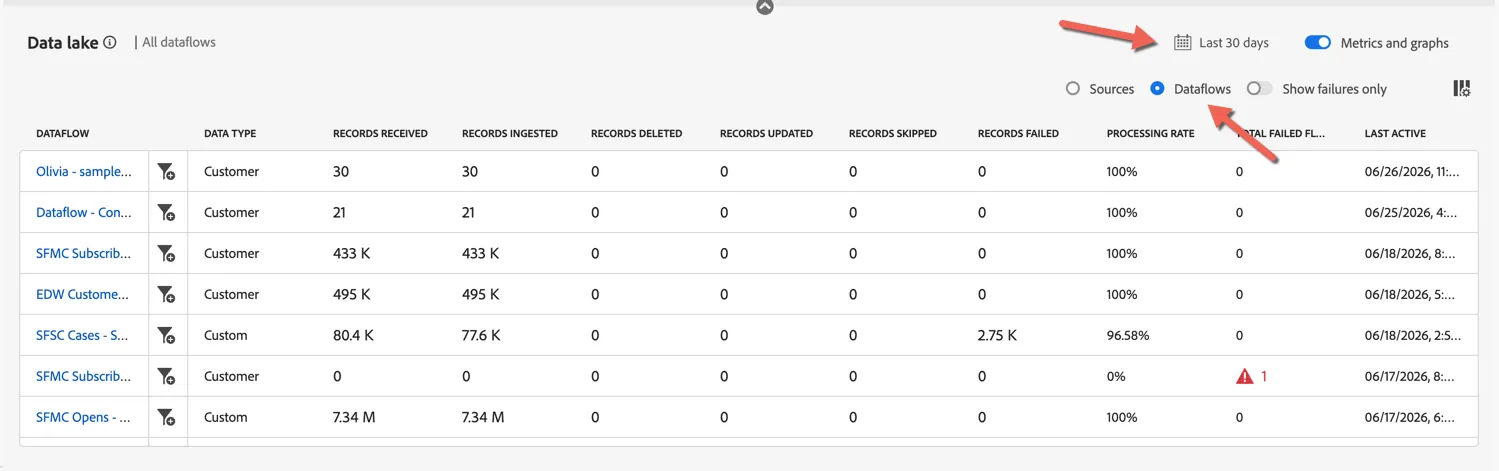
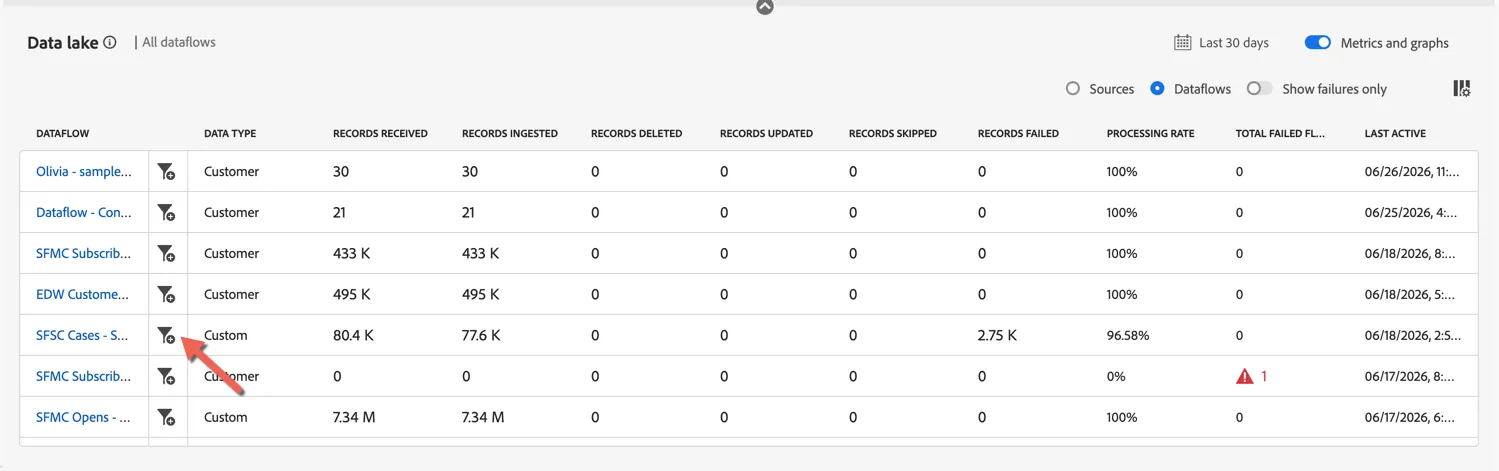
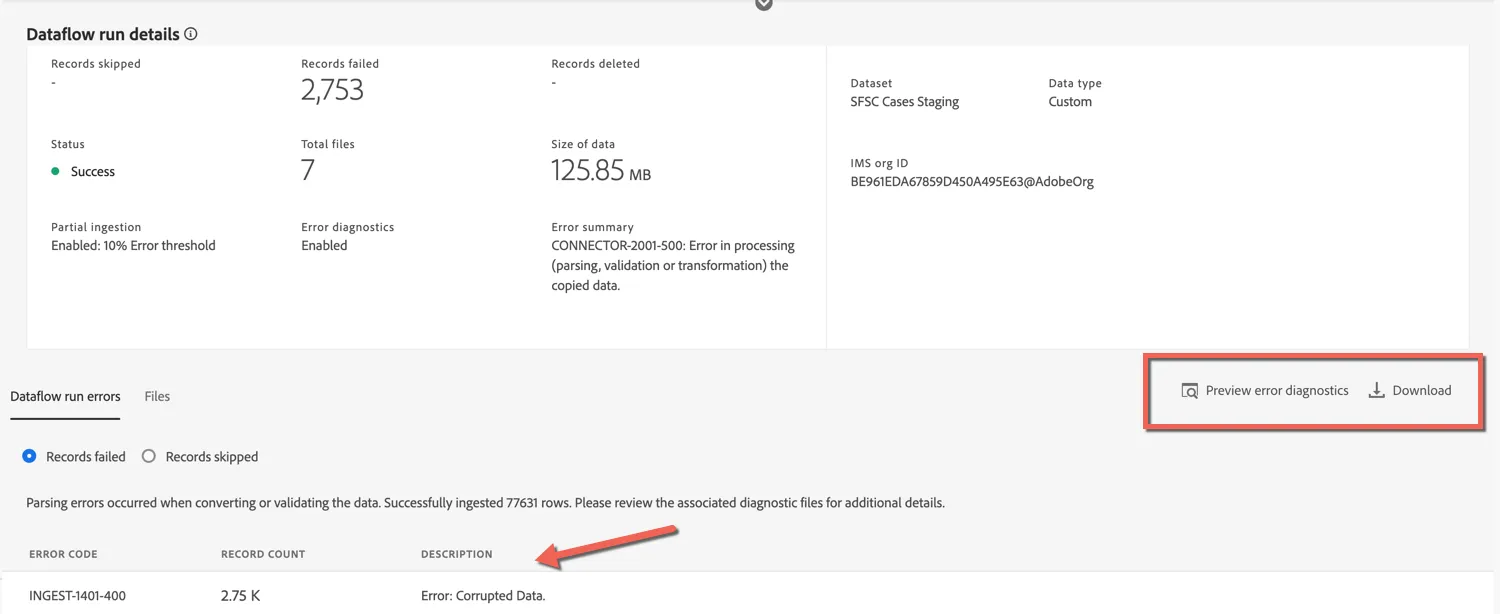
We can see that most data flows have succeeded but there is one that has failed and one which has some failed records. This can happen when the source is configured to allow Partial ingestion. Click on the filter icon to drill into this particular dataflow.
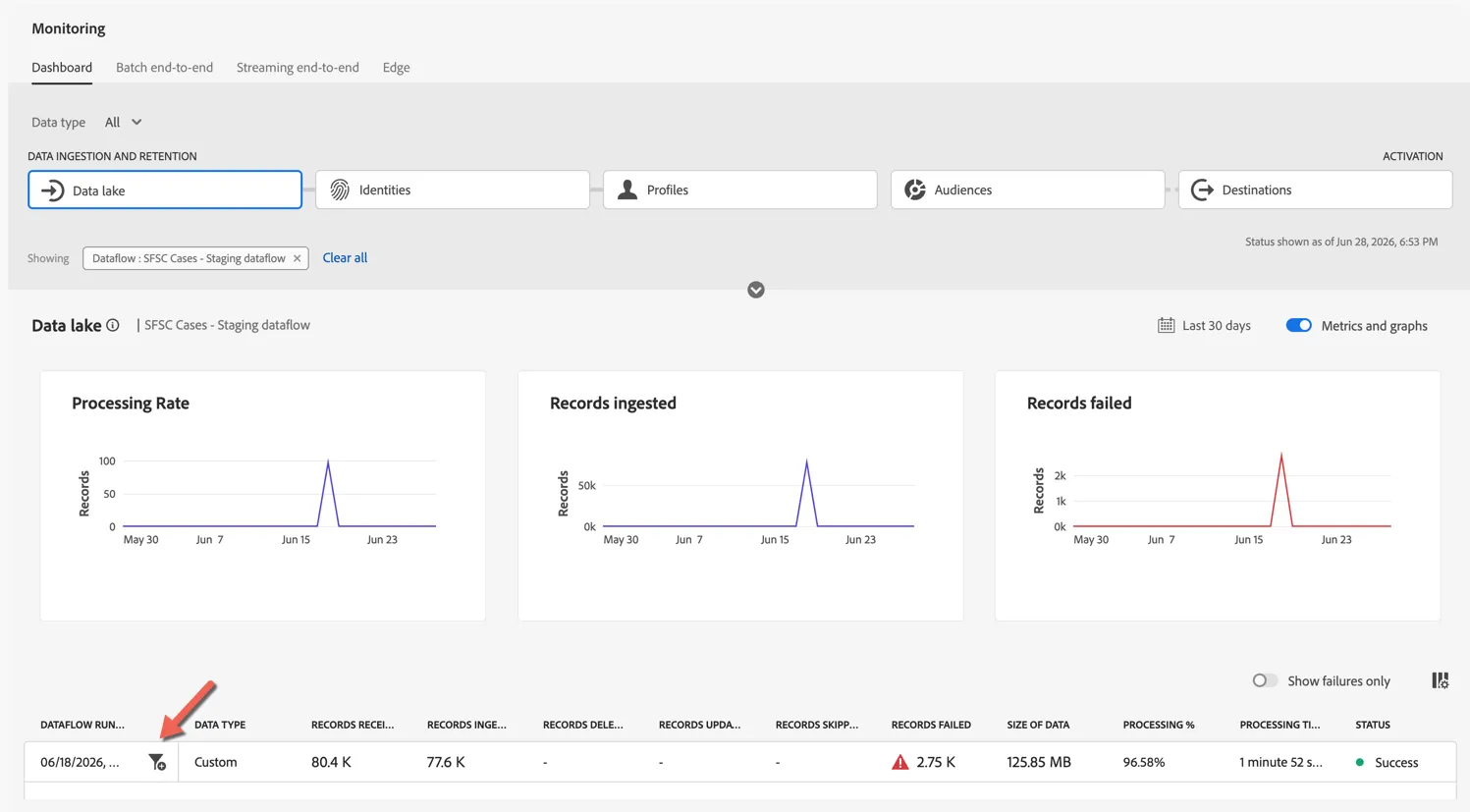
You can see some more information about this particular data flow run. Click on the filter icon again to drill into the execution further.
You can see the overview of the errors encountered and have options to preview the individual errors or download them for refactoring and re-ingestion.
Alerts
Alerts can be enabled at the individual object level (for example on the source data flow itself) or globally.
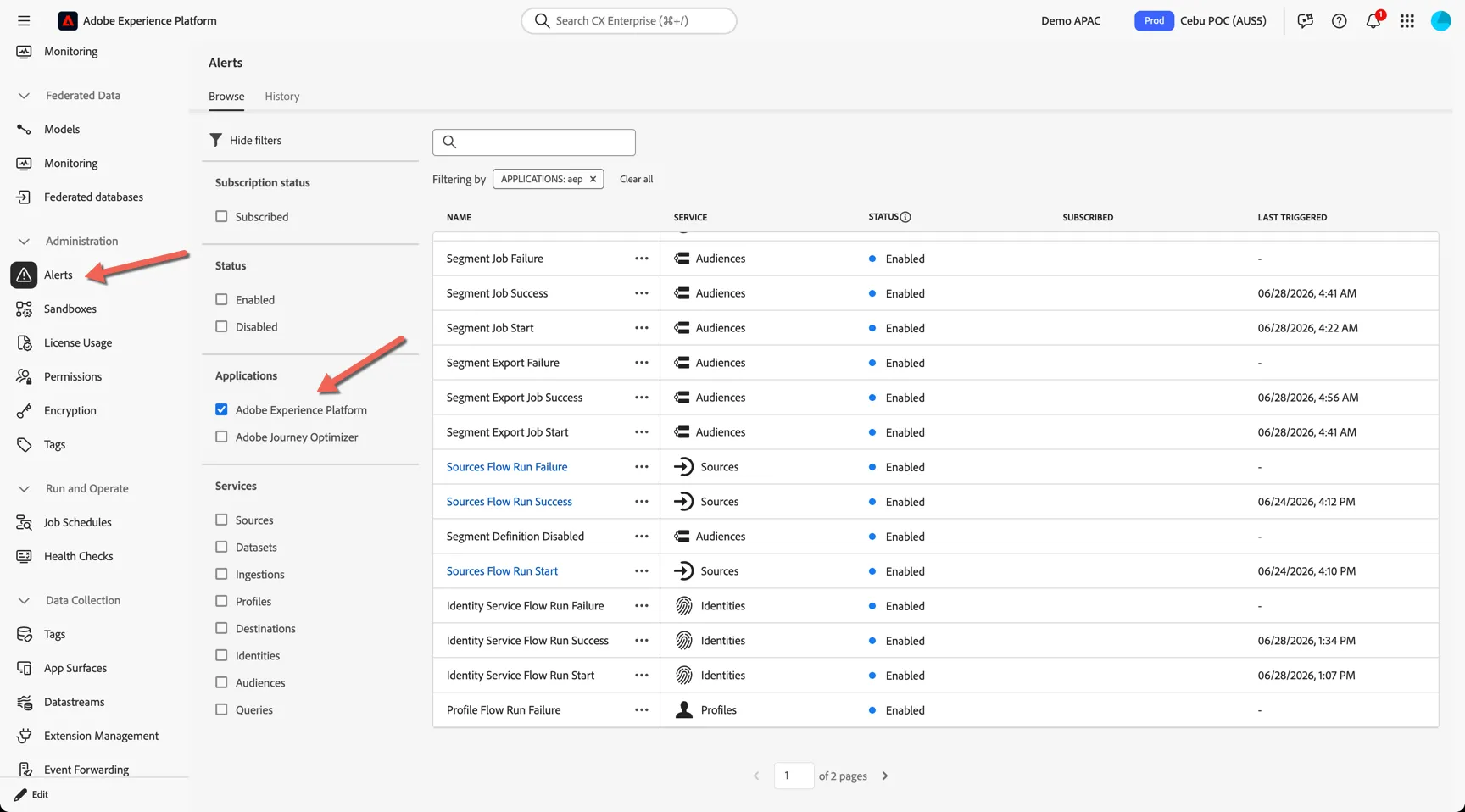
Navigate to Administration -> Alerts. Filter the list to show just the Adobe Experience Platform alerts.
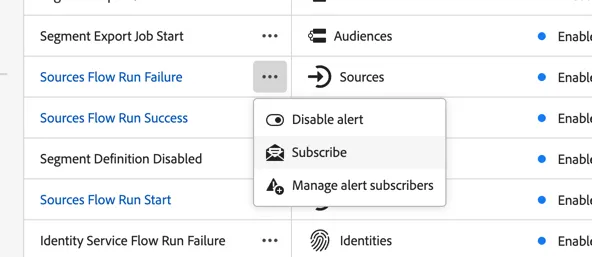
You can subscribe to individual alerts by clicking on the three dots next to the alert name and hitting subscribe. This will enable in product notifications and email based alerts.
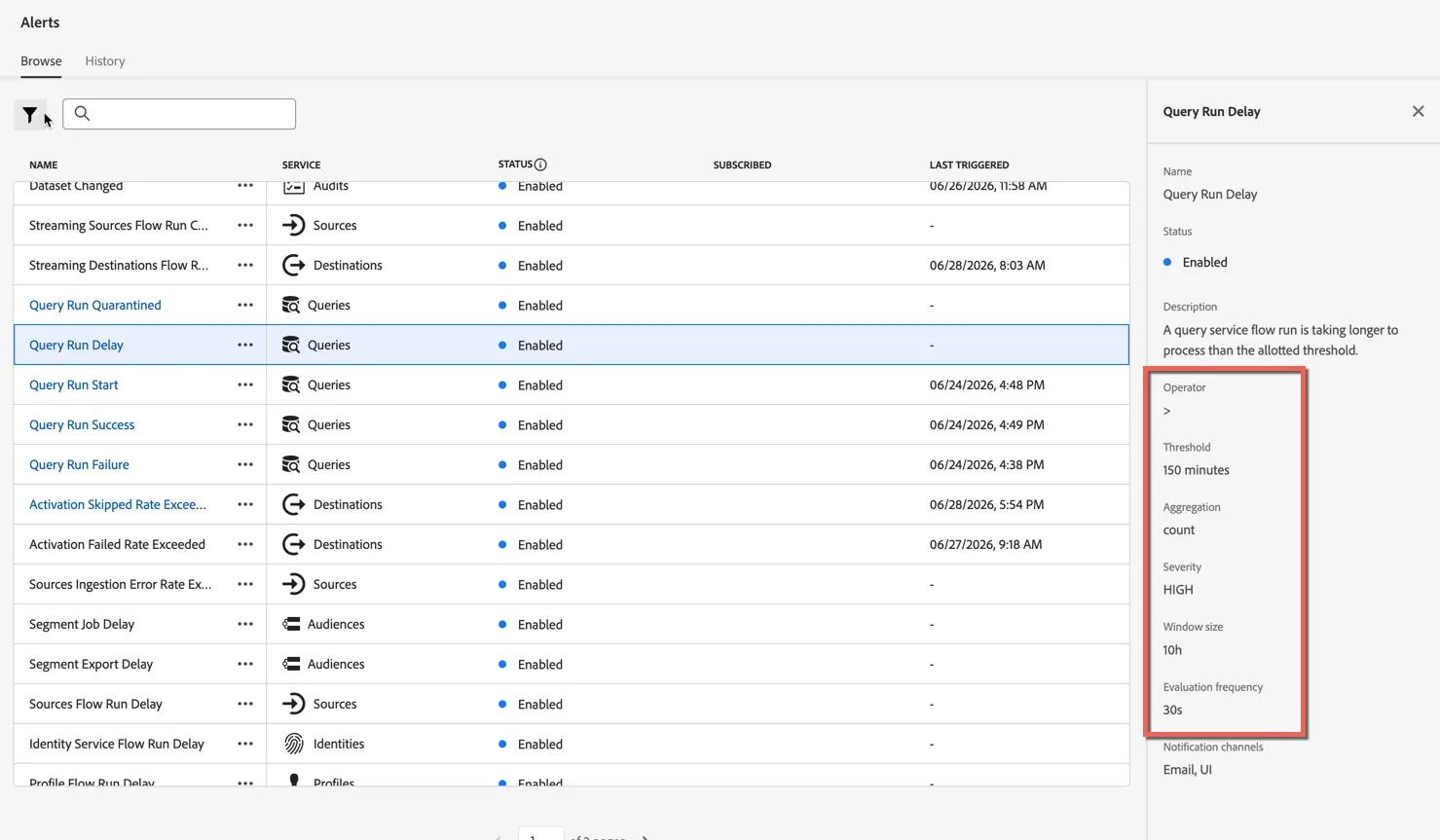
Some alerts are threshold based. Highlight the Query Run Delay alert to see it's threshold configuration on the right.
Data Ingestion events are also published to Adobe's IO Event Stream, which you can programmatically subscribe to for notification to downstream systems.
Additional Resources
Catalog Service is the system of record for data location and lineage within Adobe Experience Platform, holding the metadata and descriptions of files for lookup and monitoring purposes. Observability Insights allows you to monitor Experience Platform activities through the use of statistical metrics and event notifications.