[Tech] Trigger the live the Journey
In this exercise we'll execute a real Business Event using Postman, to trigger a Live Journey.
There is no need to Publish your own journey, there is a pre-created Journey that is already Live and will be triggered by our business events.
As an FYI, to publish a Journey:
- Click Publish in the top, right of your Journey canvas.
- You'll be asked "Are you sure you want to publish this journey version?". Click Publish. Your Journey will now be Live.
In our example, we will send a boost business event to the dataset Flutter - Boost golive
- Open Postman and expand the Collection.
- Select the POST request Boost golive
- Click on Body to see the JSON payload we are sending.
You will see that the payload is in the XDM format as defined by the Schema. We've included:
- The Boost Event Details to give context to which boost event has is live.
- The timestamp which specifies the time the event is sent to AEP.
- The event type which is recognised as the Boost Go-Live event in AEP.
- The _id which is the unique ID of the event.
- The Schema and Dataset IDs for where we want to send the data.
The full payload:
{
    "header": {
        "schemaRef": {
            "id": "https://ns.adobe.com/demopotemea/schemas/8c099dcb936734ebf9ef4fecf94392aa1f0ea6b5fc0c0b67",
            "contentType": "application/vnd.adobe.xed-full+json;version=1.0"
        },
        "imsOrgId": "8AB51935659C10E40A495FA2@AdobeOrg",
        "datasetId": "681b626def4fe72aee05578e",
        "source": {
            "name": "Streaming dataflow - Boost Go Live"
        }
    },
    "body": {
        "xdmMeta": {
            "schemaRef": {
                "id": "https://ns.adobe.com/demopotemea/schemas/8c099dcb936734ebf9ef4fecf94392aa1f0ea6b5fc0c0b67",
                "contentType": "application/vnd.adobe.xed-full+json;version=1.0"
            }
        },
        "xdmEntity": {
            "_demopotemea": {
                "boostDetails": {
                    "boostId": "boost1",
                    "description": "Get ready for an adrenaline-pumping football match with our Goal Rush Boost! Place your bets on the upcoming clash between Manchester United and Liverpool, and double your winnings if your team scores in the first 15 minutes. Don't miss out on this limited-time offer to maximize your excitement and earnings. Bet now and feel the rush!",
                    "eventId": "34325434",
                    "title": "Goal Rush Boost: Double Your Winnings!",
                    "validUntil": "2025-05-12T16:00:00+00:00",
                    "imageURL": "https://dsn-upload.s3.us-east-2.amazonaws.com/projects/sacker-6YNK/46Y7cO1%24%24-thumbnail"
                }
            },
            "_id": "/uri-reference",
            "eventType": "boost.golive",
            "timestamp": "{{TIMESTAMP}}"
        }
    }
}- Click Send to execute this request and send the event to the Experience Platform.
- You will see a response with status 200 OK if the event has been received successfully.
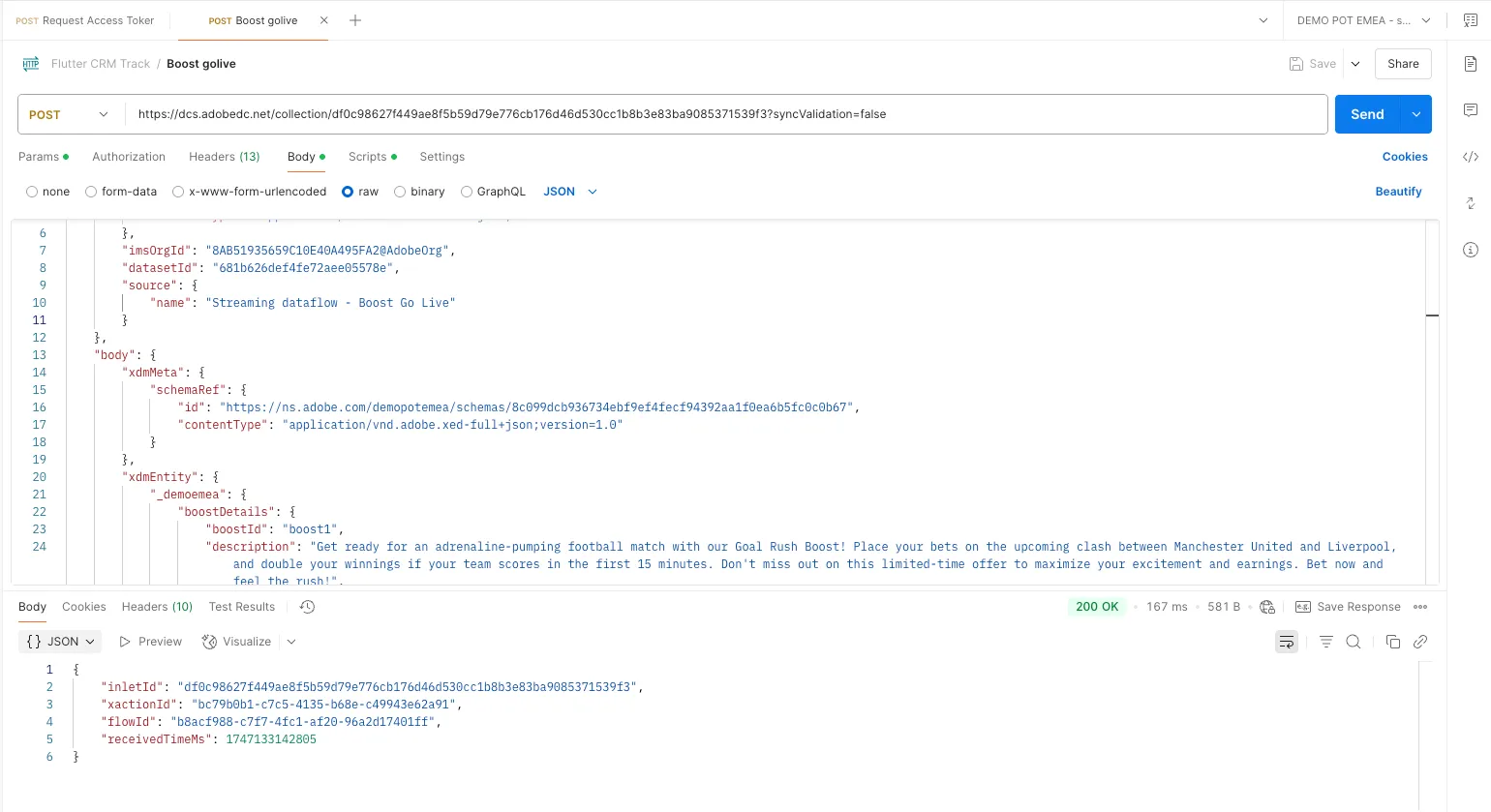
You can now check the Dataset Activity UI to see if your event has been ingested successfully.
Since multiple attendees in the lab may be triggering the business event at the same time, you'll likely receive several emails. This wouldn't be the case in a real-world scenario, since you'd only sent the business event once for each real-world event.
After some time, you will be able to see the profiles move through the live journey.
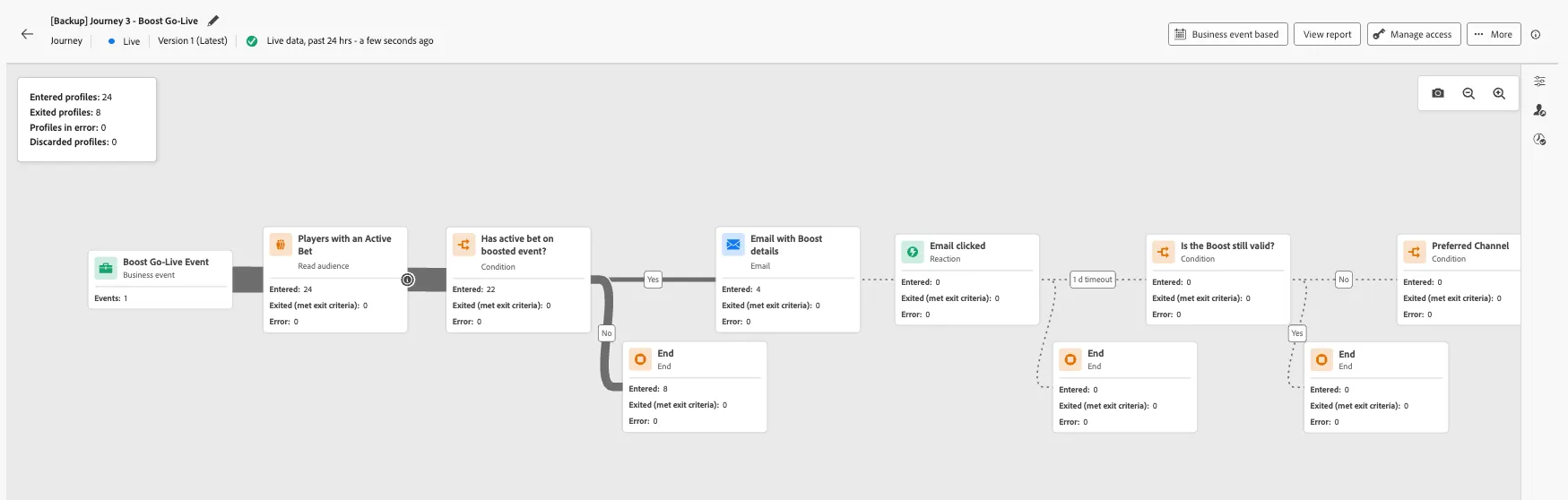
To view more detailed reporting for your Journey:
- Click View report in the top, right hand corner of the screen.
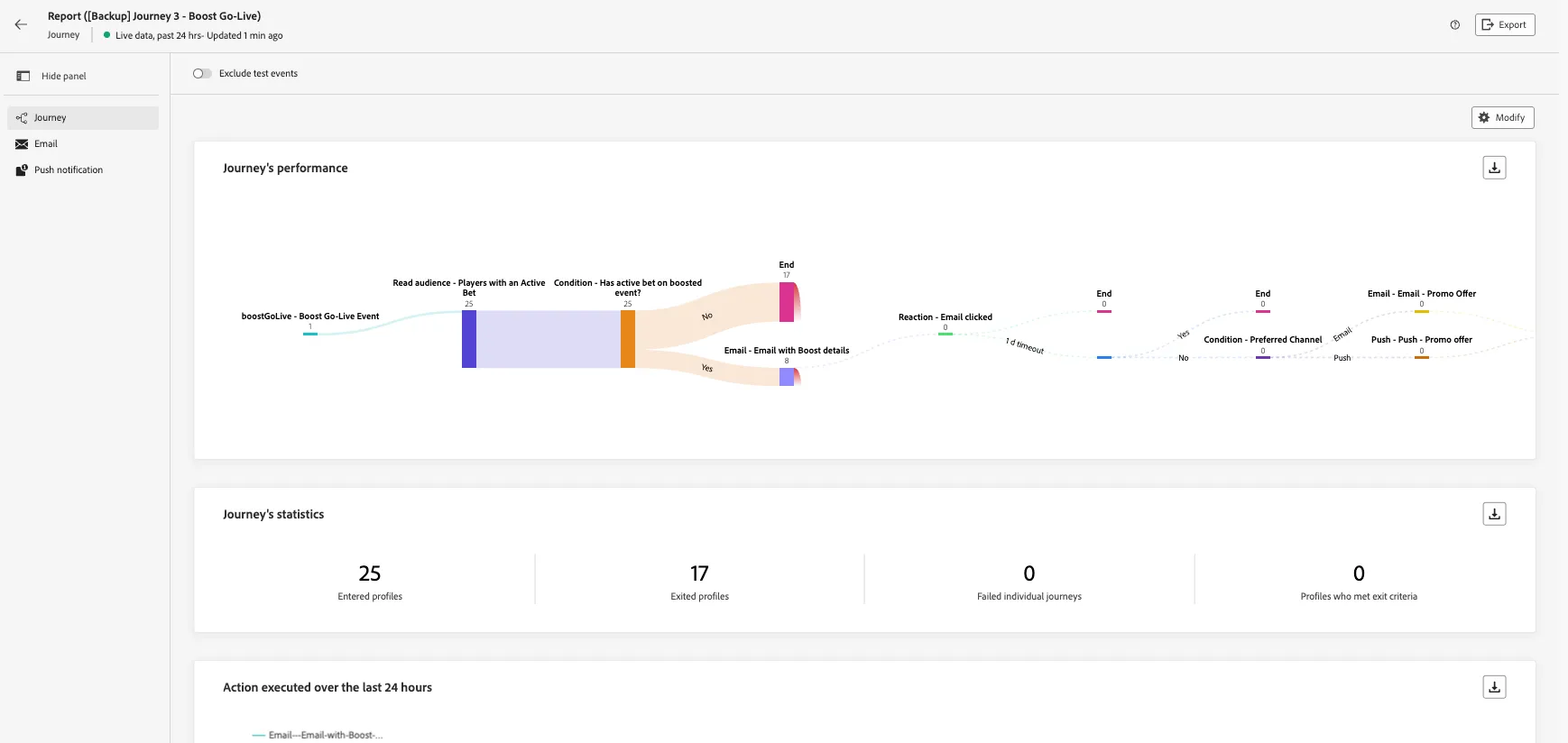
Congratulations! You have now successfully configured and tested an end-to-end Boost Go-Live journey, which you have triggered to send personalised Boost communication.