Bring your company knowledge
In this exercise you'll load Luma's Company Knowledge into Coworker. Without it, the AI has to guess what you mean. With it, the AI is grounded in how Luma actually does business.
Review Luma's Company Knowledge
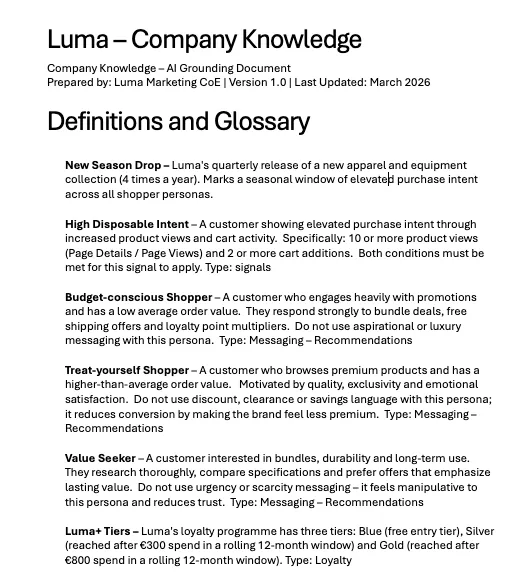
Think of Company Knowledge as the operating manual you hand to a new team member on their first day. The Luma team have provided a Company Knowledge document with four key sections:
Section | What It Tells the AI |
|---|---|
Definitions and Glossary | What Luma's terms mean — "New Season Drop", "High Disposable Intent", the Luma+ tiers, and so on. |
Retail Signals & Time Windows | Behavioural patterns like cart abandonment or the Pickup Grace Period, with Luma's specific thresholds. |
Business Rules | Guardrails the AI respects automatically — like never sending generic discounts to Gold-tier members. |
KPIs | What Luma is optimising for: revenue per customer, offer engagement rate, unsubscribe rate, pickup completion rate. |
Download and review the file provided:
You can see that Luma has pre-defined its shopper personas, loyalty tiers and the signals it watches for.
Upload Luma's Company Knowledge to Coworker
CX Coworker can browse the existing configuration of AEP, CJA, AJO and also process files so the knowledge they hold can persist and be seeded to every new session. Adding files to Business Context is a way to provide more context and business rules to CX Coworker. These files can be common at the Organization level, shared with you, or only part of your own session.
Browse to Business Context using the left rail.
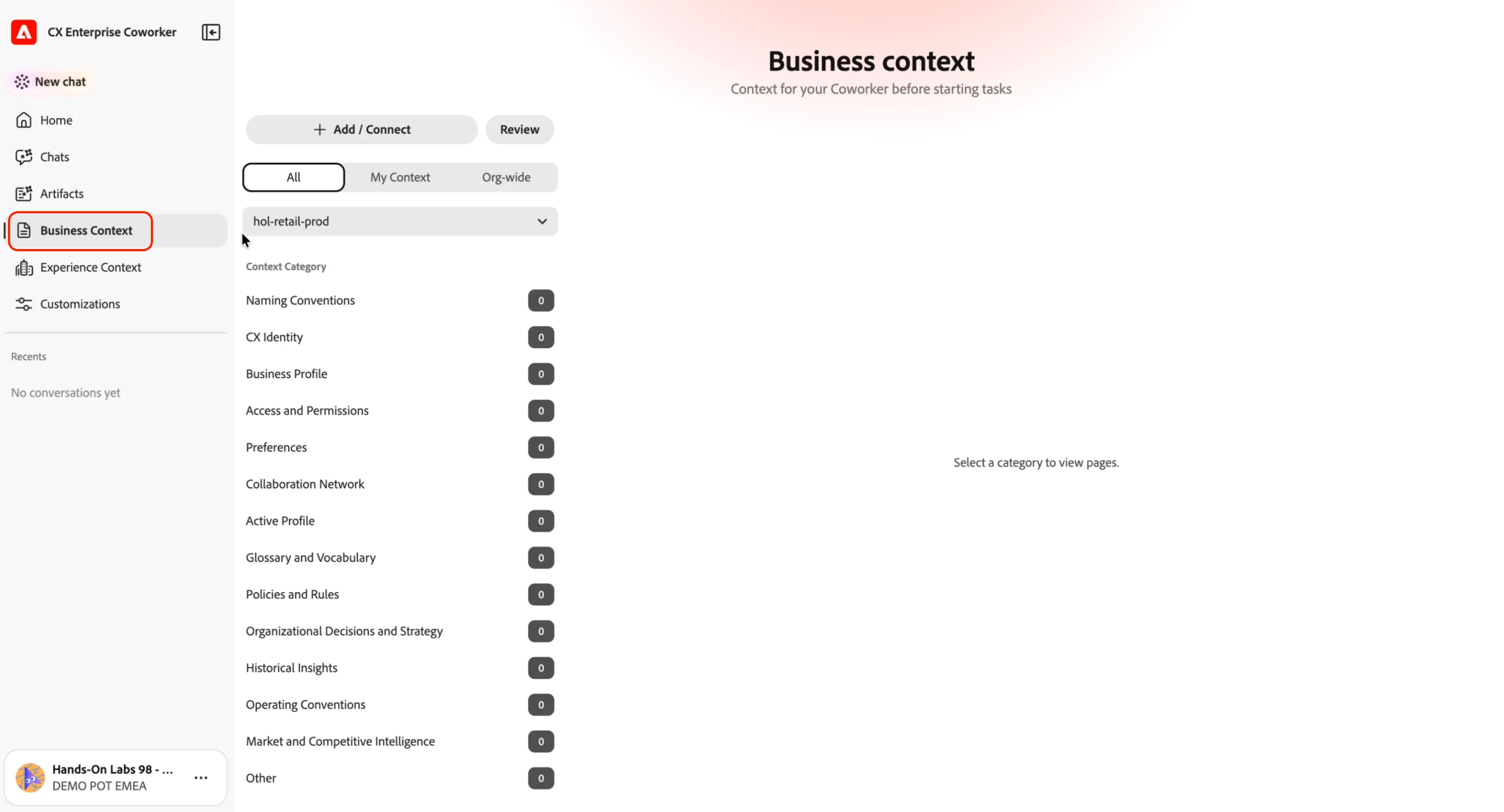
- Click the + Add / Connect button. You'll see the different sources Coworker can use to build your context.
- Click Upload file button.
- Select the context file you downloaded in the previous step. This starts the process for Coworker to analyse the content and identify the key information to use as Company Knowledge.
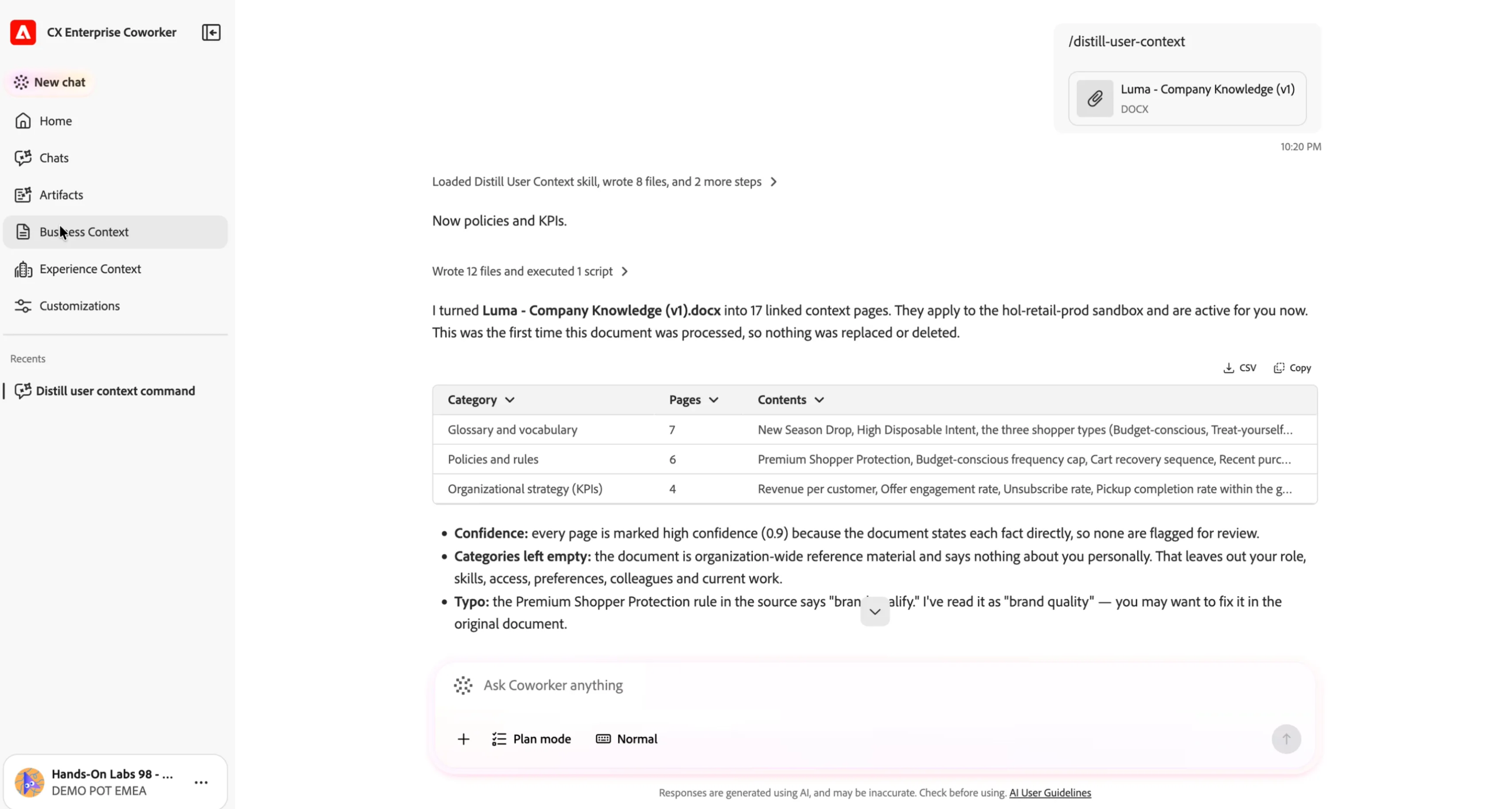
Once the thought is completed, head back to the Business Context section and see how the Company Knowledge has been categorised.
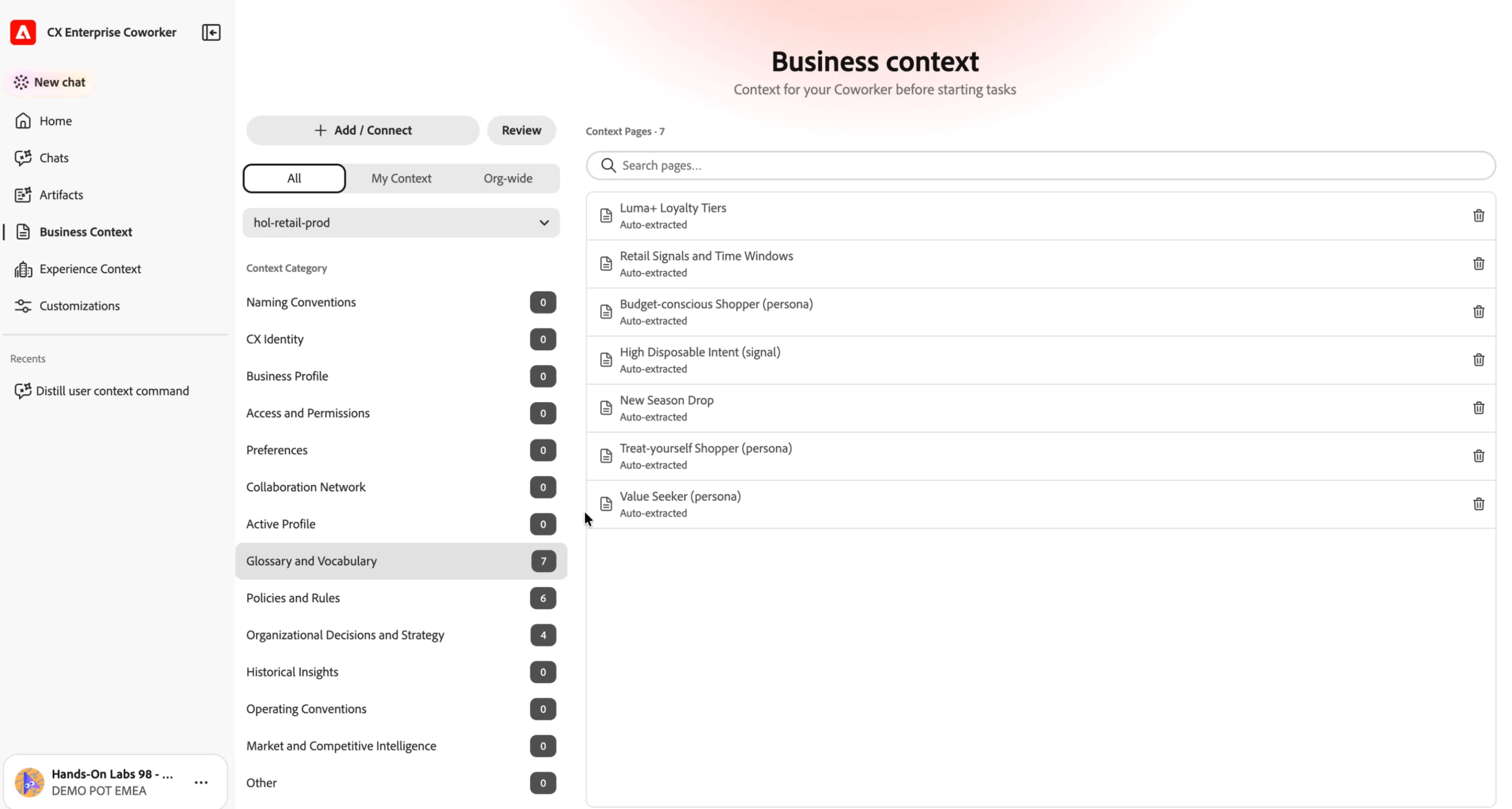
Verify the context
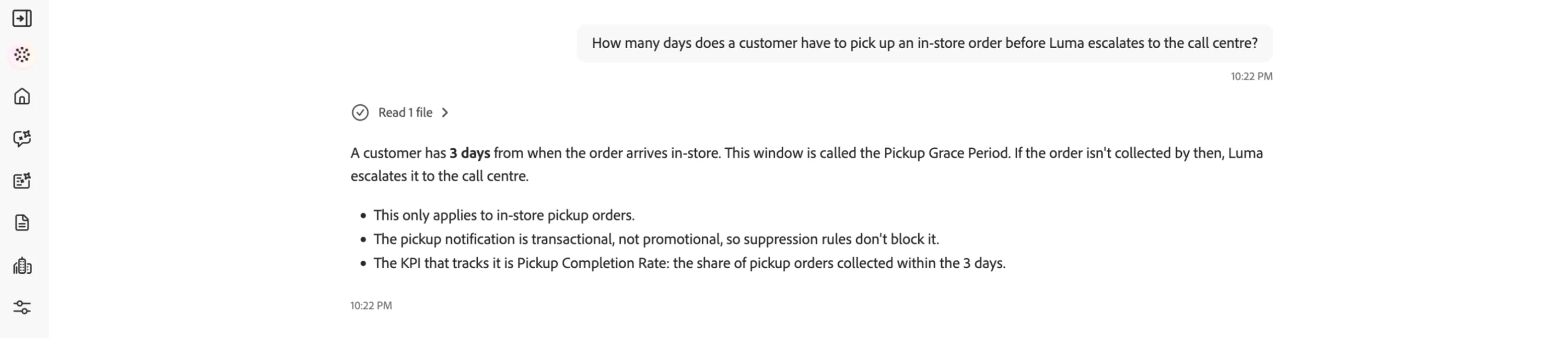
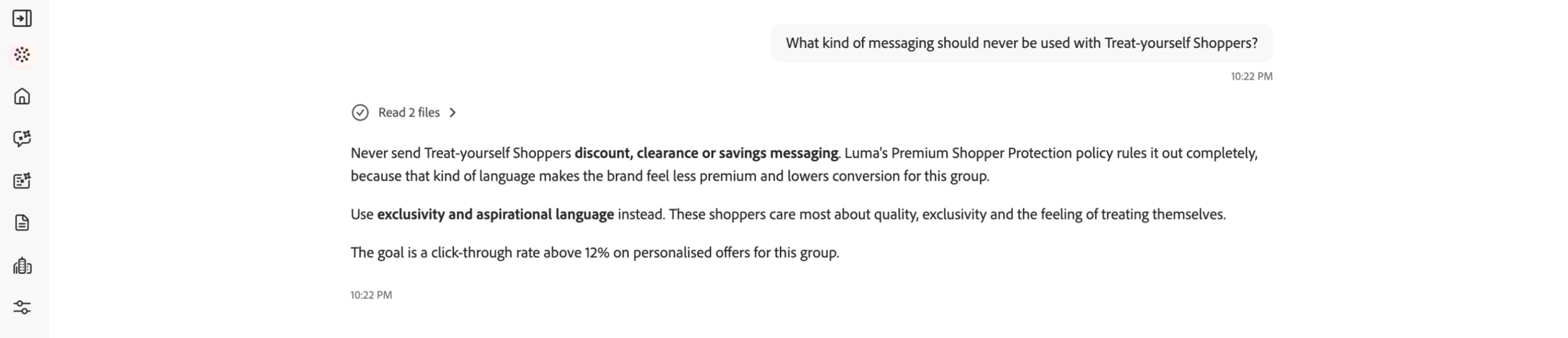
Let's check what Coworker now understands about Luma. Go back to your chat (or start a new one) and run these prompts:
Coworker uses the context file to respond with answers specific to Luma: the 3-day Pickup Grace Period, and the "no discount/clearance language" rule for Treat-yourself Shoppers.
Before moving on, take a moment to consider:
- What did the context actually change? Coworker didn't guess a generic answer — it used Luma's exact definitions. Without the file, it would have had no way to know them.
- What's next? This context doesn't just answer trivia. It defines the language, thresholds and guardrails Coworker will apply automatically when you build audiences and journeys later — without you having to repeat them.
Luma's Company Knowledge is now loaded into Coworker. From here on, every prompt you send is grounded in Luma's language, rules and thresholds.