Create an Analysis Project
Access
To log into the Adobe Experience Platform, check the Environment & AccessEnvironment & Access page.
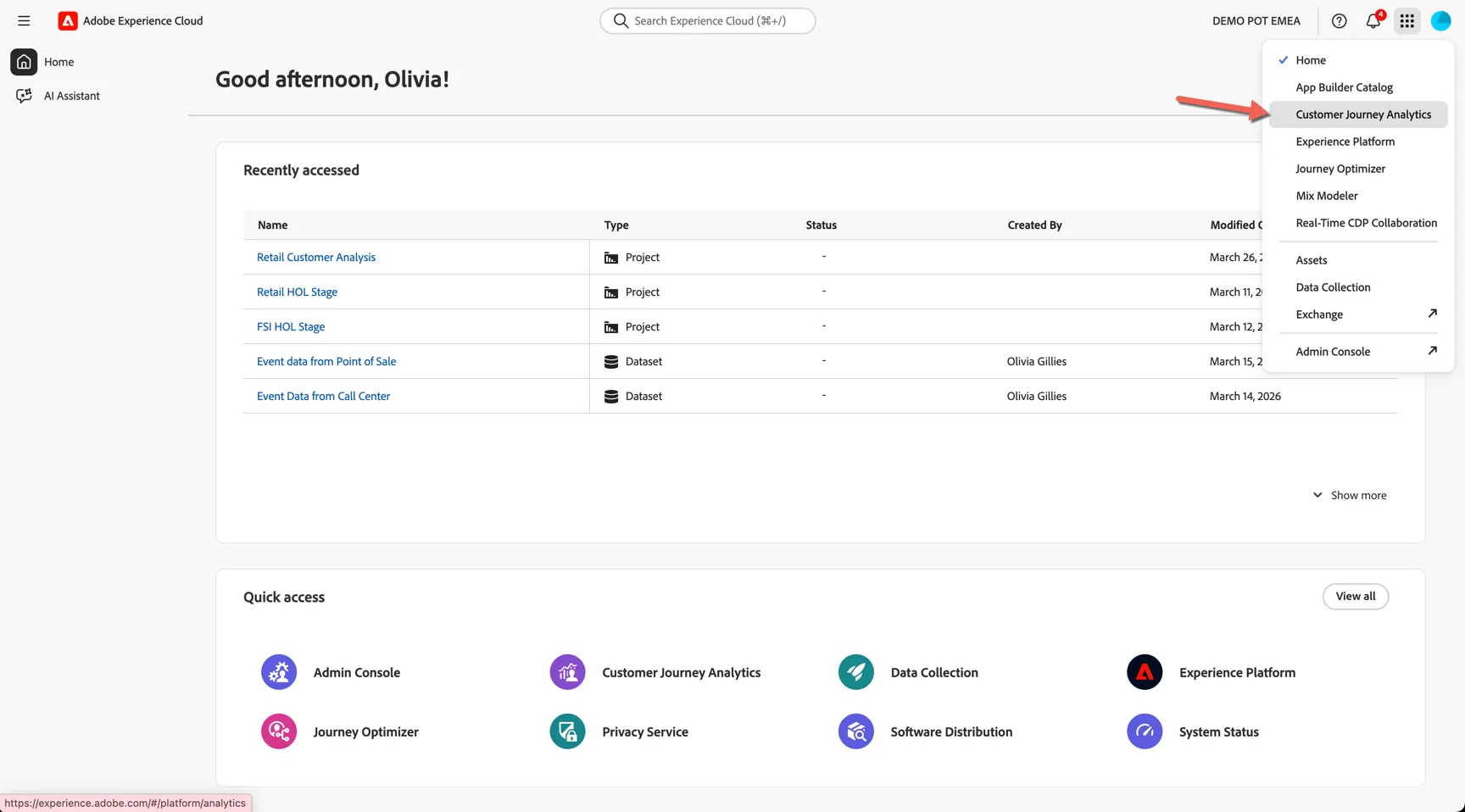
To go to Customer Journey Analytics:
- Click on the product selector (nine-dot icon) at the top right.
- Select Customer Journey Analytics.
Setting up your project
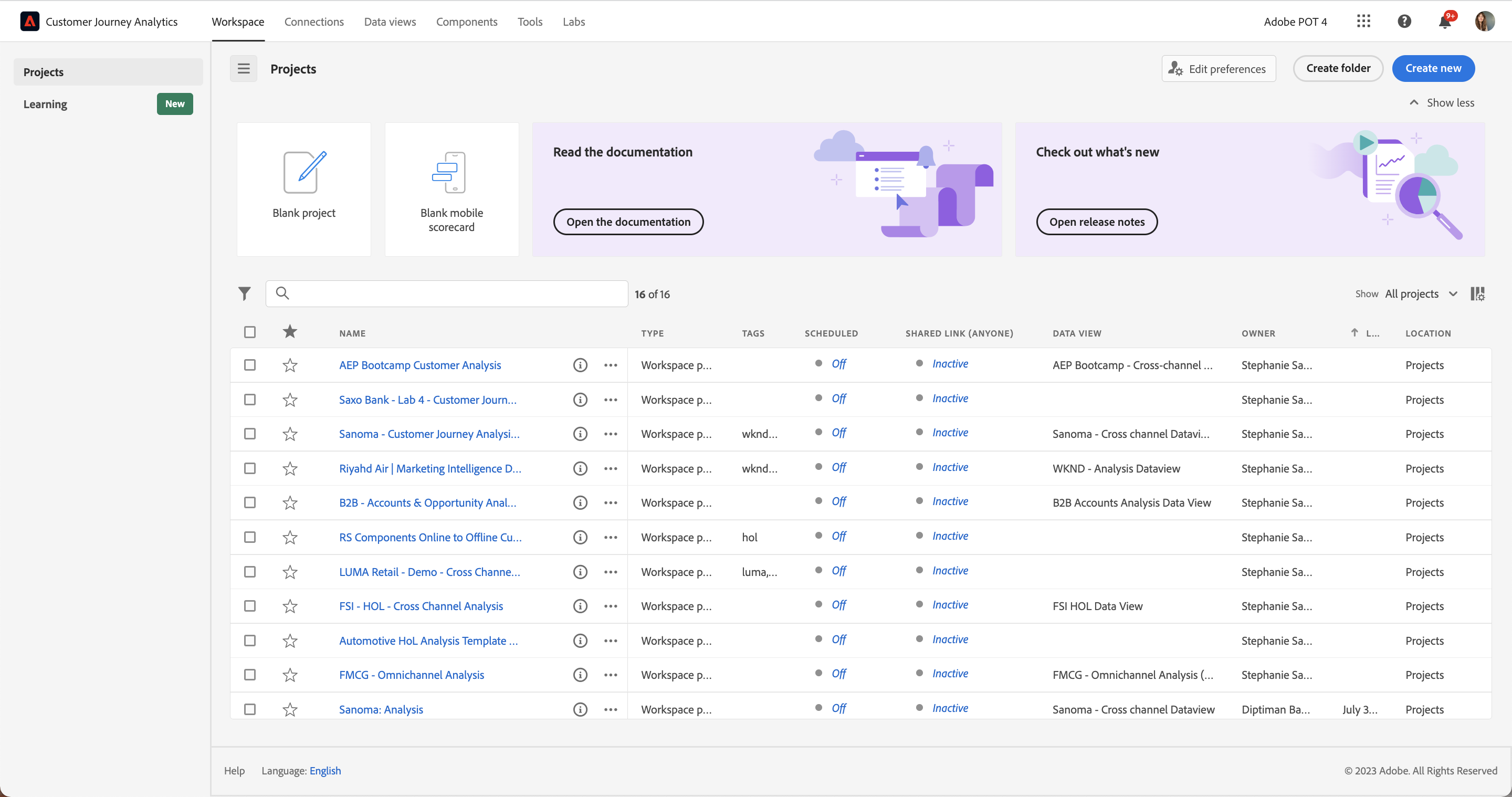
To get an overview of the available projects to you, click on Workspace -> Projects.
- Click on Create Project for a new Workspace project.
- From the pop-up, select Blank Workspace project, and click Create.
There is a pre-built project if you want to preview what will be built in these hands-on exercises. TheRetail Customer Analysis workspace project.
Analysis Workspace removes all of the typical limitations of a single Analytics report. It provides a robust, flexible canvas for building custom analysis projects. Drag-and-drop any number of data tables, visualisations, and components (dimensions, metrics, filters, and time granularities) to a project. Instantly create breakdowns and filters, create cohorts for analysis, create alerts, compare filters, do flow and fallout analysis, and curate and schedule reports for sharing with anyone in your business.
Customer Journey Analytics brings this solution on top of Experience Platform data.
Creating your first panel
IMPORTANT: numbers shown in this guide, including screenshots, may differ from your reports due to different underlying datasets.
- First of all, rename the project so it's in your name. Click on the title New project and rename this {{LASTNAME}} - Retail Customer Analysis.
- There is be one panel in the Workspace already, click on the name (Freeform Table) to rename this as Key KPIs.
- At any point, you can save your project by going to Project > Save.
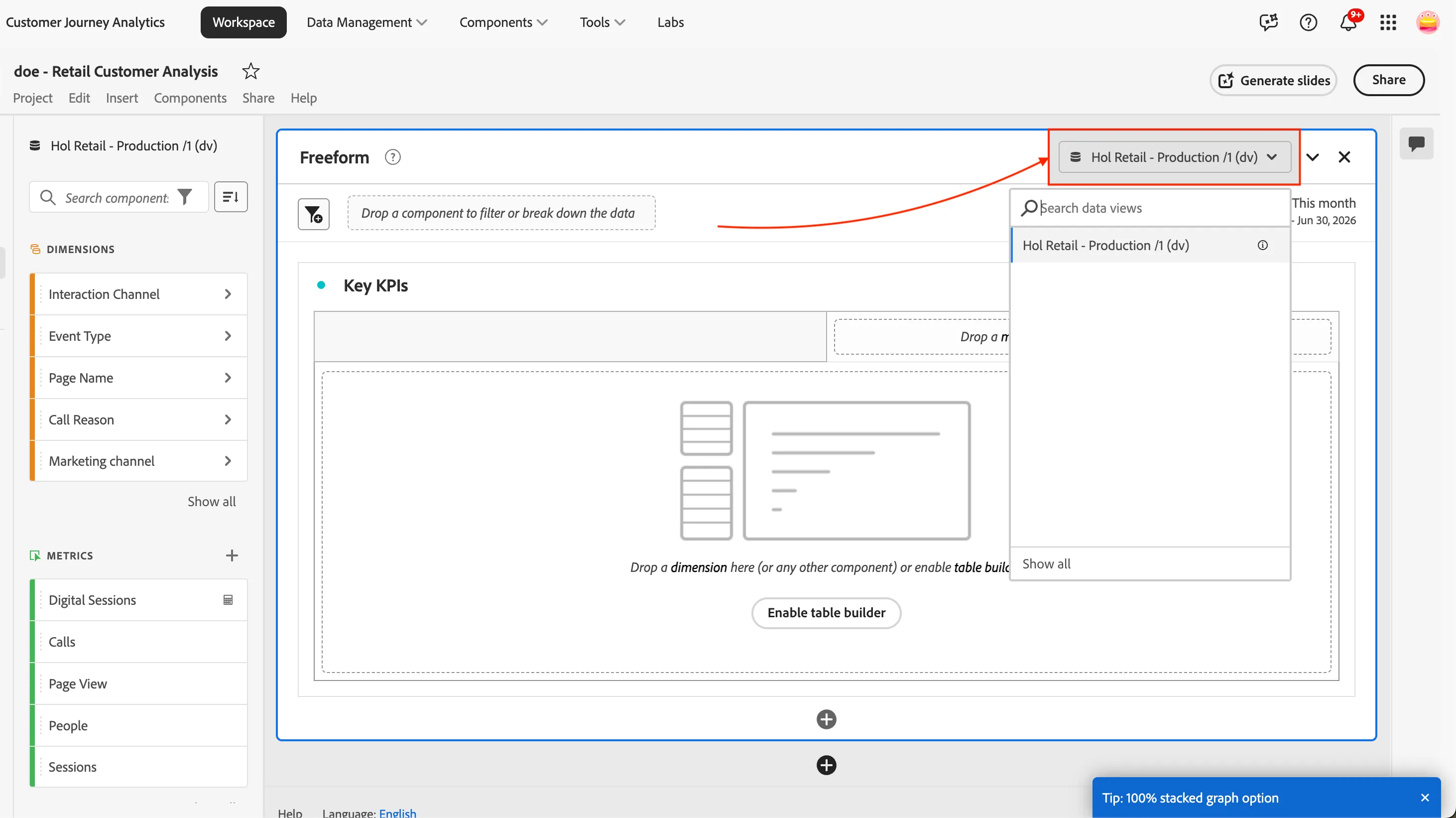
- Click on the drop down of Data Views on the top, right hand side of the panel, and select Hol Retail - Production /1 (dv).
You can choose now to build your panel, either manually using the drag and drop controls or leverage the AI assistant to build it for you.
Follow the steps below to create table and visualisations manually — and understand exactly how it works behind the scenes.
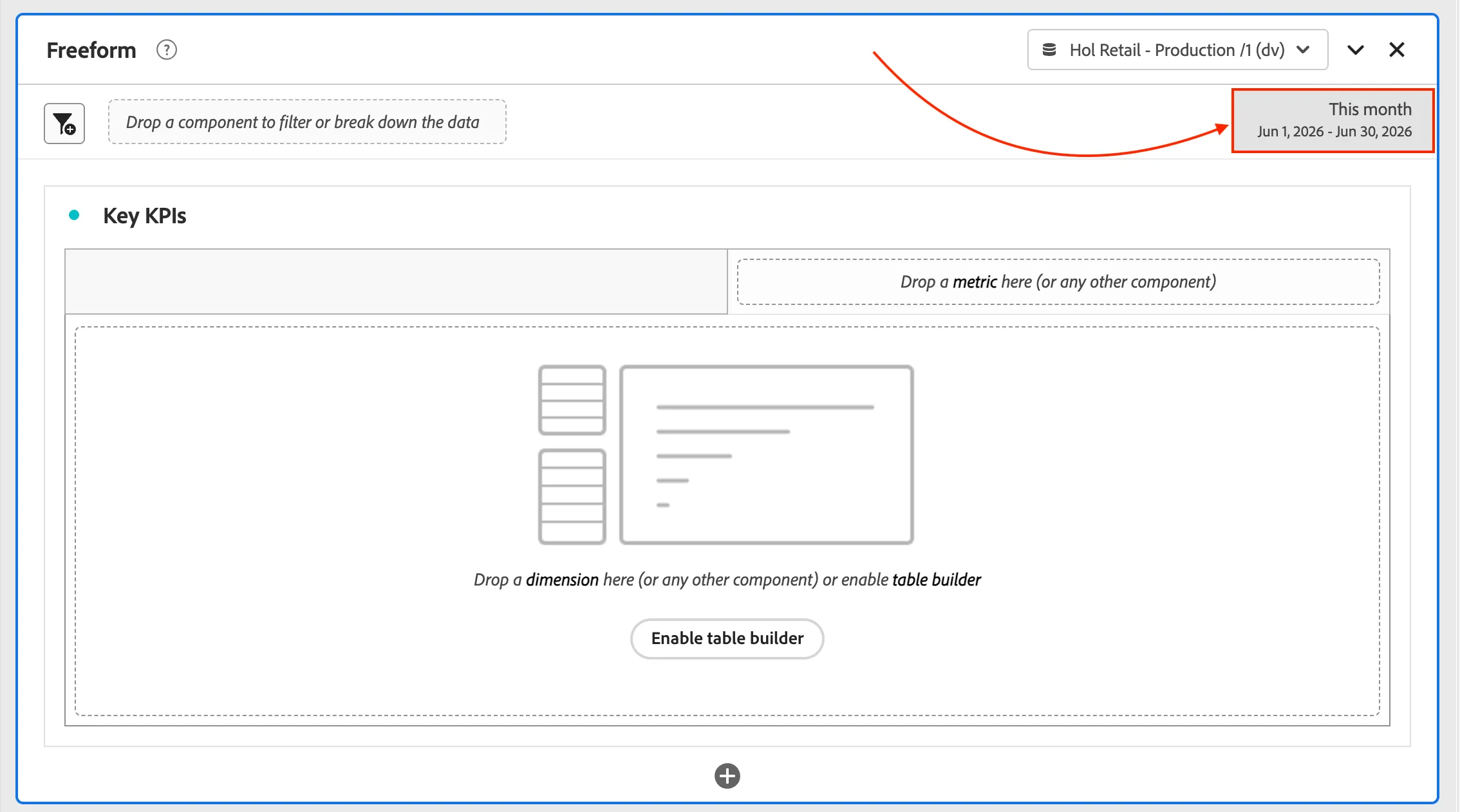
- Select the date range Last 4 full weeks from the date selector below the Data View box, and select Apply to all Panels.
- Click on Search Components in the left hand side panel.
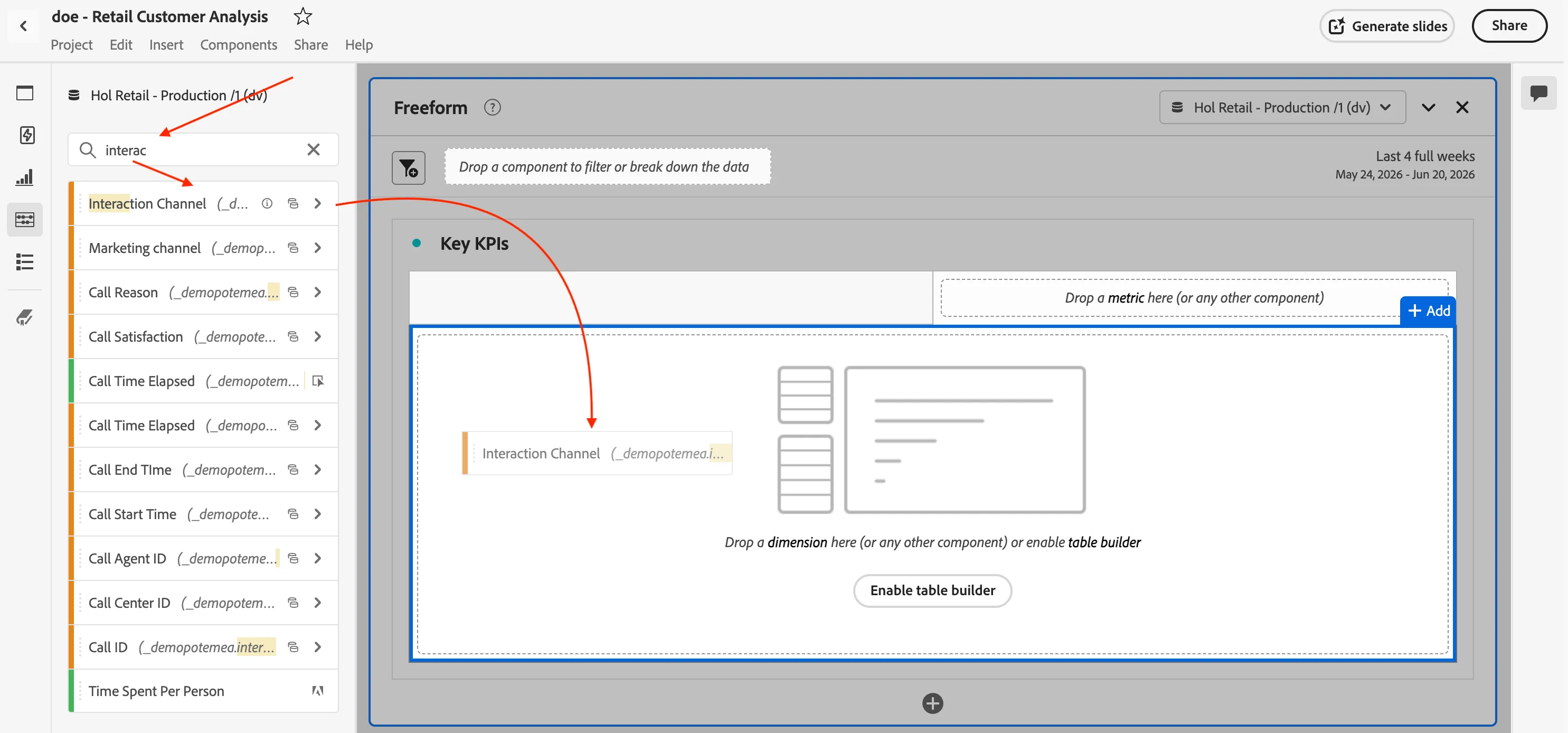
- Search for Interaction Channel, and drag this dimension (orange component) onto the main part of the freeform table. This will display the values in the Channel dimension with Events as the metric.
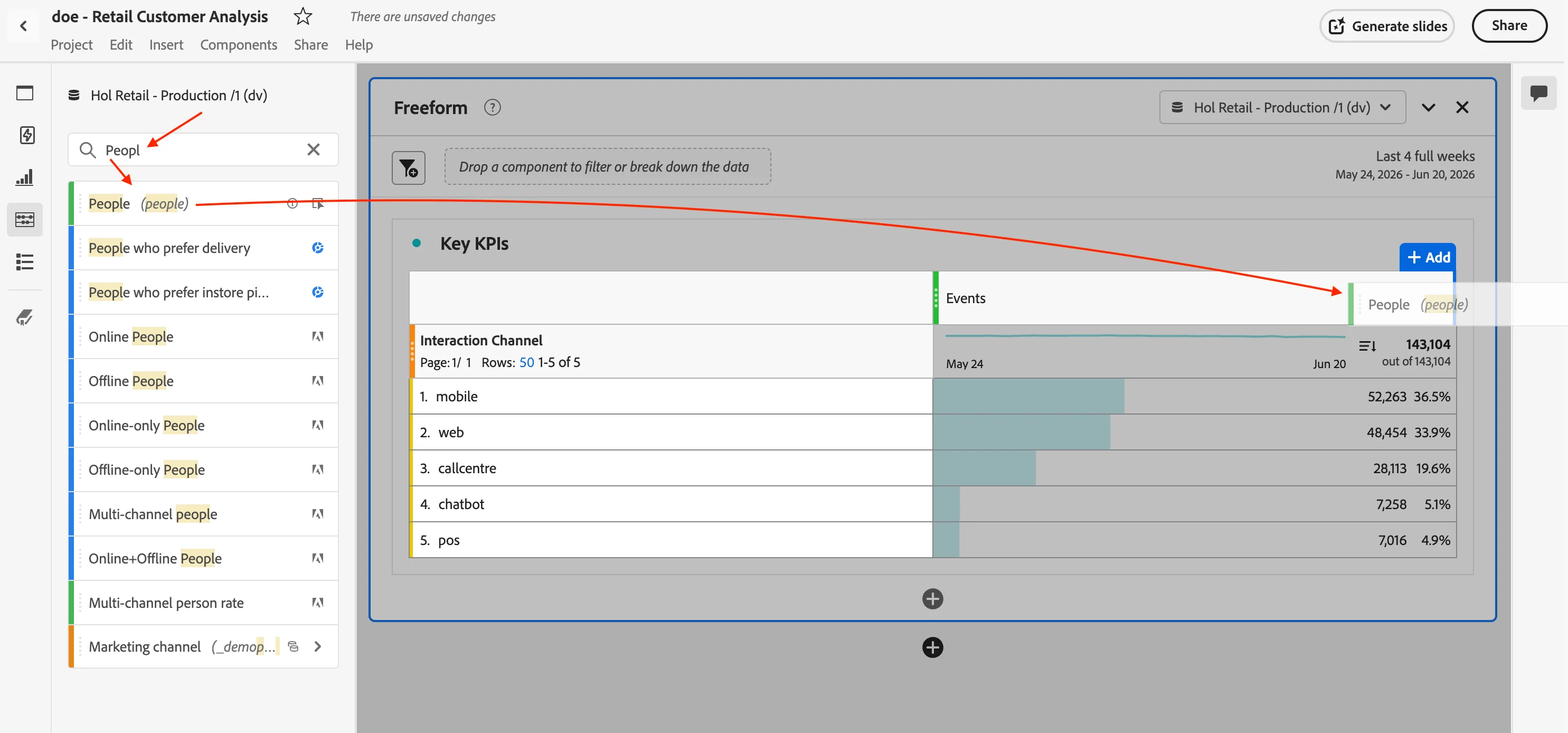
- Search now for People and drag it into the panel next to Events.
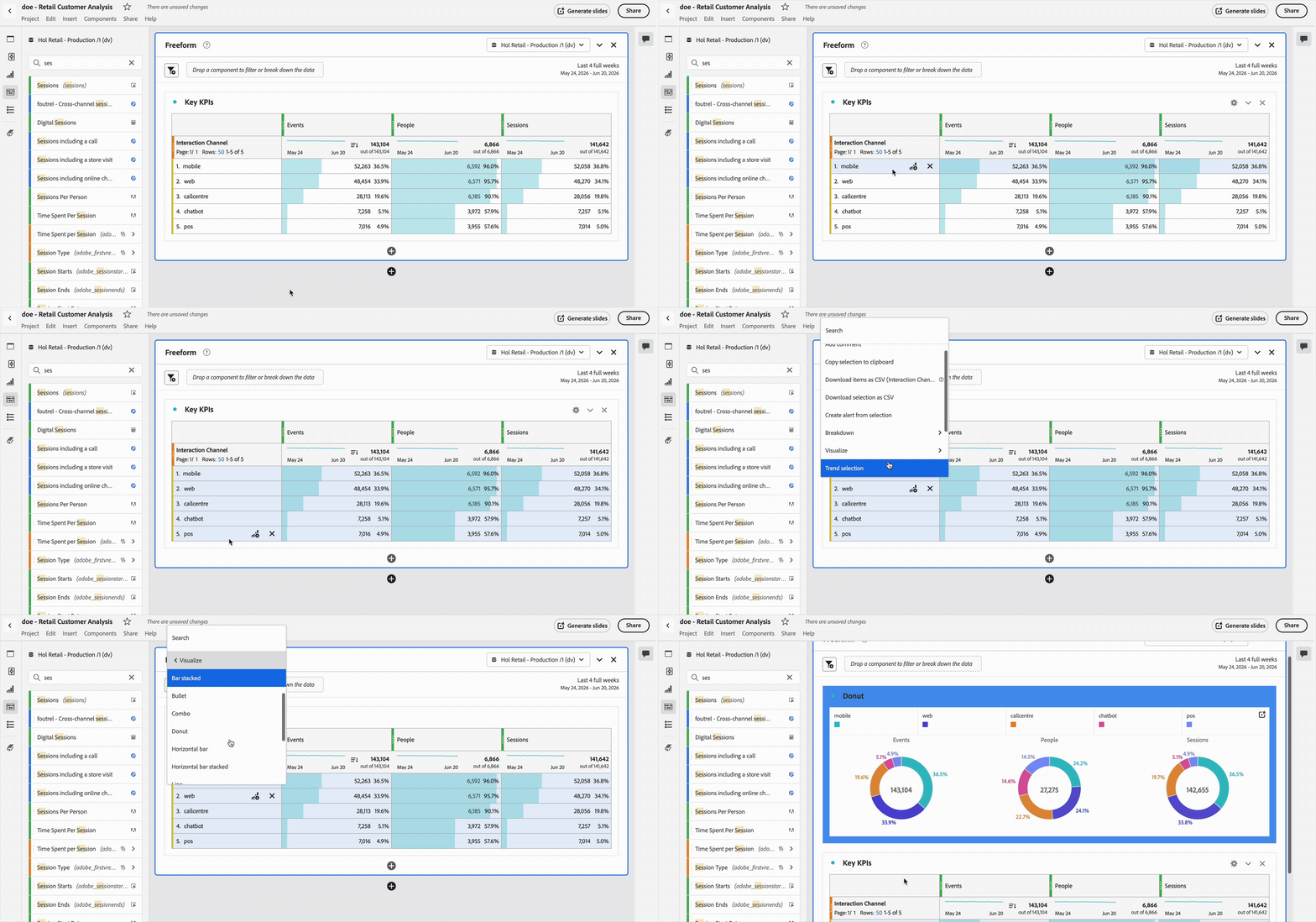
- Repeat the same for Sessions.
- In the freeform table, select multiple rows by clicking each one while holding the Shift key. Right click on the selected table, click on Visualize, then Donut. This will build out 3 donuts for you.
To keep your changes, save your project by going to Project > Save (or press Ctrl+S on Windows, or Command + S on Mac).
You have now completed your first panel! Create some visualisations to see how customers interact across channels...