Call Center Deflection
IMPORTANT: numbers shown in this guide, including screenshots, may differ from your reports due to different underlying datasets.
Goals
- Understand how Attribution IQ supports cross channel analysis.
In most cases people think of measuring the influence of marketing touches on driving conversions when talking about attribution. Attribution IQ supports this use case as seen in the previous exercise but it can also be used for many other use cases. When used in CJA, you can measure the influence that any data point has on driving an event of interest, for example, measure the influence of web pages on driving calls.
Top pages driving calls
Scenario: An operations manager wants to analyze the impact of web behavior on call center volumes.
Task: Leverage AttributionIQ to see what are the top web pages that lead to calls.
- Create a new panel by clicking the
 icon at the bottom of the page, outside the panel.
- Add a Freeform Table and title it Top Pages Driving Calls.
- Ensure your date range is the Last 6 full months.
- Drag the Page Name dimension & drop it into the panel, then add in the Digital Sessions and Calls metrics:
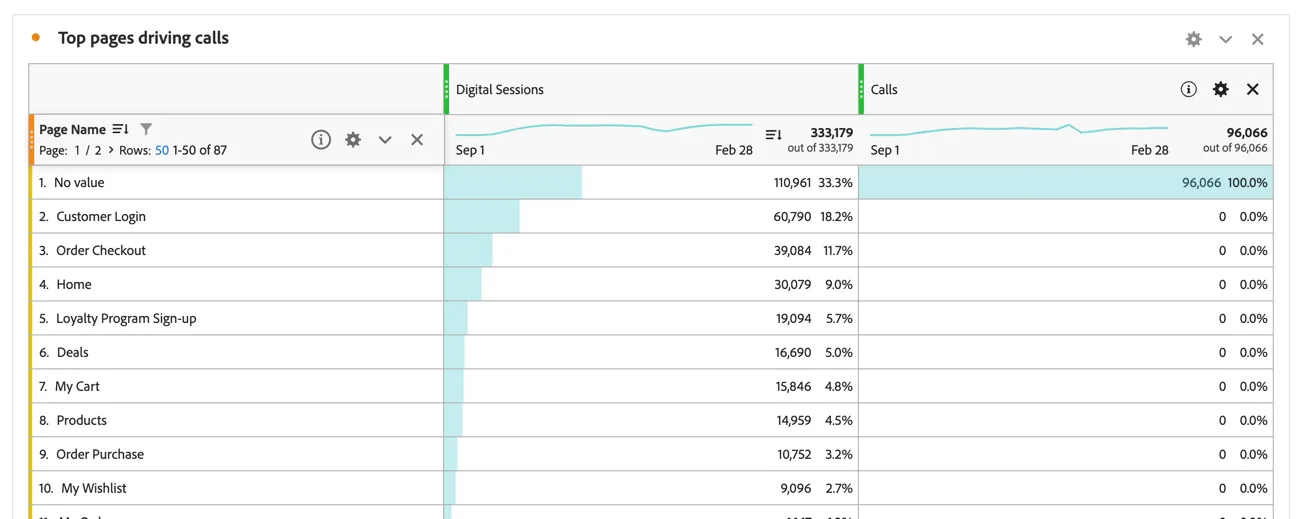
As expected, the Calls metric reports all 0's because there are no Call events that occur on the same event as a Page View.
Use Attribution IQ to configure how attribution works for this metric.
- Click on the
 icon to the right of the Calls metric in the table.
- Click the checkbox to use non-default attribution model.
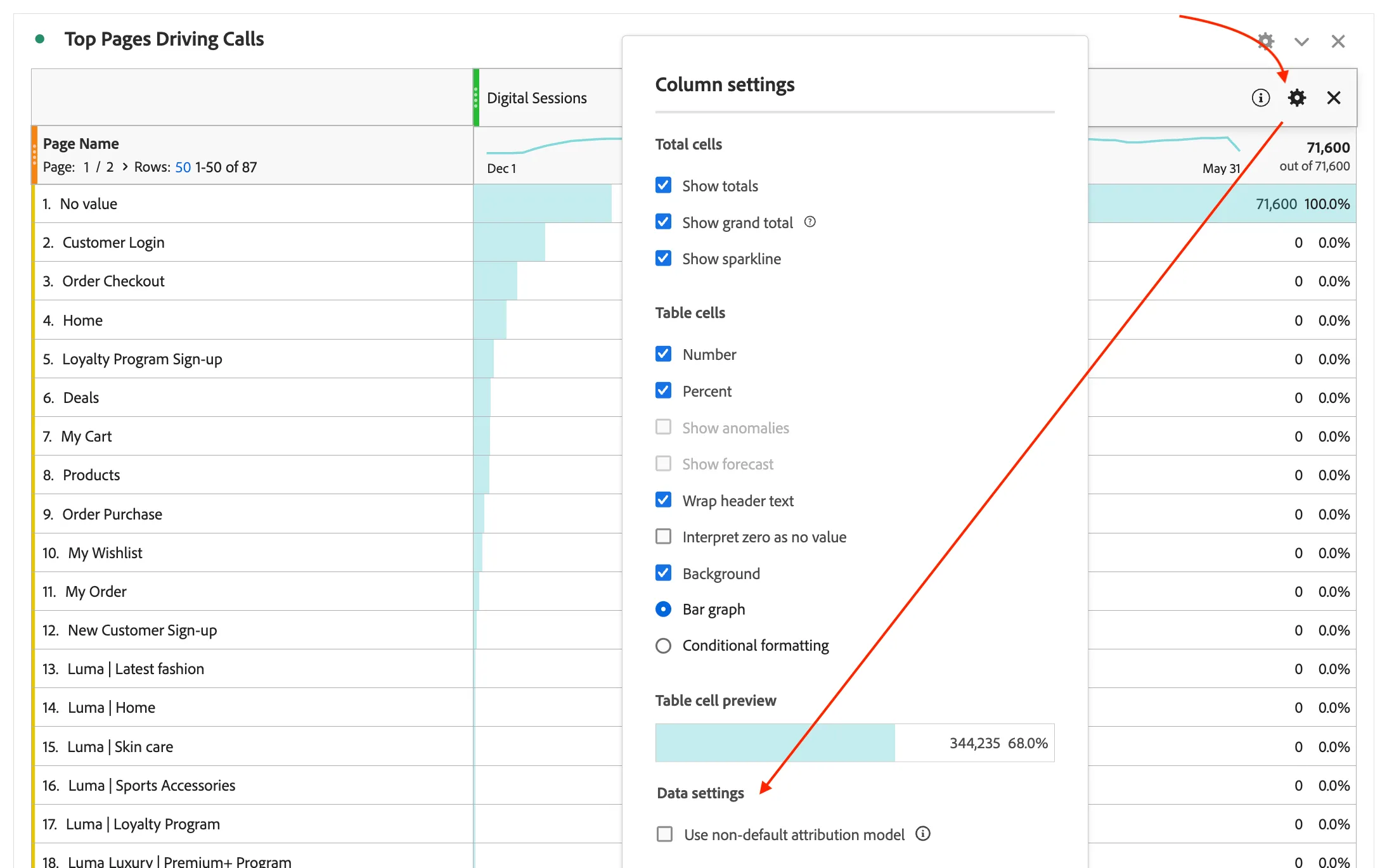
- In attribution model settings, select the Time Decay model and configure a 1-Day Half-life. Set the Lookback window to Person (Reporting Window)
- Click Apply.
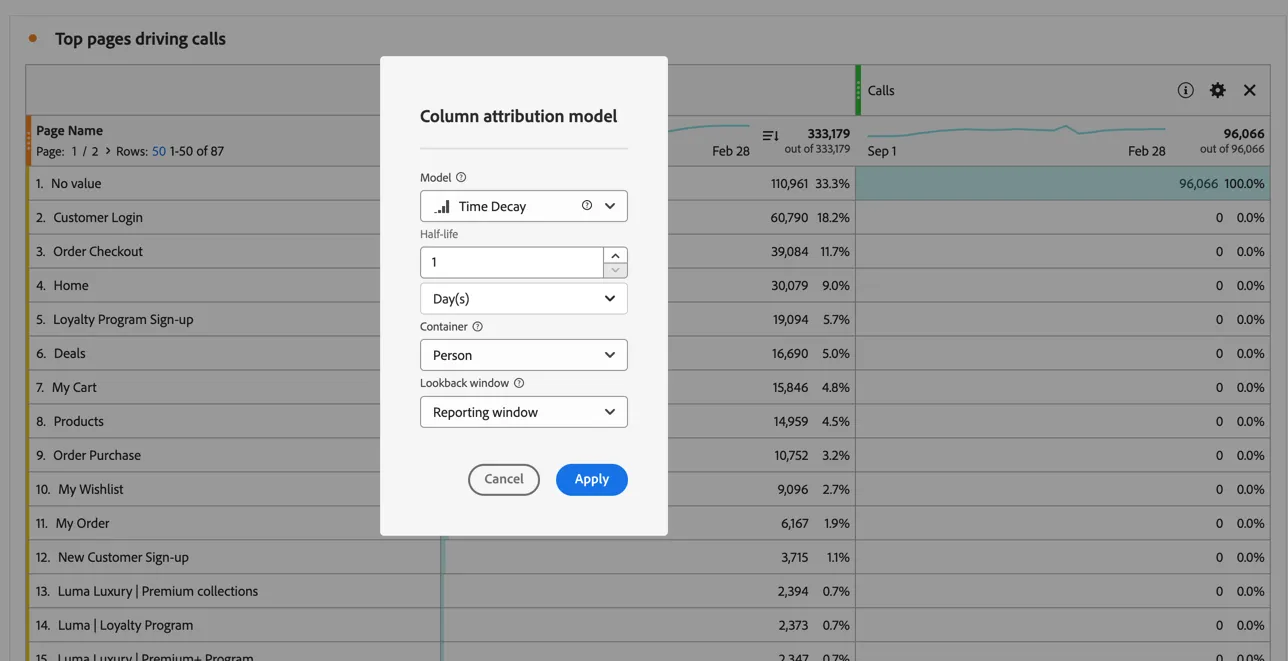
This is a perfect model for what you're trying to do. Typically, customers will try to do something online for a while before they give up and call into the call centre. This means that they may hit a couple of pages before they call. The goal is not to give credit only to the last page for driving the call, but more credit should go to the last page for driving the call.
The time decay model is configured to look back from the call event up to 1 day and give the most credit to the last page that a person saw prior to a call, and then incrementally less credit to each page behind that, up to 1 day prior to the call.
The resulting table:
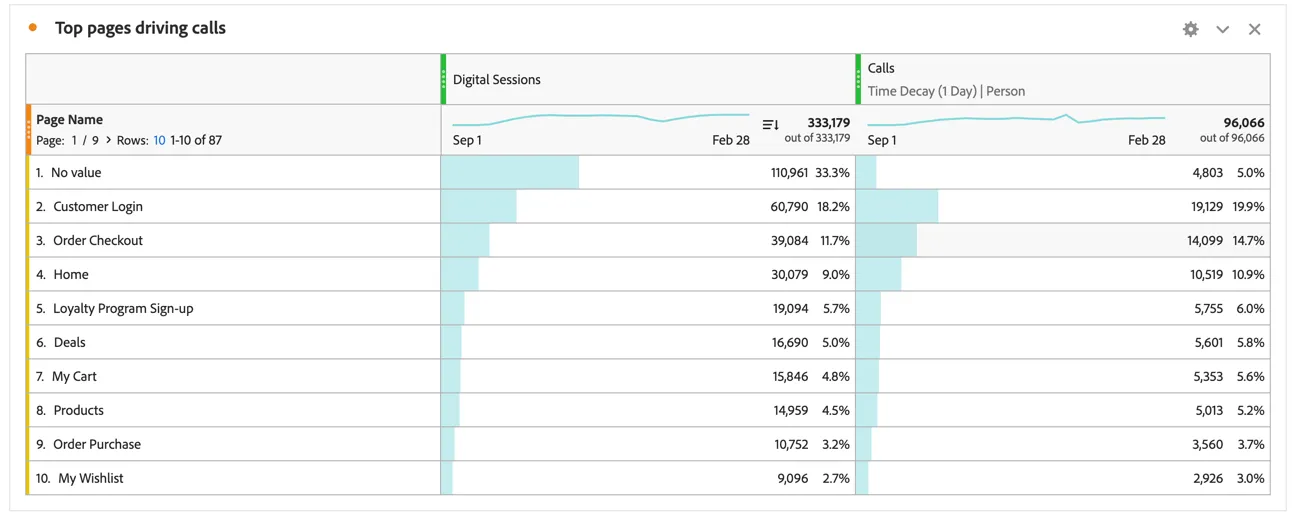
Marketers can now take action by testing different versions of those pages (Adobe Target is a great option here) until they find a version that works best at keeping people in the cheaper, online channel.
To keep your changes, save your project by going to Project > Save (or press Ctrl+S on Windows, or Command + S on Mac).
Congratulations, this completes the exercise on Attribution IQ!