Objective
Overarching Story
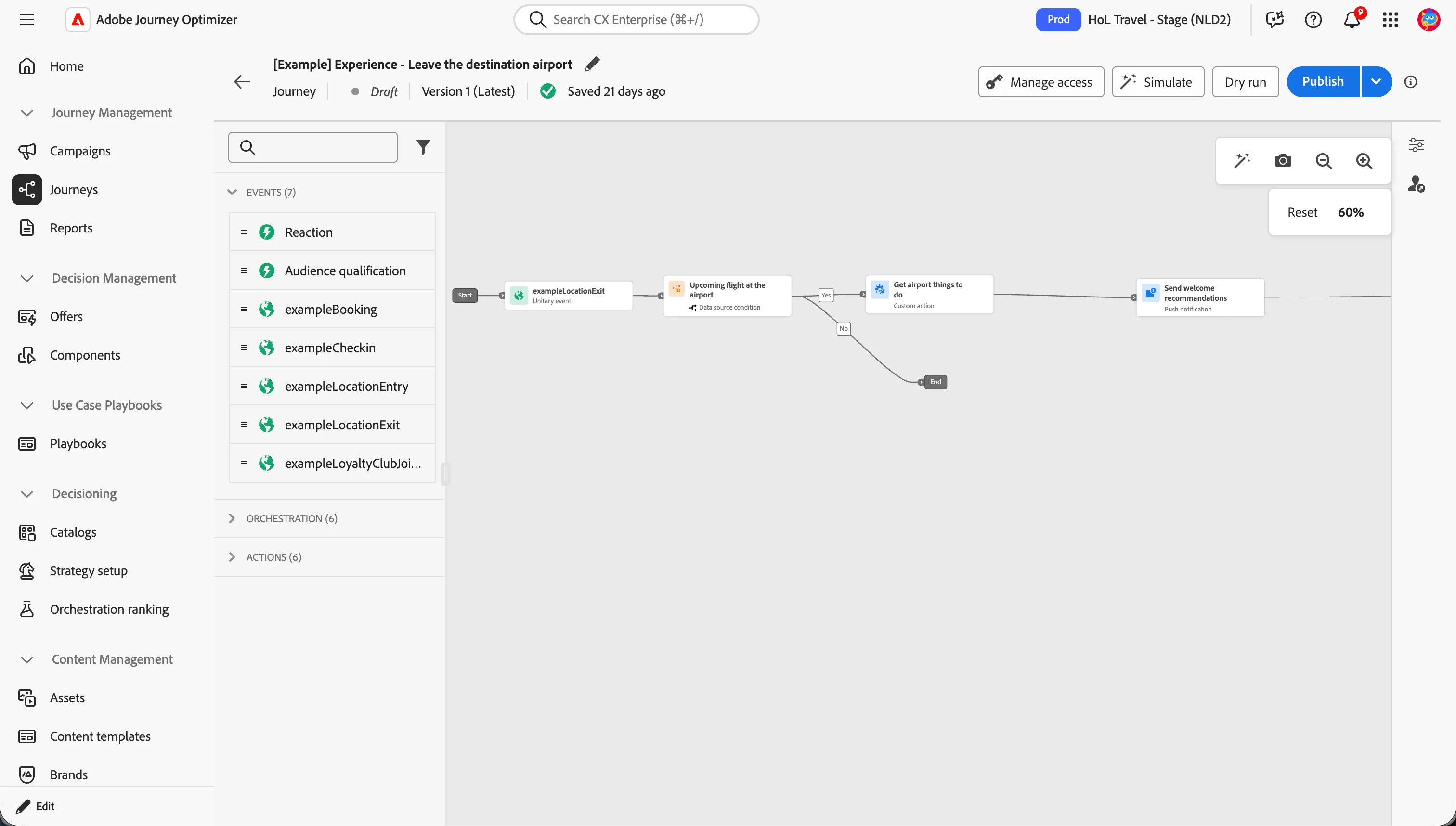
The traveler has just arrived at the destination airport and is on their way to start their trip. Having consented to location sharing, they receive a timely notification from the airline as they exit the airport.
This notification provides a personalized itinerary along with curated suggestions of things to do, helping the traveler make the most of their stay from the very first moments at their destination.
Experience it first
Walk through this section as your customer would. This helps you understand what they experience. Next, you'll build the required elements in AEP to create that same journey.
You are exiting the destination airport and starting your trip. Because you previously consented to location sharing, the airline detects that you have arrived and sends a push notification with a personalized itinerary and suggested things to do at your destination — no need to search for activities or plan your stay last minute.
🟡 TO BE DECIDED
What is needed
Now you've seen what the customer experience is, this is what you need to configure to enable that experience with Adobe Experience Platform.
- A set of Points of Interest To know where airport stores are located.
- An event To see if the customer is close to an airport.
- A data source To check whether the airport code in the event is the same as the destination airport code
- A push message To send to these traveler.
- A journey To send the push message to the traveler.
Why this matters
As a marketer, you want to turn a key moment in the travel journey into a seamless, personalized experience. With AEP and Adobe Journey Optimizer, you can trigger real-time, location-based communications that reach the traveler at exactly the right place and time — anticipating their needs, enhancing their experience at the destination, and increasing engagement with your brand throughout their trip.