Send your Audience to a Destination: TikTok
Story so far
When the customer opens the TikTok app and browses the feed, an ad for a trip by WKND is displayed. This reminds the customer of the price they previously locked in for a travel destination on the WKND website.
TikTok - destination
You can use this destination for audience targeting across TikTok's family of apps that are supported by Ad Managers. Selection of the app that you want to run campaign against is indicated at the placement level in TikTok Ads Manager.
TikTok Ad Manager supports the activation of identities:
- GAID - TikTok Advertising ID
- IDFA - Apple ID for Advertisers
- phone_sha256 - Phone numbers hashed with SHA256 algorithm
- email_lc_sha256 - Email addresses hashed with SHA256 algorithm
- extern_id - Custom user IDs
Export Type = Segment Export
TikTok requires that no personally identifiable information (PII) is sent in clear. Therefore, the audiences activated to TikTok can be keyed off hashed identifiers, such as email addresses or phone numbers.
Activate audience to the TikTok Destination
- In the left rail, click on Connections and choose Destinations, then go to Catalog. You’ll then see the Destinations Catalog.
- In Destinations, select Social, click the Activate Audiences on the TikTok card.
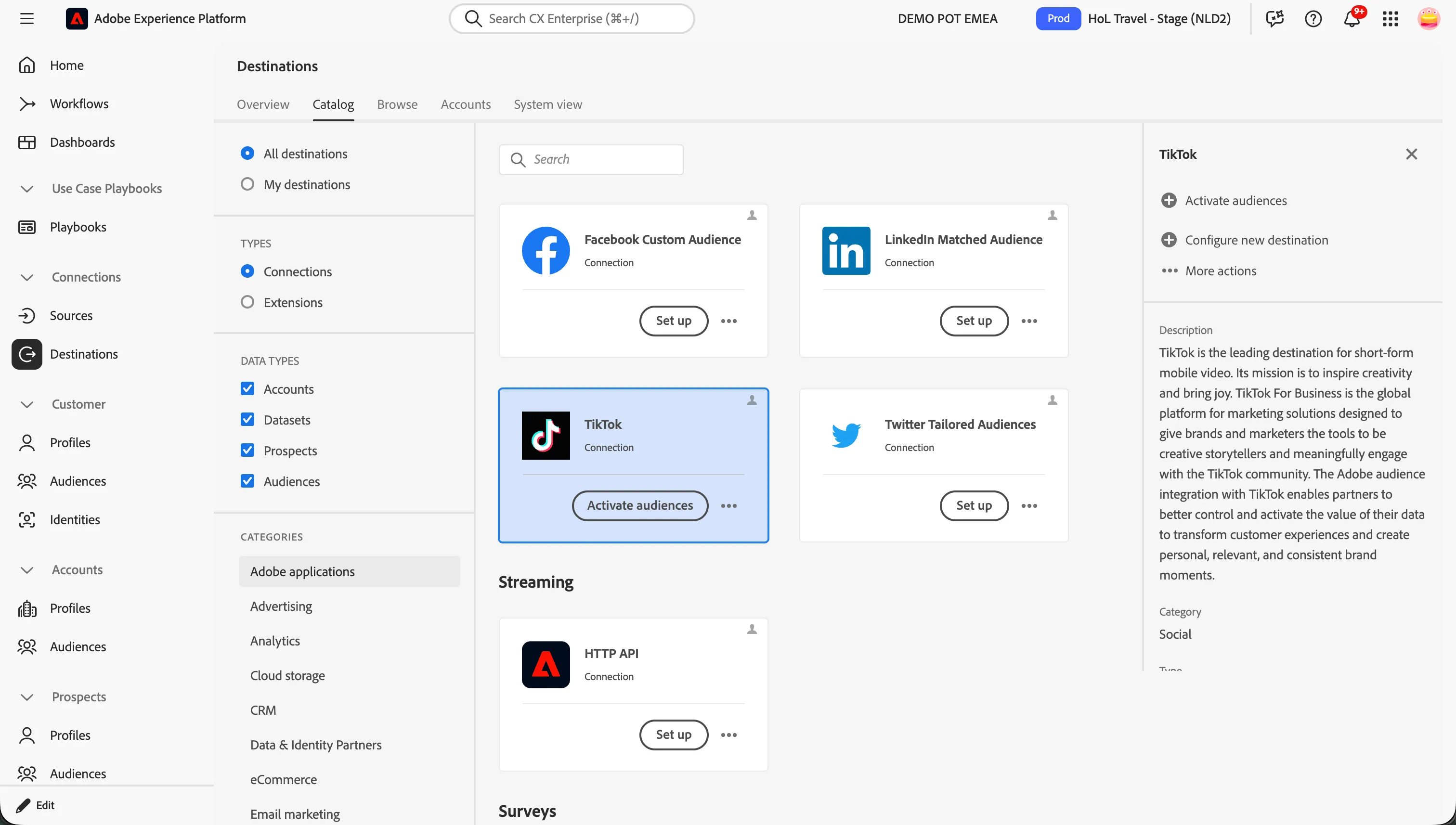
- Select the Destination TVEMEA - TikTok and click Next.
For this lab the TikTok Destination for our demo account has already been configured. You can reuse this account to map your audiences in the Lab: TVEMEA - TikTok
In the list of available audiences
- Select the audience you created in the previous exercise for mapping.
- [{{LASTNAME}}] Price lock - Holiday destination
- Click Next.
For the TikTok Ad Manager Destination, you need to specify your mapping identifiers between Adobe Experience Platform and TikTok. These will be used to match the profiles in your audiences between platforms.
For this lab, use the Hashed Email ID as the mapping identifier.
This mapping is already in place for the Bootcamp TikTok Destination, the below steps 1-7 are for information only.
- On the mapping step select Add new mapping.
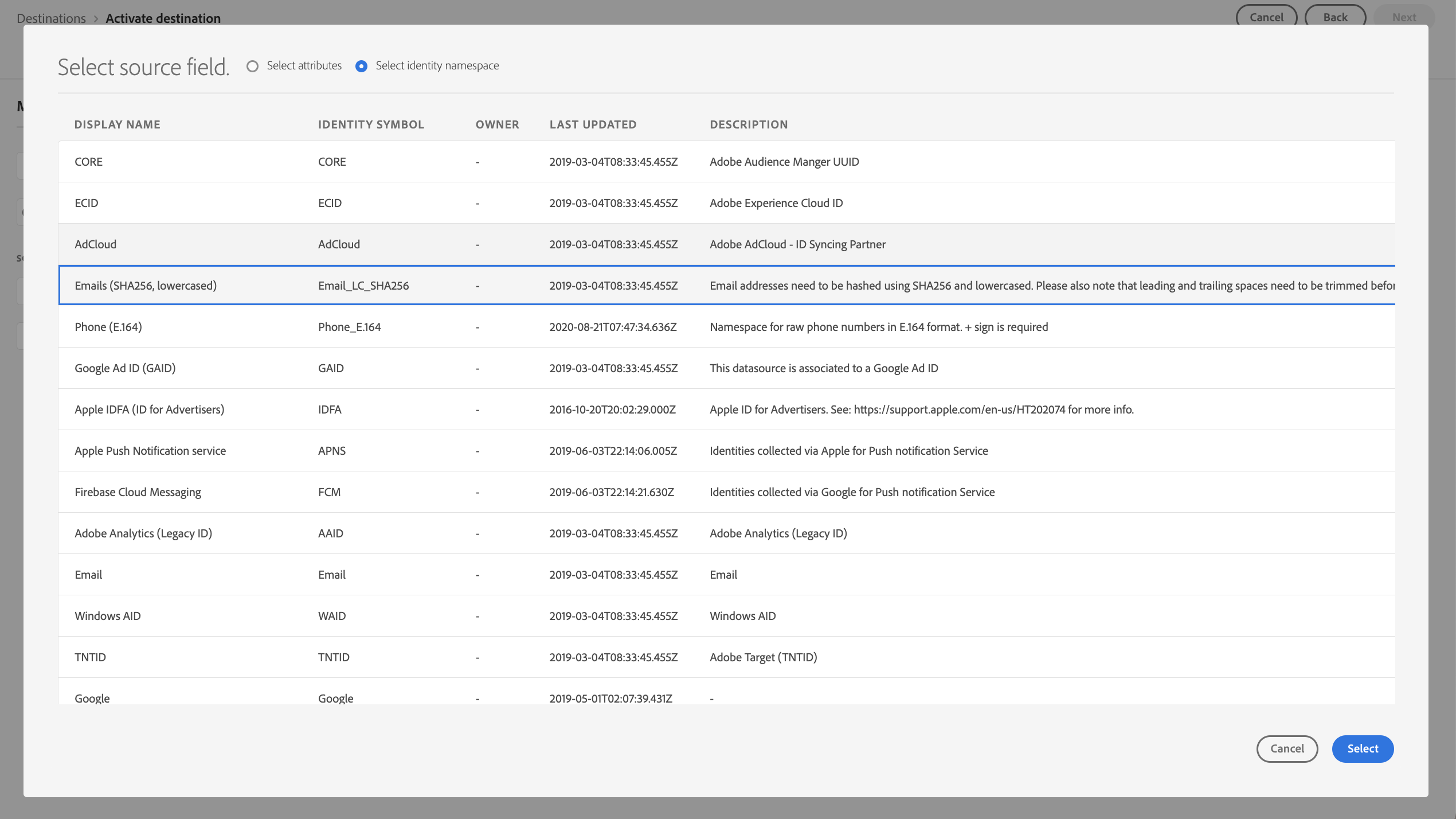
- Specify a Source Field, by selecting the arrow next to the input box. This opens our XDM schema where you can choose to select from attributes or Identity namespaces.
- Select the checkbox Select identity namespace and click the Emails (SHA256, lowercased) namespace from the list of identities.
- Click Select.
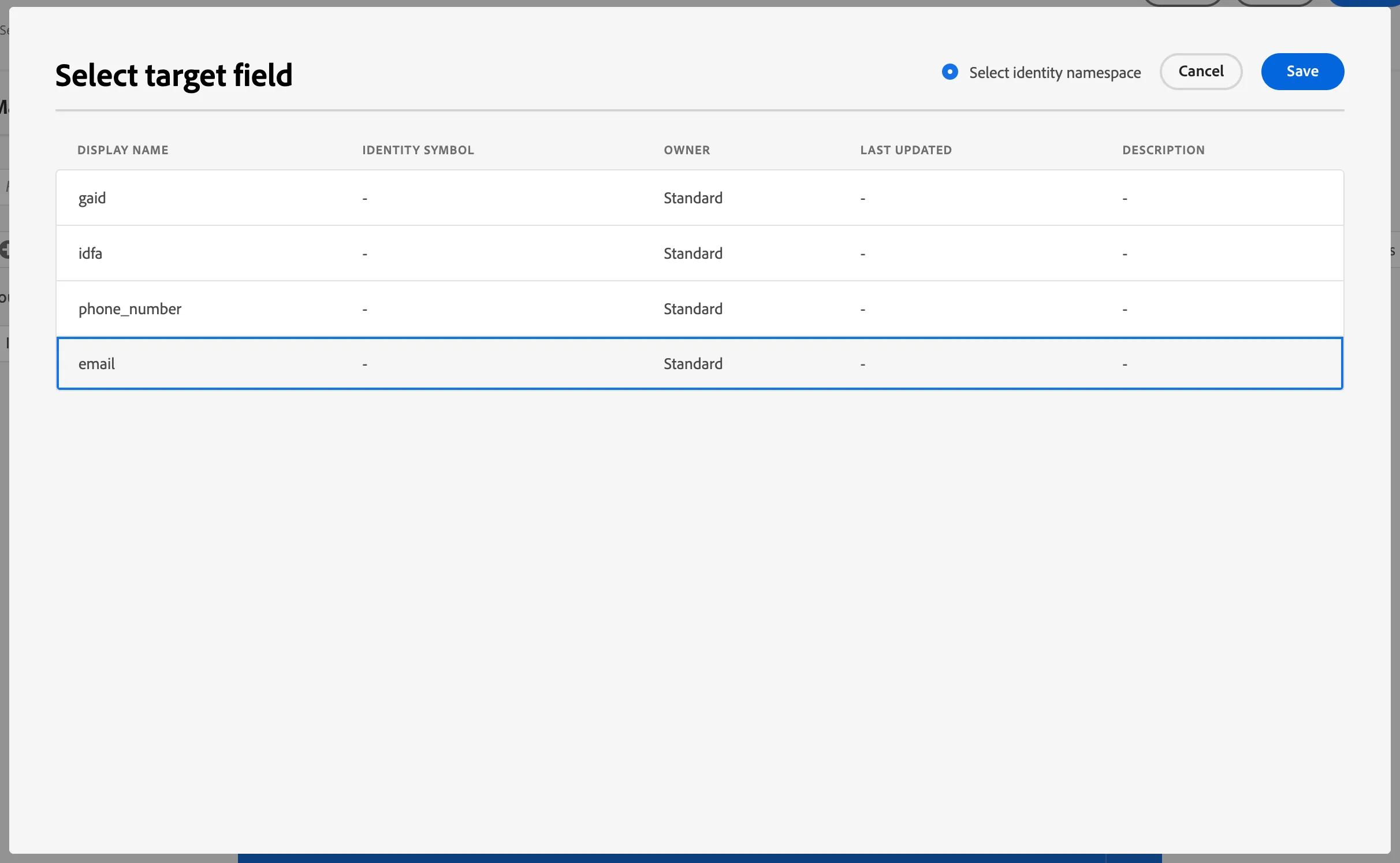
Then, do the same for the Target Field.
- Select the email field from the TikTok options.
- Click Select.
Your mapping should now look like:
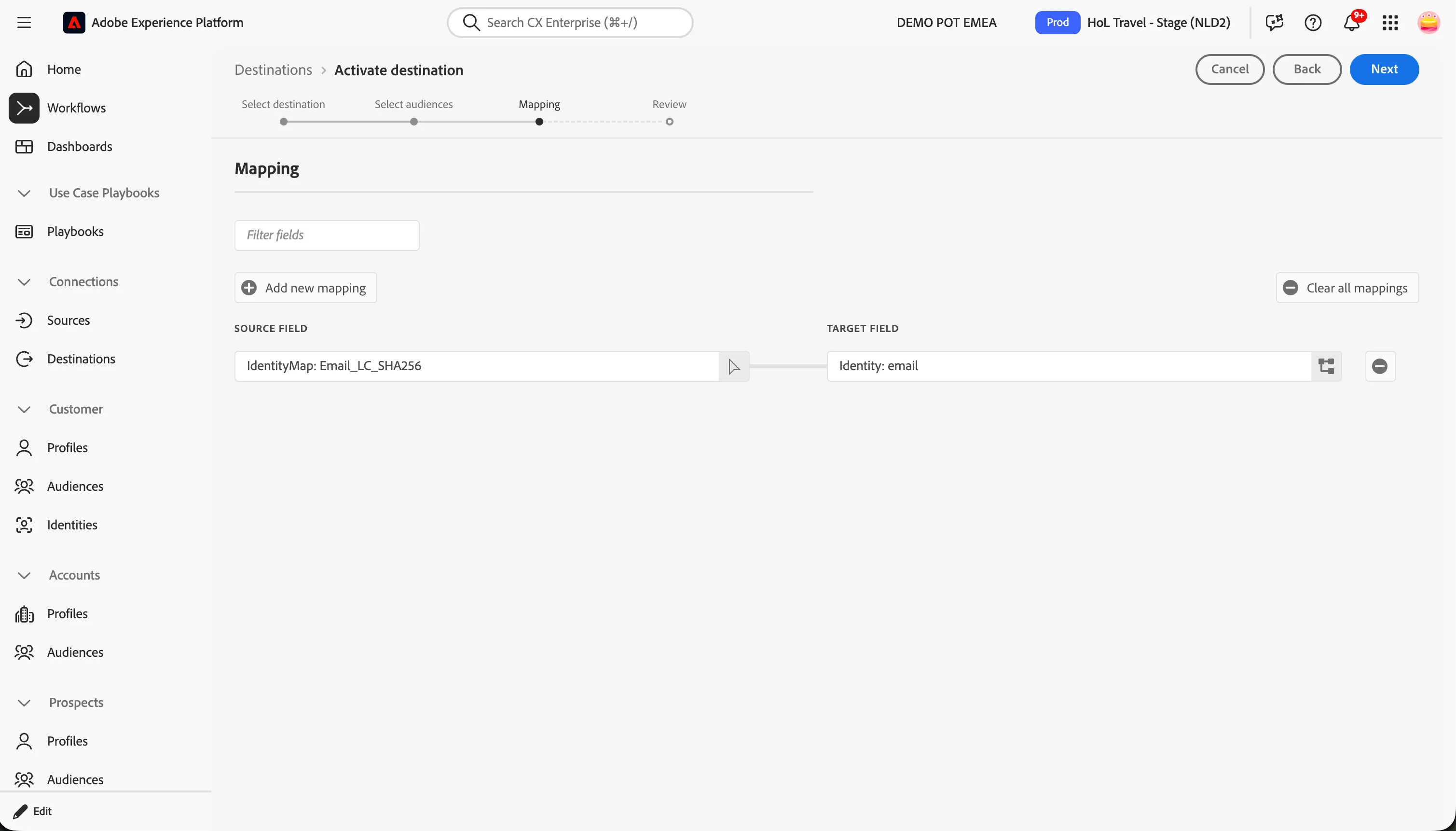
- Click Next.
- Finally, on the Review page, click Finish.
Your audience is now activated to TikTok
Exported Data
For TikTok, a successful activation means that an audience would be created programmatically in TikTok Ads Manager. Audience membership in the audience would be added and removed as users are qualified or disqualified for the activated audiences.
The integration between Adobe Experience Platform and TikTok supports historical audience backfills. All historical audience qualifications get sent to TikTok when you activate the audiences to the destination.
Recap
Well done! With the Discover section you have familiarized yourself with the overarching concepts of Adobe Experience Platform:
- Customer profiles, data and attributes.
- Segmentation that can be rule-based or even created with AEP's lookalike modelling capabilities.
- Destination to third parties for audience re-activation purposes.
In this section, the customer moves from simply browsing for their next trip to locking in a price. They are then re-targeted on TikTok to encourage them to complete their booking. This sets the stage for the customer to finalize their decision and purchase the trip. The post-sale customer journey will be covered in the next section, Decide
.