Marketing Performance
IMPORTANT: numbers shown in this guide, including screenshots, may differ from your reports due to different underlying datasets.
Goals
- Understand which marketing channels are driving bookings and revenue.
- Compare last-touch and algorithmic attribution to expose the hidden contribution of upper-funnel channels.
Marketing Performance
Scenario: the marketing team reports on revenue using last-touch attribution. The paid social team believes their campaigns are being under-credited. Your job is to test that hypothesis.
Task: Build a marketing performance panel and compare attribution models
- Create a new panel by clicking the
 icon at the bottom of the page, outside the panel.
- Add a new Freeform Table and label it Marketing Performance.
- Set the date range to Last 6 full months.
- Add Marketing Channel as the dimension.
- Add Ad Clicks and Booking Revenue as metrics.
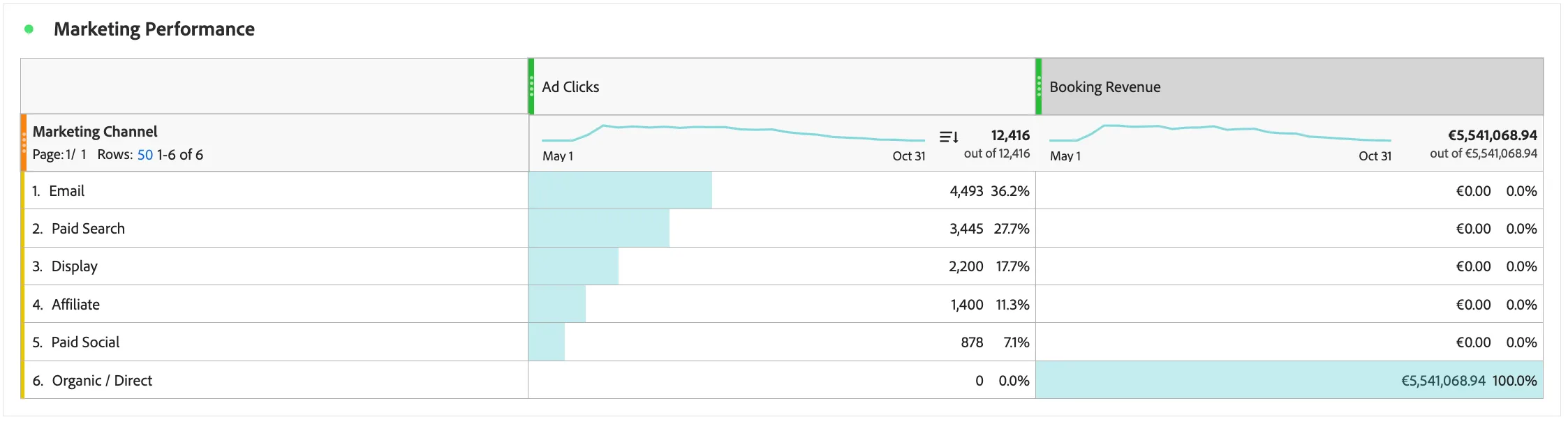
Marketing channel differs from Interaction Channel : Marketing Channel indicates the channel the customer came from before landing on the website - usually tracked via UTM parameters. The Interaction Channel refers to the channel the customer is currently interacting on - in this case the channel in which the revenue was collected.
Comparing attribution models
Most WKND ad clicks fire before a user logs in, they are anonymous, first-touch moments. Because the booking event often occurs some time after this, CJA's default last-touch model assigns booking revenue to Direct or Organic. This is an accurate illustration of why the attribution model can mislead.
Lets compare with Adobe's algorithmic attribution model instead. This uses machine learning to dynamically distribute conversion credit across all marketing touchpoints. Unlike fixed models, it analyses interaction sequences to determine the actual influence of each touchpoint, providing a fractional, data-driven assessment of complex customer journeys.
- Add Booking Revenue as a metric again.
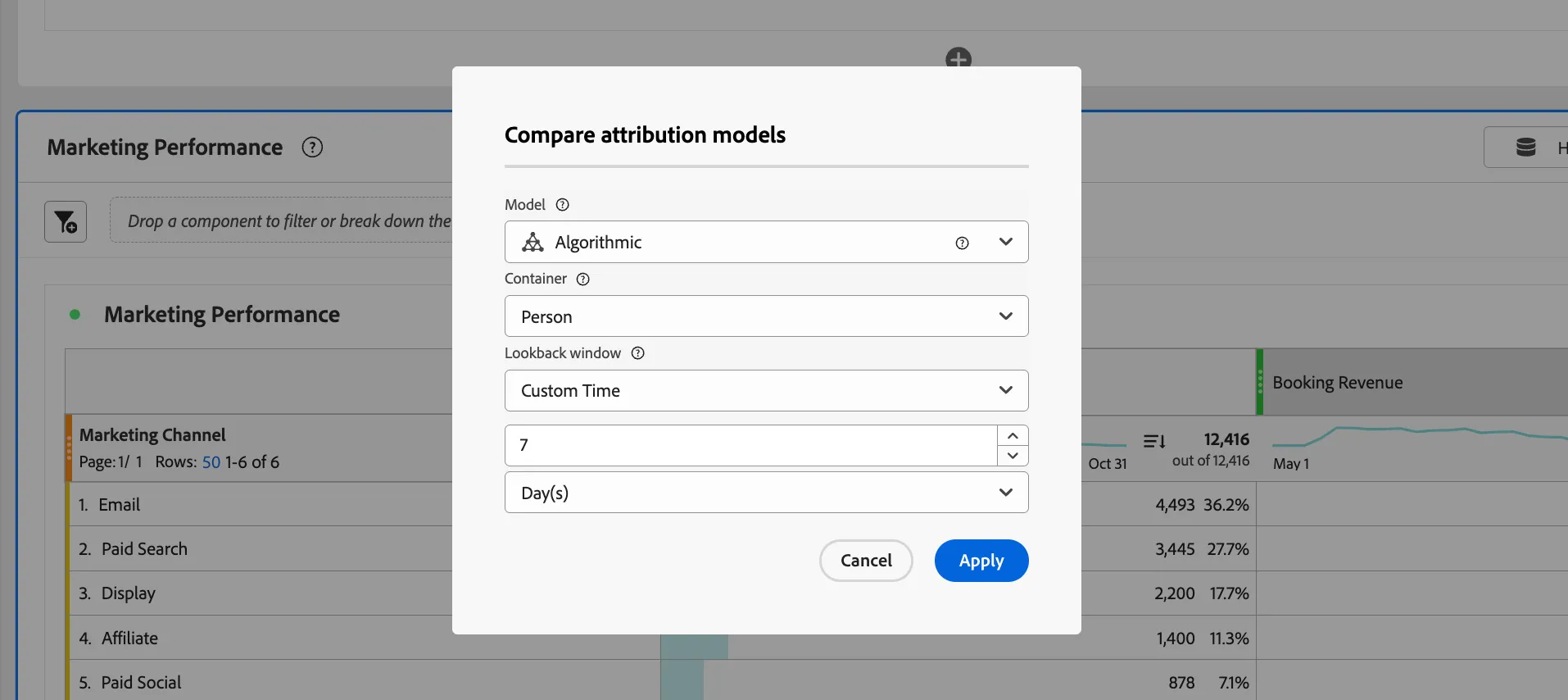
- Right-click the new Booking Revenue column header → Modify Attribution Model
- Select Algorithmic model, Container = Person, Lookback window = 7 days.
- Click Apply.
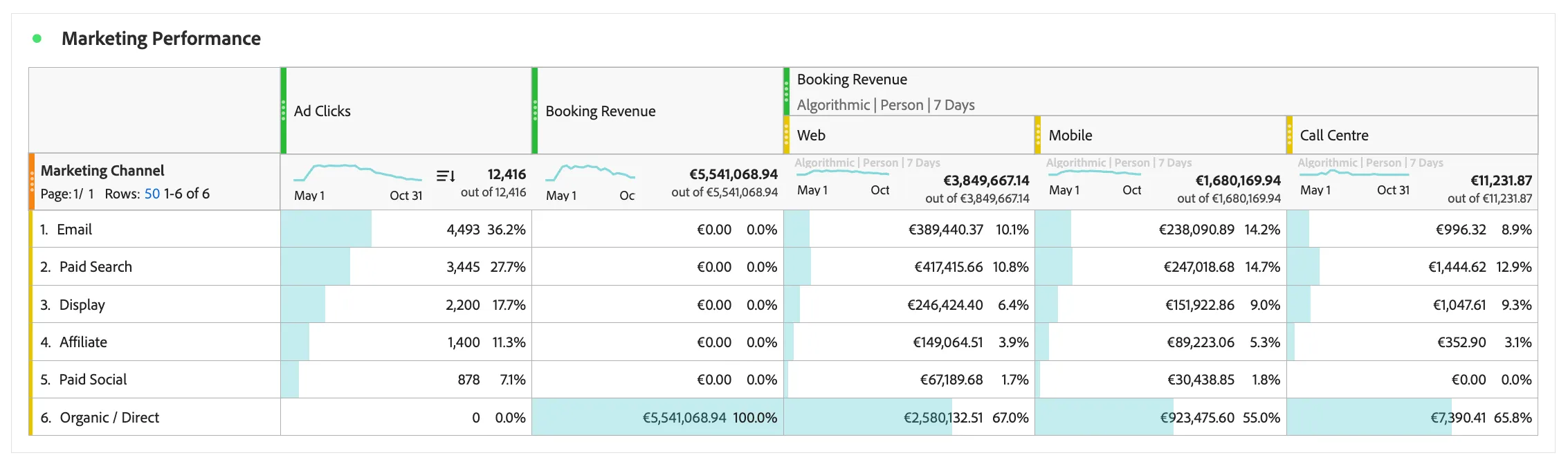
Marketers can now see the full impact digital campaigns are having on conversions across channels. Remember that Booking Revenue here will include offline purchases coming from identified customers. See how this attribution is distributed across channels.
Breakdown by Interaction Channel
- In the components menu find Interaction Channel and drag it to filter the Booking Revenue column.
You can see that bookings are happening across online web, mobile as well as via the call centre. No booking revenue is coming from the airport so you can remove that column.
Save your changes: Use Project > Save (or Cmd+S / Ctrl+S).
Congratulations, this completes the exercise on Marketing Performance!