Objective
Story
This is the first step of the customer journey, where the customer is exploring holiday options and discovers the WKND brand through an online ad. They browse destinations on the site and, still unsure, lock in a price for 24 hours by sharing their email. After leaving the website, the customer is re-engaged through a personalized social ad and returns to continue their journey.
Experience it first
Walk through this section as your customer would. This helps you understand what they experience. Next, you'll build the required elements in AEP to create that same journey.
You are looking for your next trip. On a google website you see an ad from the WKND website.
- Open our demo Google page.
- Click the search button Google Search.
- Click on the Sponsored Result for WKND, which will direct you to the WKND Website.
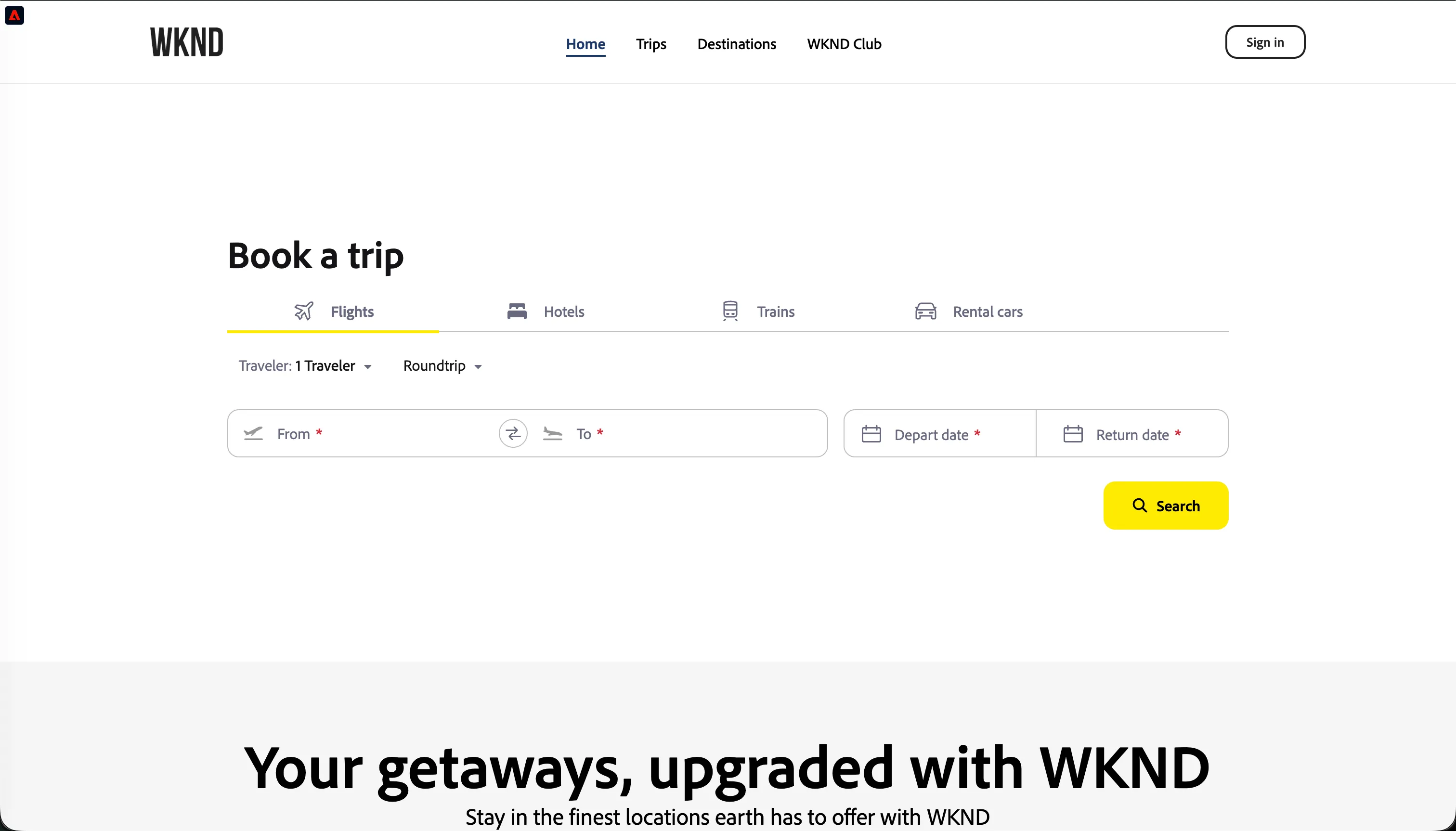
You browse a couple of destinations, then become interested in the price of one of them and decide to lock in the price for 24 hours.
- Select a departure and arrival airport, as well as a date for your trip.
- Find a suitable flight and do the same for your return journey.
- As you are still unsure, click on the Lock booking for 24 hours-button.
- Fill the form, make sure to set the email address to {{EMAIL}}.
- Click the Lock Price-button.
What did you just do? By locking the price you provided us with identifiable information (email address), which we can now use to recognise you. This allows us to "stitch" this browser session to your existing customer profile
Profile viewer
The website is equipped with a Profile Viewer, that surfaces the data available in Adobe Experience Platform to show how the data is being captured, unified, enriched and qualified over time behind the scenes.
Let's check the profile viewer to see the events captured.
- Click on the
 button in the top left corner of the WKND website. This opens the Profile Viewer.
- In the top-right corner of the Profile View, click the icon to get the latest data.
- Click on the Events tab and see the list of flights you selected and your Lock Booking-event.
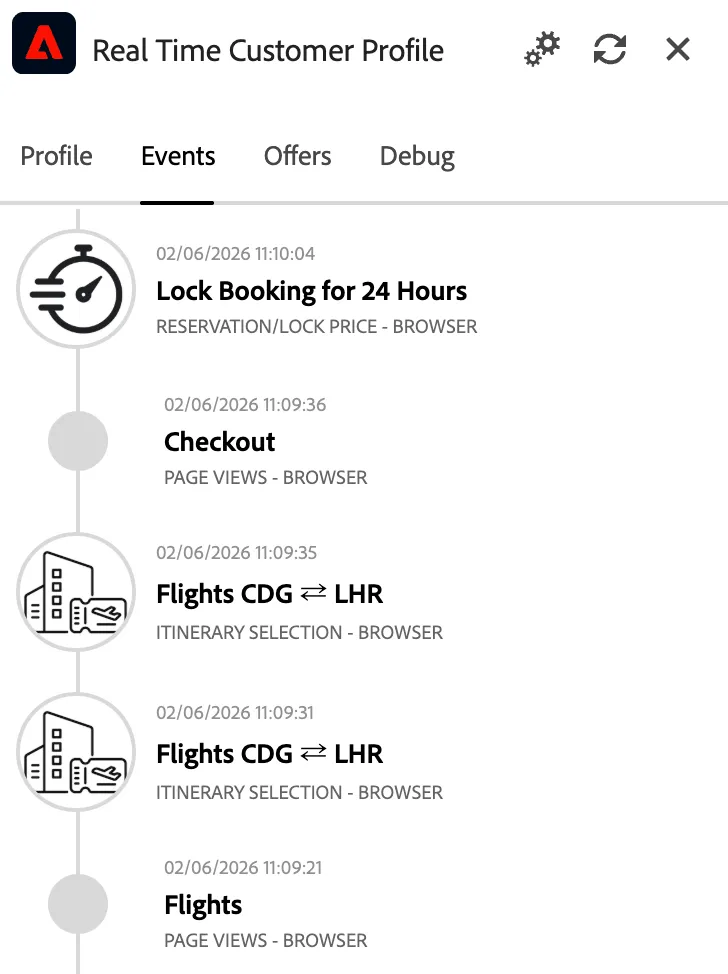
While browsing, your profile gets qualified for one or more audiences, based on the actions you do on the website.
- Access the Profile Viewer and click on the Profile tab.
- Expand the Audiences sections.
- Your profile should be qualified for the [Example] Price lock pending audience.
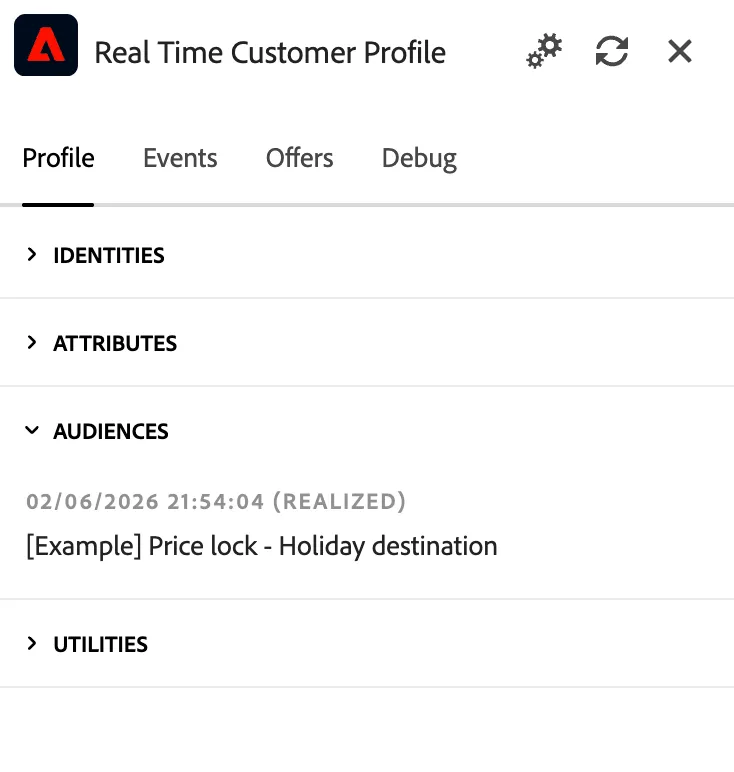
In AEP, this audience is shared with TikTok for re-targeting purposes; next time the customer will scroll on the TikTok feed he will see a personalised ad.
This lab cannot send an actual banner delivery to TikTok, as it would require an active TikTok Business account and running campaign. However, you will learn how to activate this audience segment to TikTok's Ad Manager in AEP.
What is needed
Now you've seen what the customer experience is, this is what you need to configure to enable that experience with Adobe Experience Platform.
- A rule-based audience To qualify the customers who have locked a price.
- A 3rd party destination to TikTok To share the audience and re-target the customers when they scroll on TikTok.
Why this matters for marketers
As marketer, you want to optimize your spending by focusing on customers with similar traits of purchasers and re-target them if they show interest. With AEP you can create lookalike audiences starting from a group of purchaser you own and want to grow.